
Employee Group
هذا المحتوى غير متوفر بلغتك بعد.
Employee Group is grouping of Employees based on some attributes such as Designation, Grade, Branch, etc.
To access Employee Group, go to:
Home > Human Resources > Employee > Employee Group
1. Prerequisites
Section titled “1. Prerequisites”Before creating an Employee Group, it is advisable you create the following documents:
2. How to create an Employee Group
Section titled “2. How to create an Employee Group”- Go to Employee Group list, click on New.
- Enter the Name.
- Select and add Employee ID to the group. The Employee Name will get automatically fetched.
- Save.
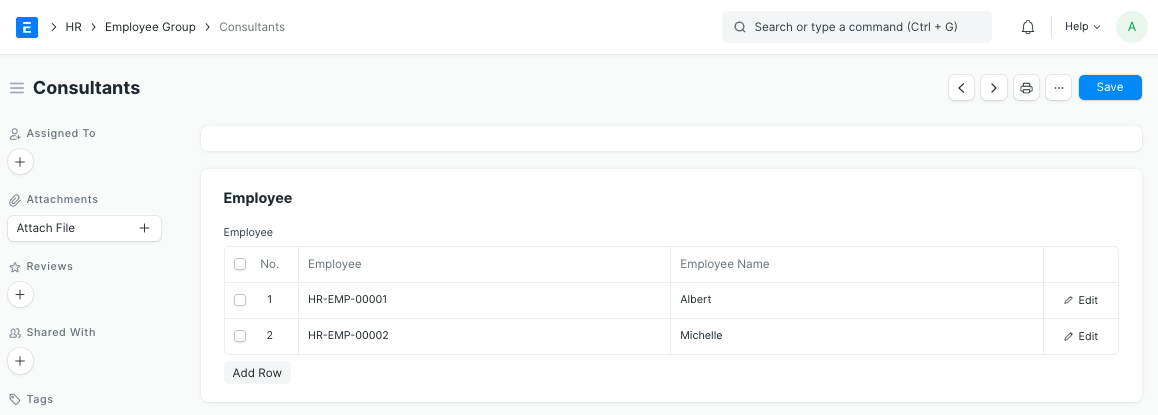
3. Features
Section titled “3. Features”3.1 Service Level Agreement
Section titled “3.1 Service Level Agreement”An Employee Group can be added to the Service Level Agreement doctype, where the Service Level can be specified for a particular Employee Group.
4. Related Topics
Section titled “4. Related Topics”last