
Round off Account Validation Message
هذا المحتوى غير متوفر بلغتك بعد.
A Purchase Invoice for Nova Industries contains item calculations, tax, discount, and currency precision. The exact total differs from the payable amount by a few cents, but no account is configured to hold that difference. Bravo Hub ERP asks for a Round Off Account so the debit and credit totals remain balanced.
Configure the default
Section titled “Configure the default”- Open the Chart of Accounts and create or identify a small rounding expense or income account.
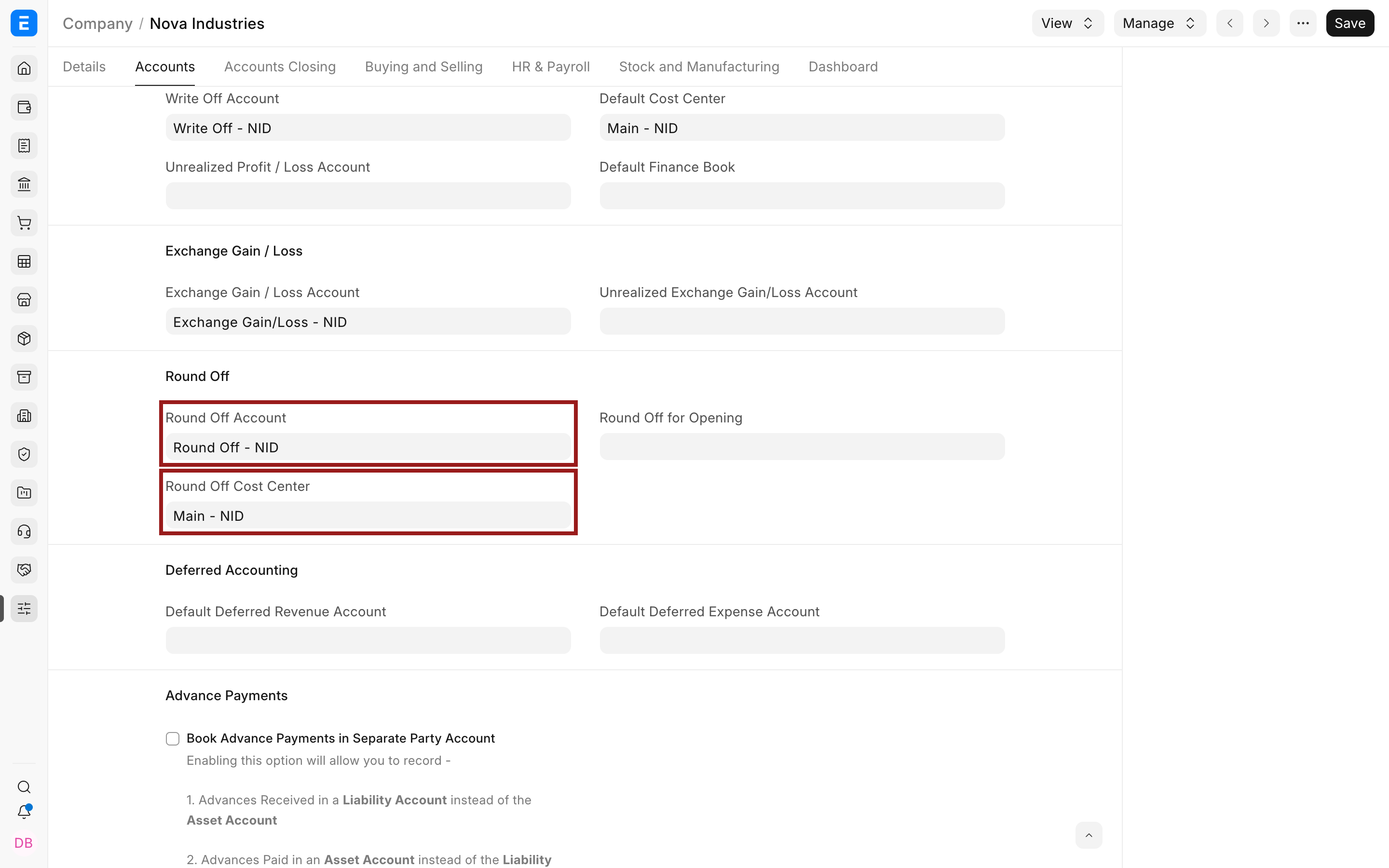
- Open the Company record for Nova Industries.
- In the accounting defaults, set the Round Off Account and Round Off Cost Center.
- Save the Company, reload the invoice, and submit again.
Why rounding appears
Section titled “Why rounding appears”Quantity multiplied by rate, taxes, discounts, exchange rates, and currency precision can produce fractions smaller than the currency accepts. Bravo Hub ERP posts the small difference instead of leaving an unbalanced ledger.
Troubleshooting
Section titled “Troubleshooting”The error remains after setting the account
Section titled “The error remains after setting the account”Confirm the account and cost center belong to the same company, the account is a ledger account rather than a group, and the transaction was reloaded after the Company was saved.
Frequently asked questions
Section titled “Frequently asked questions”Should I use a large adjustment account?
Section titled “Should I use a large adjustment account?”Round Off is for small precision differences. A material difference usually indicates an incorrect rate, tax, exchange rate, or precision setting and should be investigated.