Managing Batch wise Inventory
هذا المحتوى غير متوفر بلغتك بعد.
Set of items which has same properties and attributes can be group in a single Batch. For example, pharmaceuticals items are batch, so that it’s manufacturing and expiry date can be tracked together.
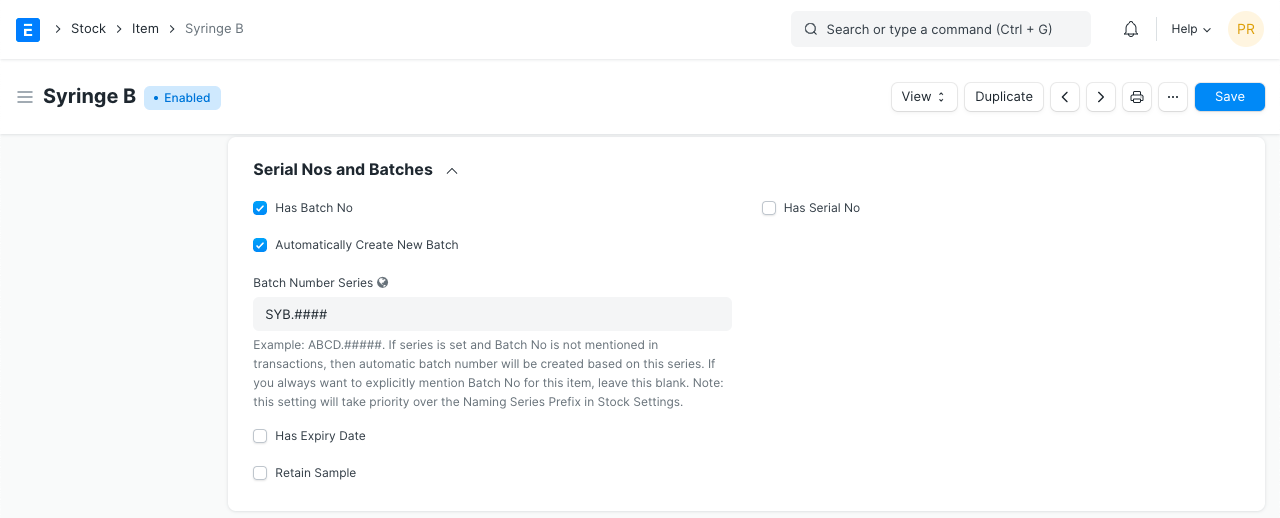
To maintain batches against an Item you need to mention ‘Has Batch No’ as yes in the Item Master.
You can create a new Batch from:
Stock > Documents > Batch > New
Read Stock batch to learn more.
For the Batch item, updating Batch No. in the stock transactions (Purchase Receipt & Delivery Note) is mandatory.
Purchase Receipt
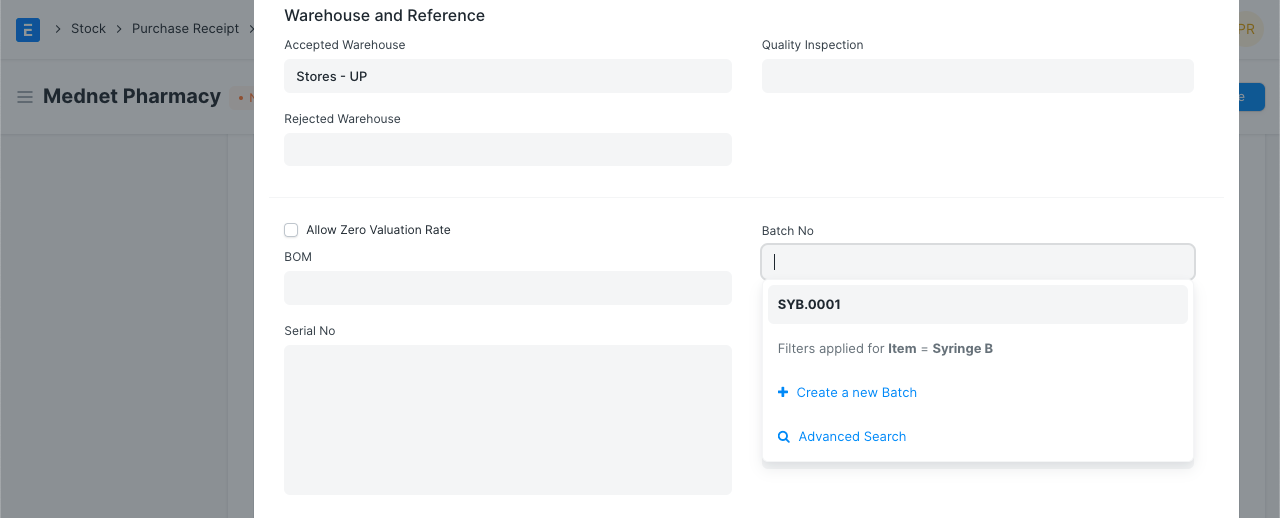
Section titled “Purchase Receipt”When creating Purchase Receipt, you should create new Batch, or select one of the existing Batch master. One Batch can be associated with one Batch Item.
Delivery Note
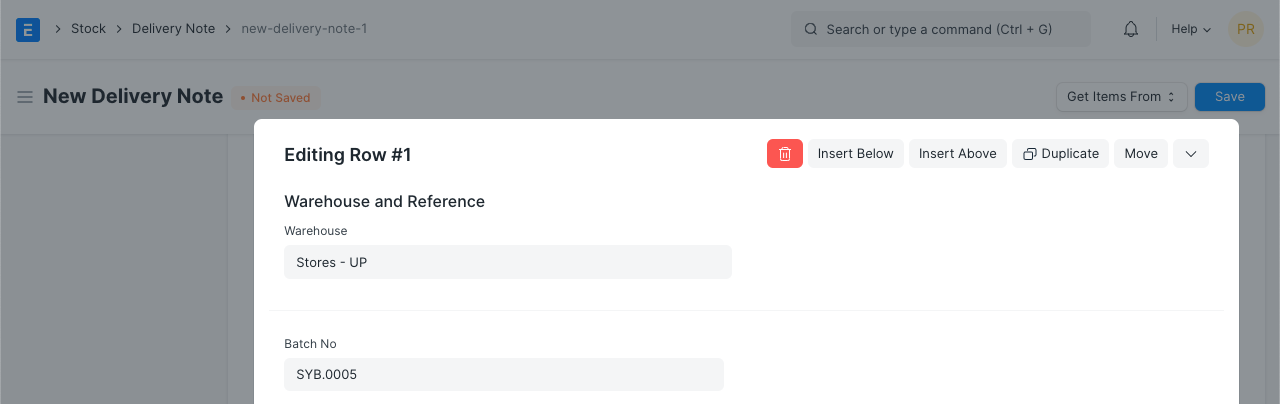
Section titled “Delivery Note”Define Batch in Delivery Note Item table. If Batch item is added under Product Bundle, you can update it’s Batch No. in the Packing List table as well.
Batch-wise Stock Balance Report
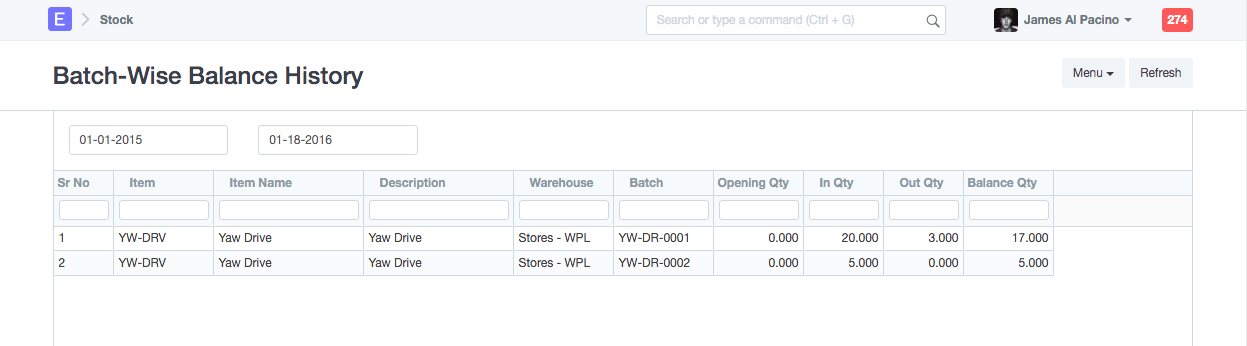
Section titled “Batch-wise Stock Balance Report”To check batch-wise stock balance report, go to:
Stock > Standard Reports > Batch-wise Balance History