
Training Feedback
هذا المحتوى غير متوفر بلغتك بعد.
Once the Training is complete, employees can share their feedback via Training Feedback.
To access Training Feedback, go to: > Human Resources > Training > Training Feedback
1. Prerequisites
Section titled “1. Prerequisites”Before creating a Training Event, it is advisable you create the following documents:
2. How to create a Training Feedback
Section titled “2. How to create a Training Feedback”- Go to the Training Feedback list, click on New.
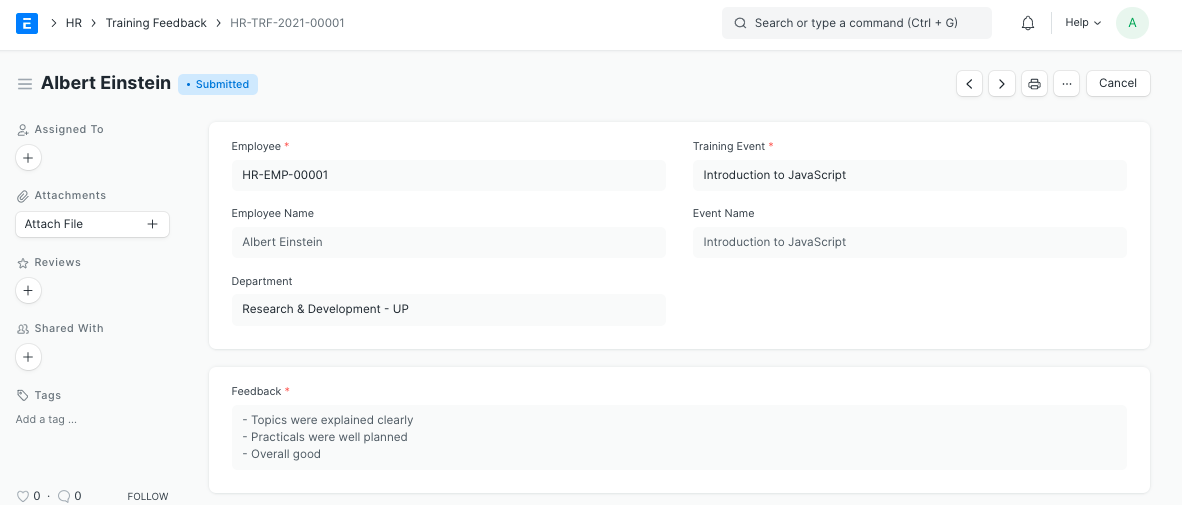
- Select the Employee.
- Select the Training Event. Based on that, the corresponding Event Name, Course and Trainer Name will get fetched.
- Enter the feedback in the Feedback box.
- Save and Submit.
Note: You can also access Training Feedback directly through the Training Event dashboard.
3. Related Topics
Section titled “3. Related Topics”last