
Bank Guarantee
هذا المحتوى غير متوفر بلغتك بعد.
Northstar Retail, a customer of Nova Industries, places a large electronics order but wants protection if Nova Industries does not meet the contract. A bank may guarantee Nova Industries’ obligation, giving the customer confidence without requiring an immediate payment between the two companies.
A Bank Guarantee records the bank’s commitment, its beneficiary, amount, validity, and linked transaction. Bravo Hub ERP can track guarantees received from customers and guarantees issued on your company’s behalf.
Use it to monitor contractual security and expiry dates. The record is operational evidence and does not automatically post accounting entries.
Before you begin
Section titled “Before you begin”Collect the guarantee document and confirm:
- whether the guarantee is Receiving or Providing;
- the underlying Sales Order, Purchase Order, Project, or contract;
- beneficiary and applicant details;
- guaranteed amount, start date, expiry, and claim terms;
- issuing Bank and Bank Account;
- margin money, charges, fixed deposit, and related accounting entries.
Create the Bank and Bank Account first. Confirm with finance how margin money and charges will be recorded through a Payment Entry or Journal Entry.
Create a Bank Guarantee
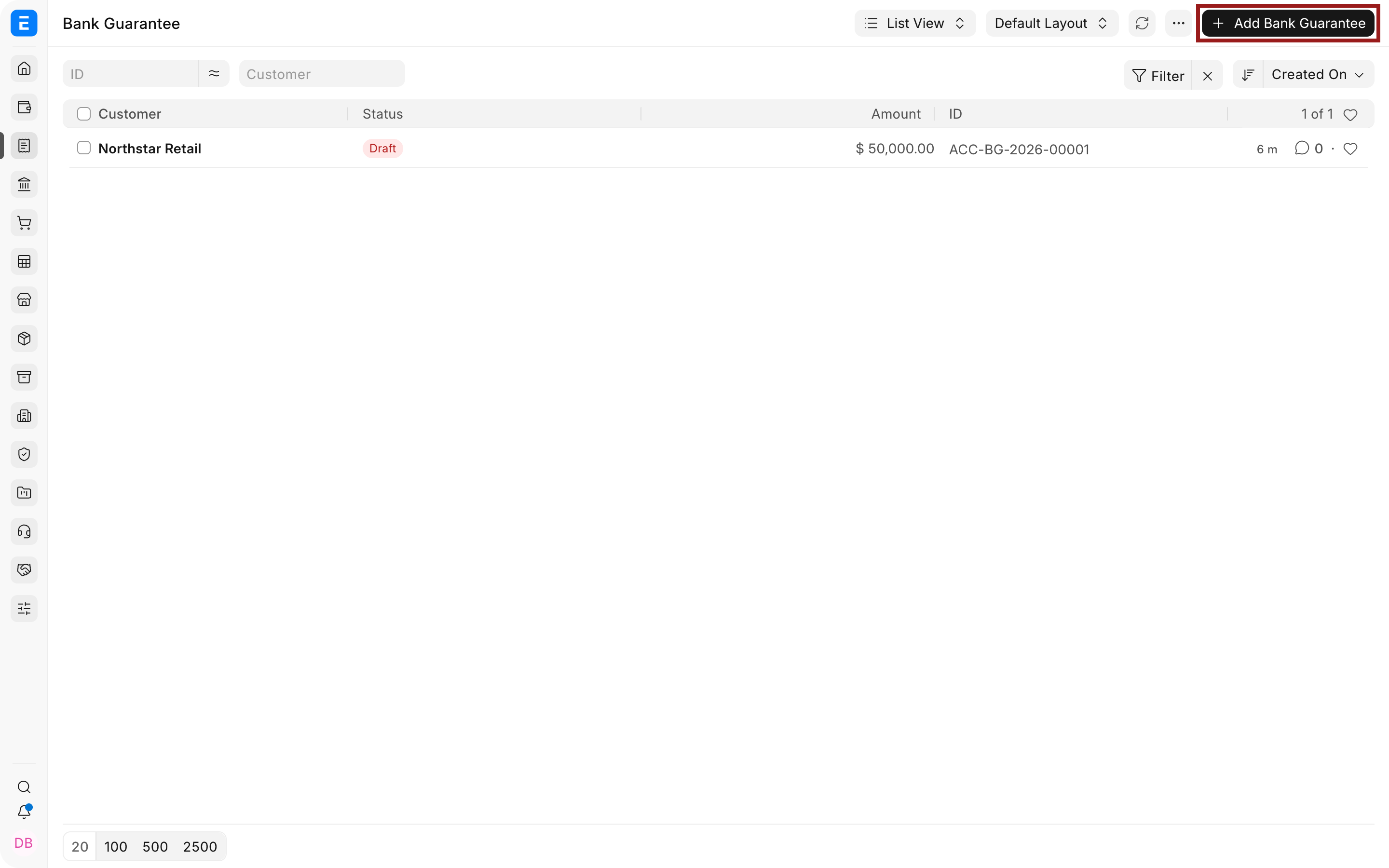
Section titled “Create a Bank Guarantee”- Go to Accounting > Banking > Bank Guarantee.
- Select Add Bank Guarantee.
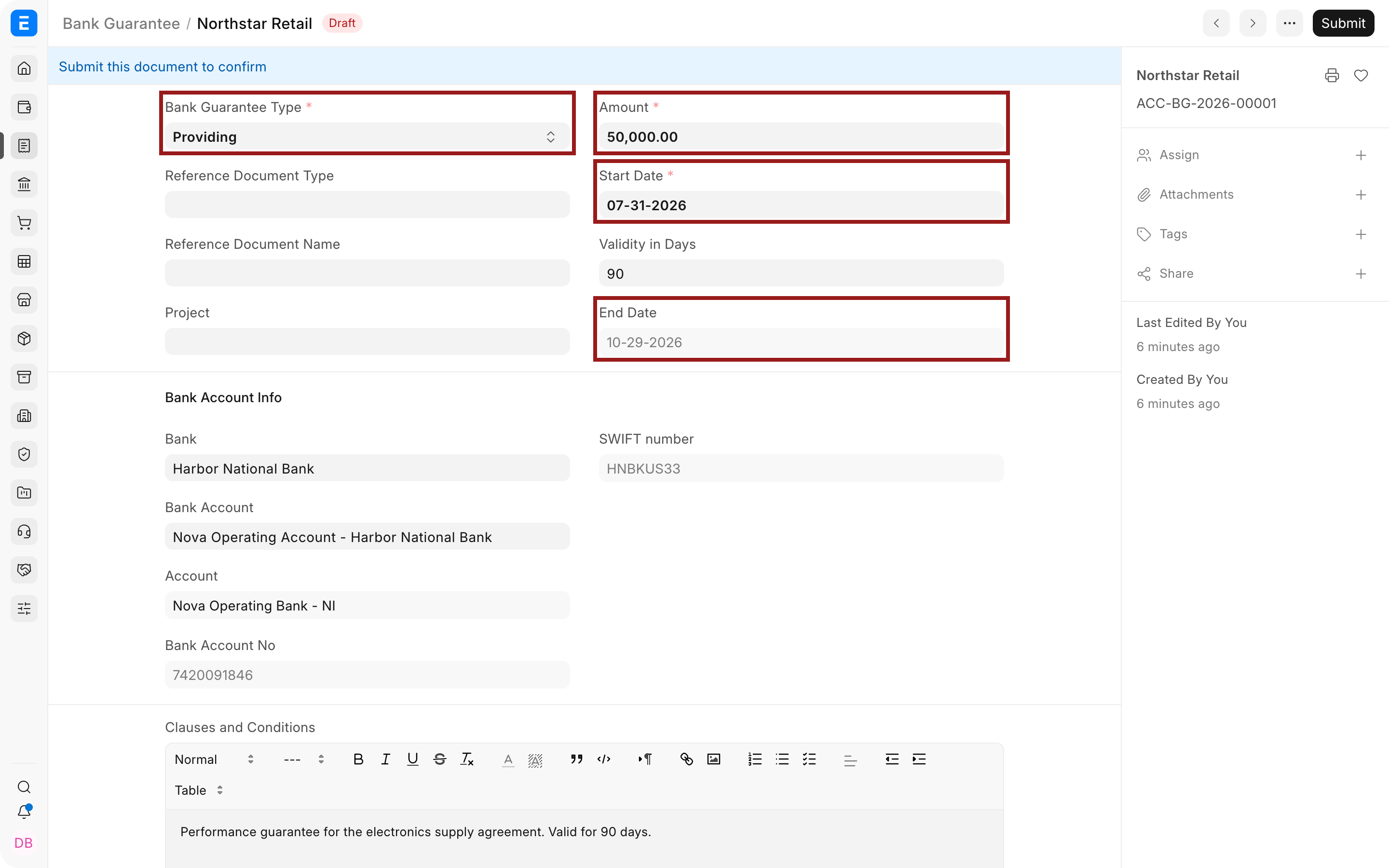
- Choose the Bank Guarantee Type:
- Receiving when another party provides the guarantee for your benefit;
- Providing when your Bank issues it for a Customer, Supplier, or other beneficiary.
- Enter the amount, start date, validity, and end date. Verify the expiry against the issued document.
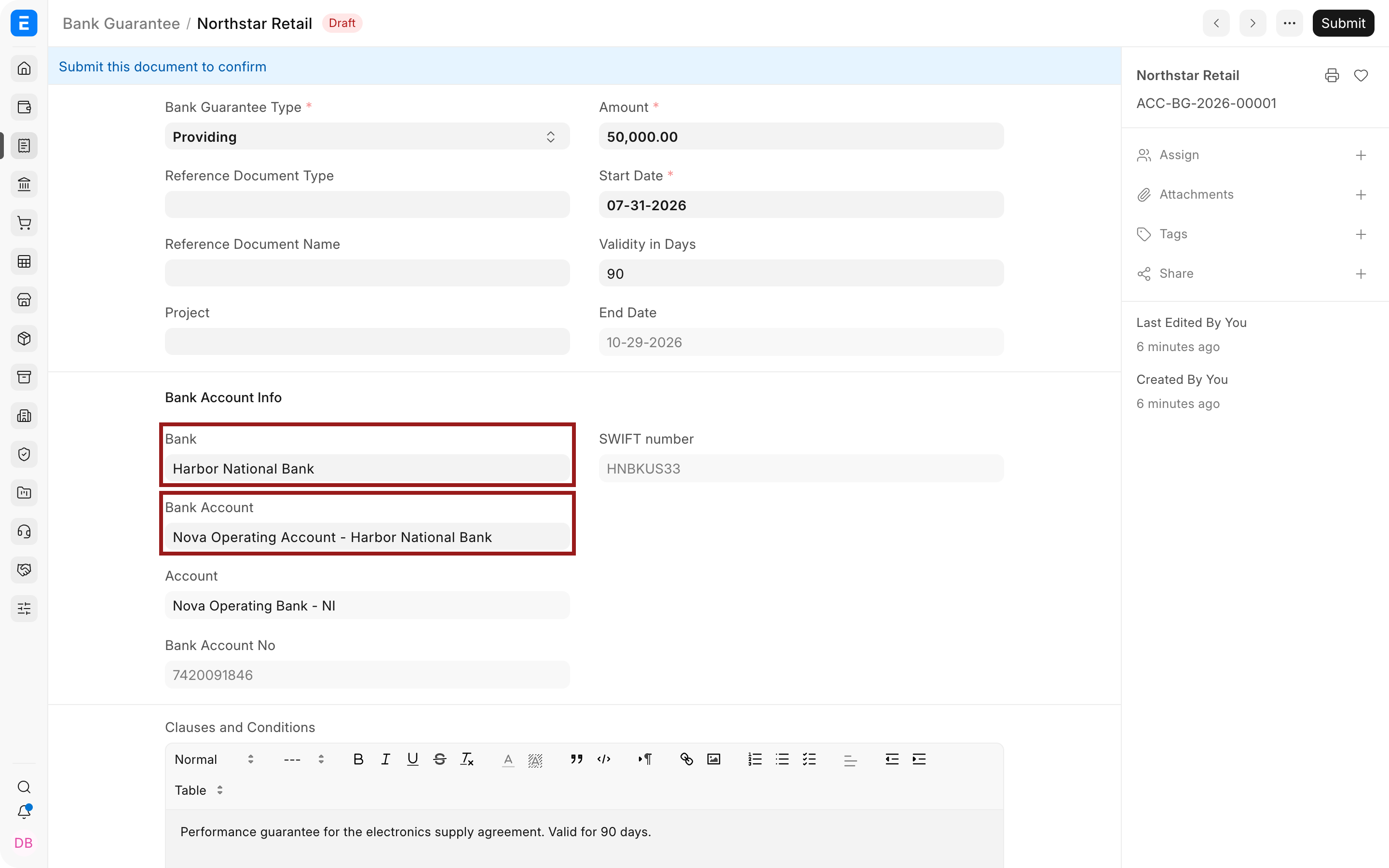
- Select the Bank, Bank Account, and related General Ledger account when applicable.
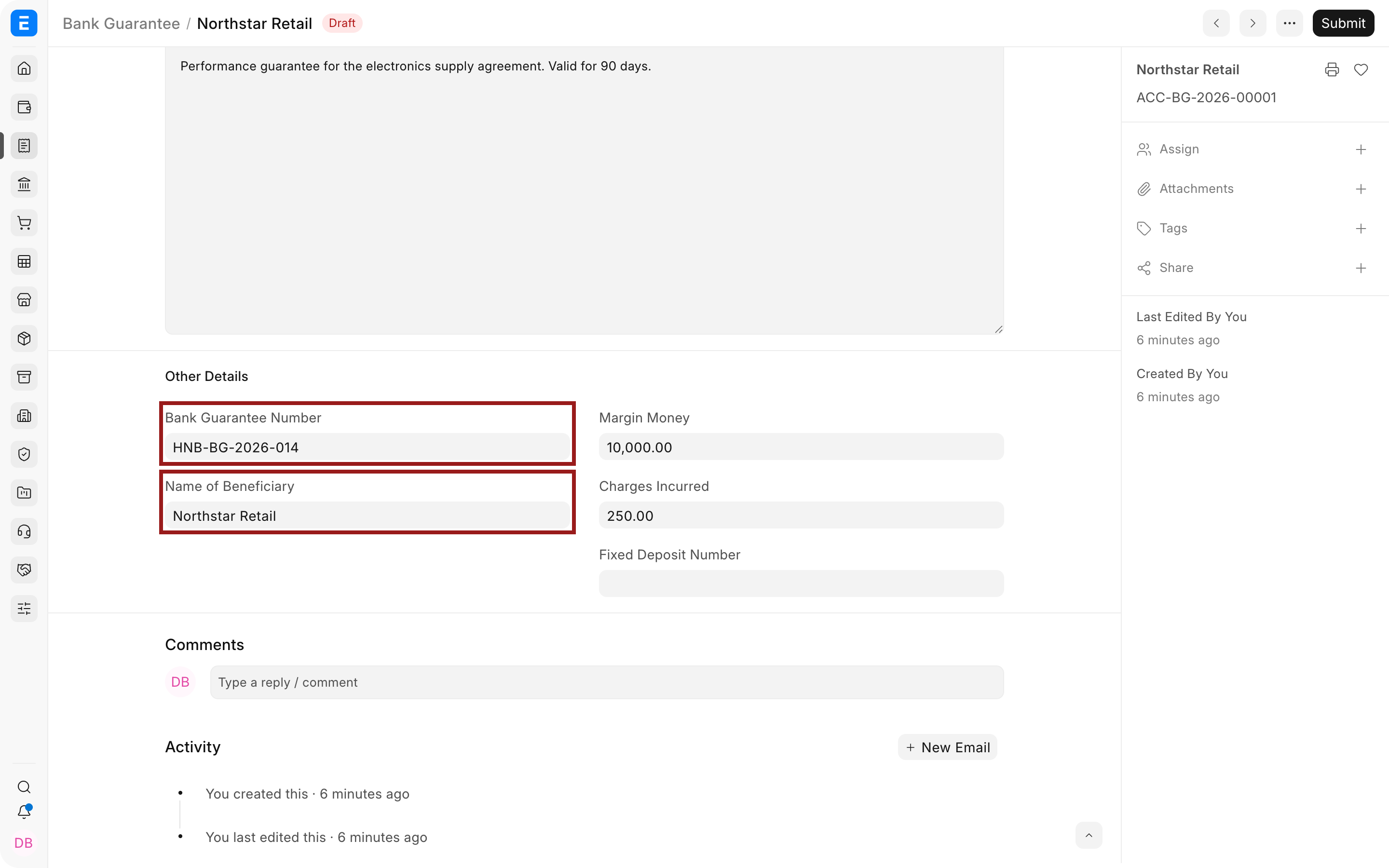
- Enter the Bank’s guarantee number and the beneficiary name exactly as shown on the issued instrument.
- Add the reference document, Customer or Supplier, and Project when they identify the underlying obligation.
- Record margin money, charges, fixed deposit number, clauses, and conditions.
- Attach the issued guarantee and save the record.
Important fields and what they mean
Section titled “Important fields and what they mean”| Field | What it controls |
|---|---|
| Bank Guarantee Type | Distinguishes guarantees received from guarantees provided. |
| Reference Document Type and Name | Links the guarantee to a Sales Order, Purchase Order, or other supported record. |
| Customer or Supplier | Party connected to the selected sales or purchase reference. |
| Project | Project or contract supported by the guarantee. |
| Amount | Maximum guaranteed value. Use the currency and amount shown in the instrument. |
| Start Date | Date from which the guarantee is effective. |
| Validity in Days | Duration used to derive or check the end date. |
| End Date | Expiry date. Monitor this date before renewal, release, or claim deadlines. |
| Bank and Bank Account | Institution and account through which the guarantee is issued or tracked. |
| Bank Guarantee Number | Unique reference assigned by the Bank. |
| Name of Beneficiary | Party entitled to claim under the guarantee. |
| Margin Money | Cash or deposit blocked as security. Record its accounting separately. |
| Charges Incurred | Bank fees associated with issuing or maintaining the guarantee. |
| Clauses and Conditions | Operational summary of claim, expiry, renewal, and release terms. The attachment remains the authoritative instrument. |
Receiving versus providing
Section titled “Receiving versus providing”When Receiving, monitor whether the counterparty maintains the guarantee through the required contractual period. Store the original or verified copy and set reminders before expiry.
When Providing, monitor the exposure, margin, fees, beneficiary, release documentation, and whether the guarantee should be renewed. A provided guarantee may create a contingent liability even when no payable is posted automatically.
Accounting and controls
Section titled “Accounting and controls”The Bank Guarantee record does not automatically debit margin money or expense charges. Record those movements using the correct accounting voucher:
- transfer blocked cash to a margin or deposit account;
- expense Bank charges to the approved account and Cost Center;
- release margin money when the Bank confirms release;
- recognize a claim only through the approved legal and accounting process.
Reconcile the guarantee register with Bank confirmations and the General Ledger. Restrict access to attachments containing account details, signatures, or confidential contract terms.
Review and next steps
Section titled “Review and next steps”Review guarantees by expiry date at least monthly. For each guarantee, determine whether to:
- allow it to expire;
- obtain formal release;
- renew or extend it;
- reduce the amount;
- replace it with another instrument;
- prepare for or respond to a claim.
Use assignment, comments, or a workflow to identify the responsible owner. An expiry date without an owner or reminder is easy to miss.
Troubleshooting
Section titled “Troubleshooting”The Customer or Supplier field does not appear
Section titled “The Customer or Supplier field does not appear”Select the relevant reference document type first. Customer is shown for supported sales references and Supplier for supported purchase references.
End date does not match the instrument
Section titled “End date does not match the instrument”Check the start date, validity calculation, inclusivity of dates, and any wording that specifies a fixed calendar expiry. Use the issued instrument as the authoritative source.
Margin money is missing from the General Ledger
Section titled “Margin money is missing from the General Ledger”The Bank Guarantee is not an accounting voucher. Create the appropriate Payment Entry or Journal Entry and link it through references or attachments.
The guarantee has expired but remains active operationally
Section titled “The guarantee has expired but remains active operationally”Obtain the renewal or extension from the Bank, update the tracked dates with supporting evidence, and retain the prior instrument for the audit trail.
Frequently asked questions
Section titled “Frequently asked questions”Does a Bank Guarantee reduce the Bank balance automatically?
Section titled “Does a Bank Guarantee reduce the Bank balance automatically?”It does not. Record margin, deposit, and fee movements through accounting transactions.
Can one guarantee cover several orders?
Section titled “Can one guarantee cover several orders?”It may contractually, but the Bravo Hub ERP reference field points to one document. Explain the broader coverage in conditions and attachments, or use a Project as the common reference.
Should the guarantee document be attached?
Section titled “Should the guarantee document be attached?”It should, subject to your access and confidentiality policy. The structured fields support tracking, while the issued document contains the legal terms.