
Set default values for any field
هذا المحتوى غير متوفر بلغتك بعد.
Using Customize Form, we can set a default value for any field of any Doctype in Bravo Hub ERP.
Steps:
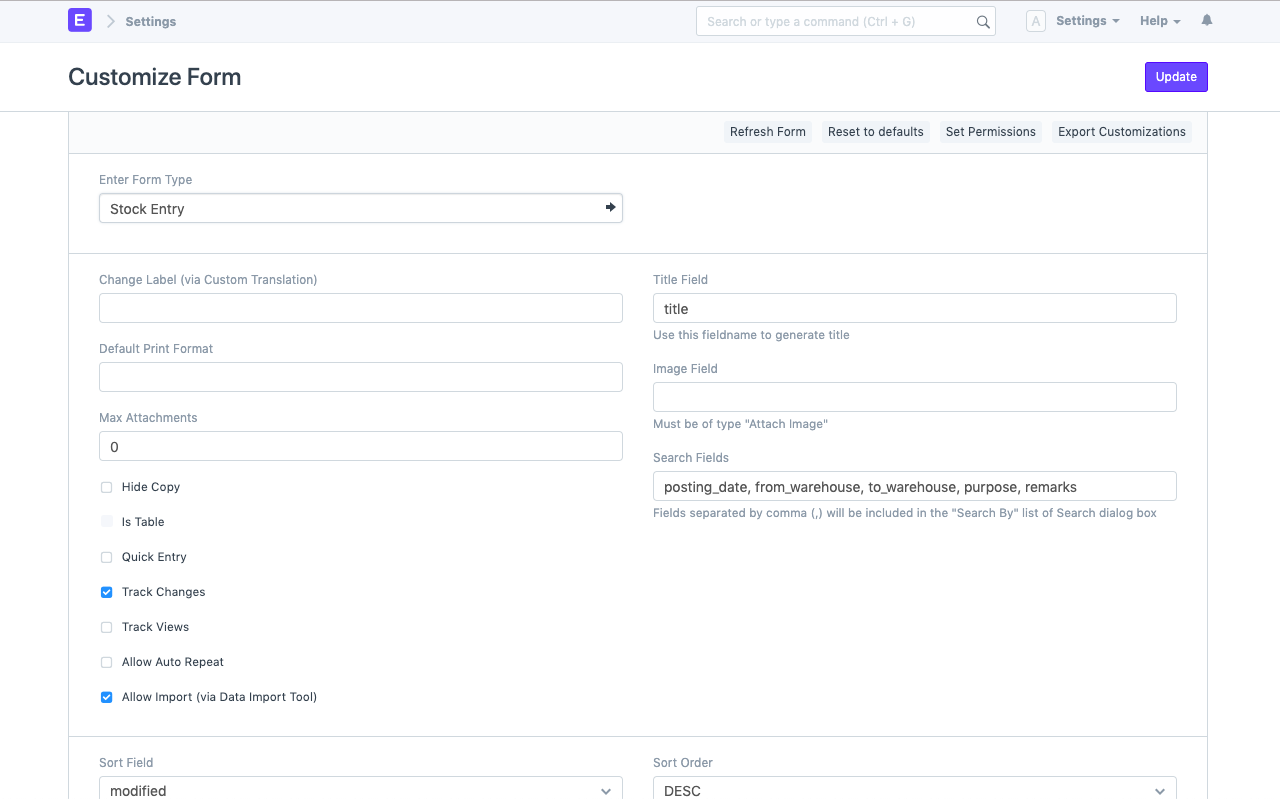
- Open Customize Form using awesome search bar or via Menu options of any DocType. This will open a screen where you can view all the fields that comprise in this DocType.
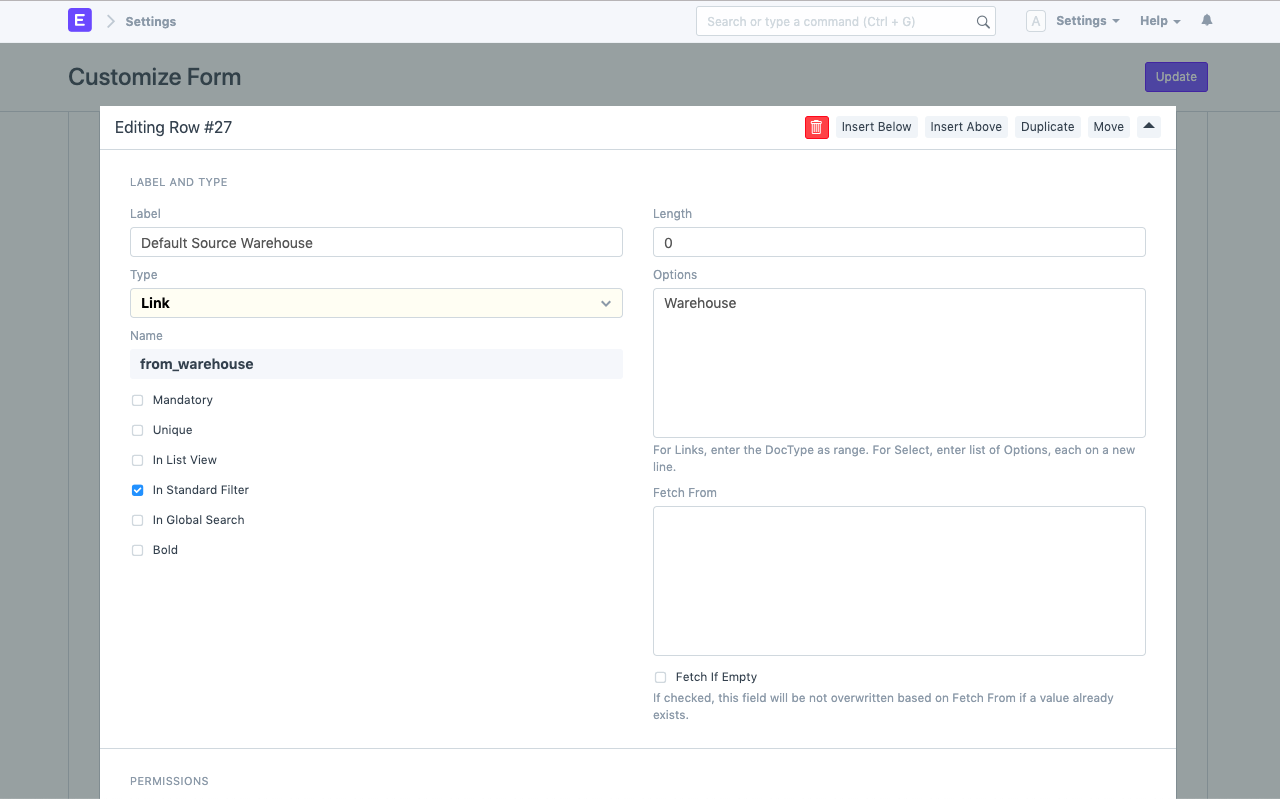
- Expand the field for which you want to store a default value and enter it under Display -> Default
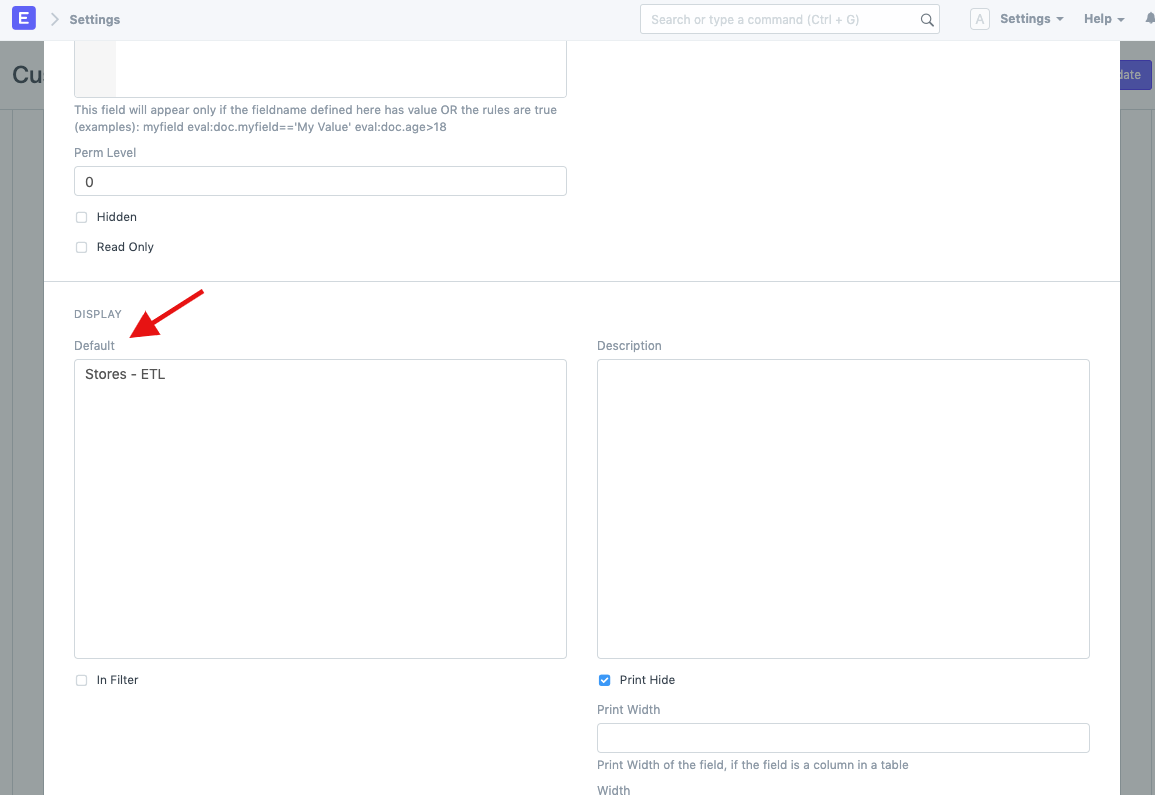
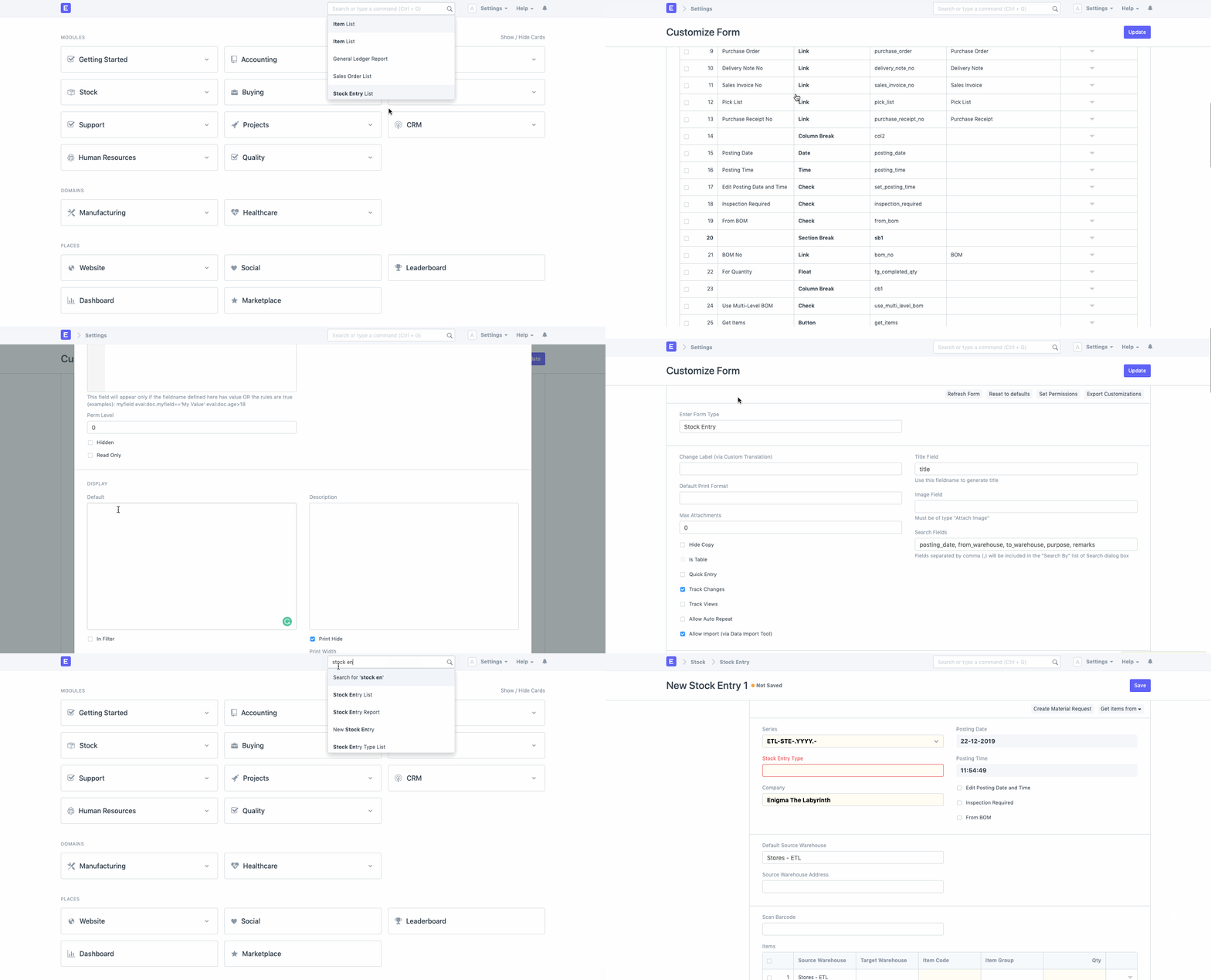
Check out the below GIF where we have set default value as Stores - ETL for field “Default Source Warehouse” in DocType Stock Entry:
To learn more about customisations in Bravo Hub ERP, check out this link