
Setting up fairlogin
هذا المحتوى غير متوفر بلغتك بعد.
fairlogin is an GDPR aware oAuth provider by fairkom.eu.
To setup fairlogin as an oAuth provider, go to:
Home > Integrations > Social Login Key
Setup keycloak
Section titled “Setup keycloak”fairlogin is based on keycloak, so the parameters may be similar for any custom oAuth setting facilitating keycloak.
There you add a new client, select open-id as client protocol and enter the address of your ERPnext instance as the Root, Redirect and Base URL.
Adding your ERNext service as a client is being offered as a service by fairkom.
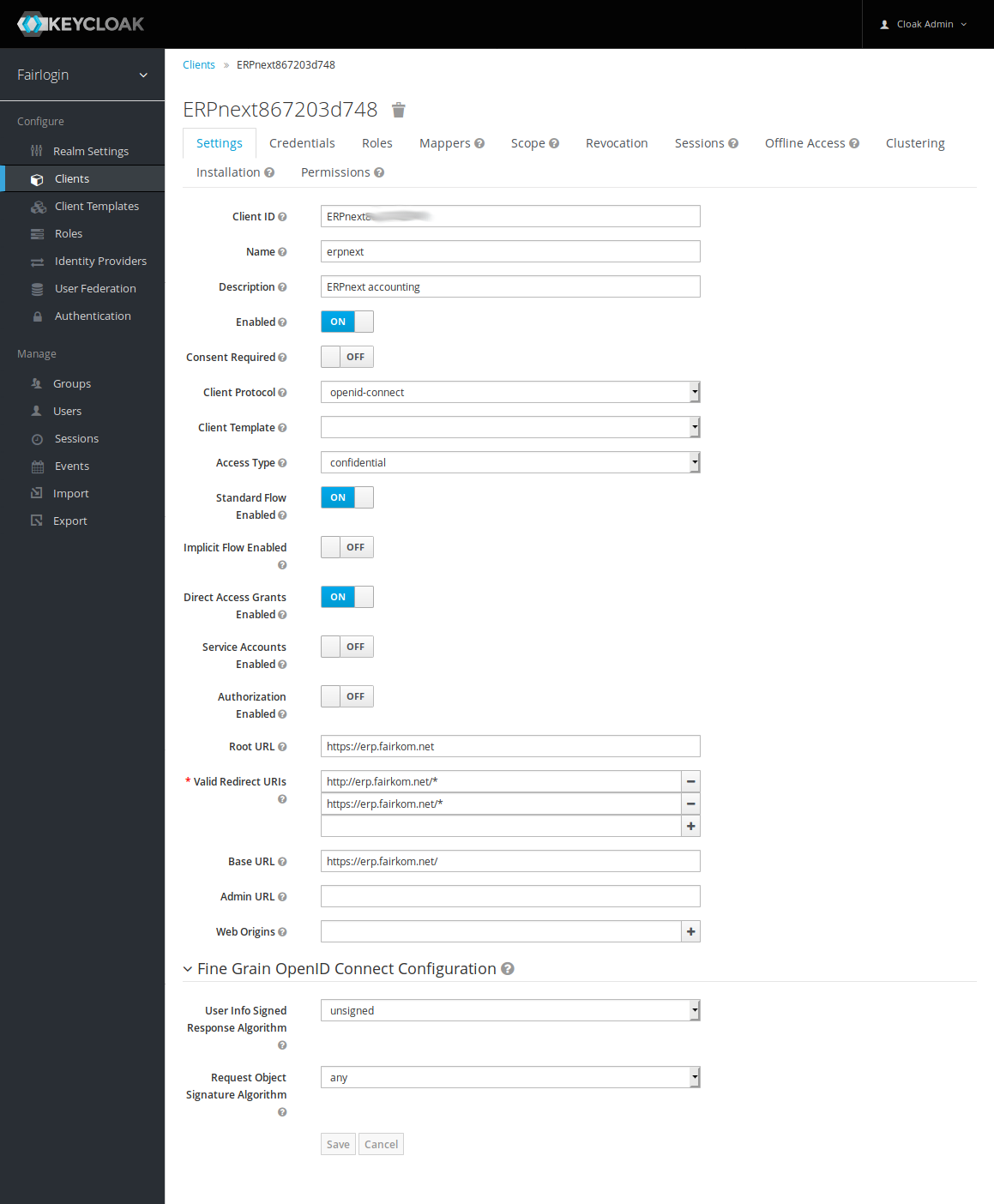
Setup fairlogin
Section titled “Setup fairlogin”To enable fairlogin as an Bravo Hub ERP login option, you need to configure the following parameters:
- Base URL https://id.fairkom.net/auth/realms/fairlogin/
- Authorize URL https://id.fairkom.net/auth/realms/fairlogin/protocol/openid-connect/auth
- Redirect URL /api/method/frappe.integrations.oauth2_logins.login_via_fairlogin
- Access Token URL https://id.fairkom.net/auth/realms/fairlogin/protocol/openid-connect/token
- API Endpoint https://id.fairkom.net/auth/realms/fairlogin/protocol/openid-connect/userinfo
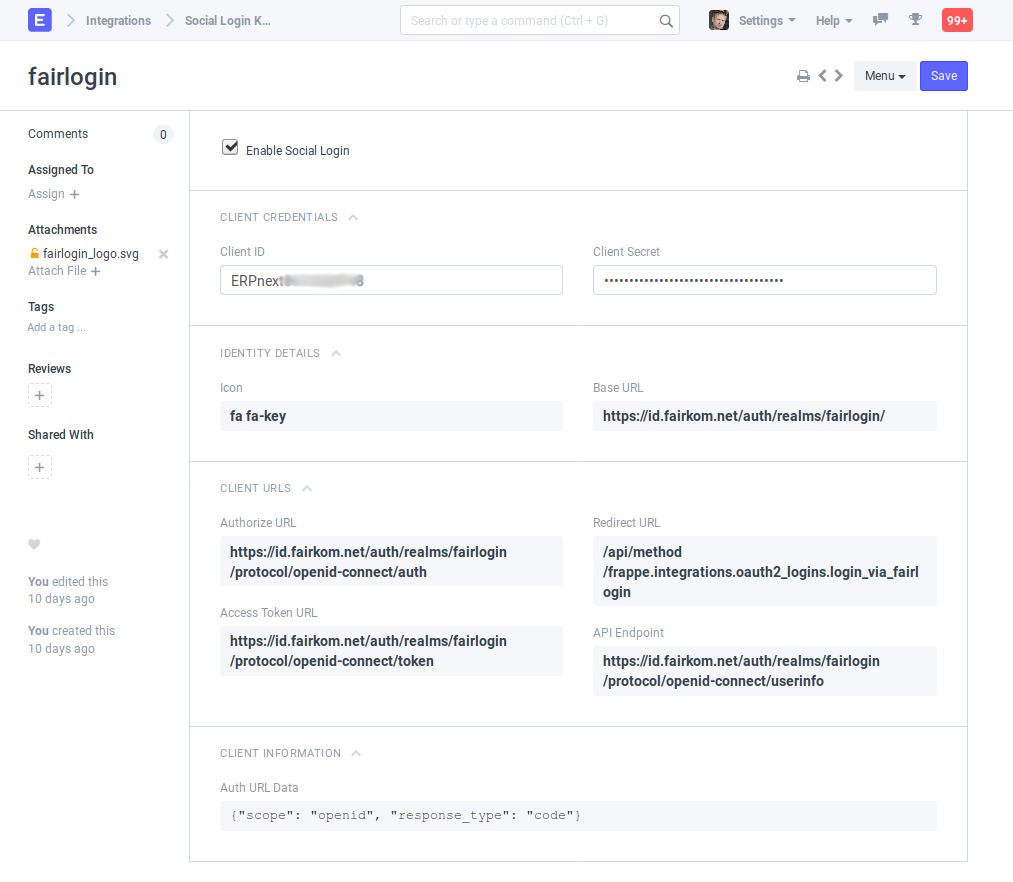
On enabling service, the system will allow to login with any fairlogin account.
The default role of a new user is Blogger (currently hardcoded).