
Department
A Department is a specialized functional area or a division within an organization.
You can configure the Departments in your organization, set Leave Block List, and also Leave and Expense Approvers for the same.
To access Department, go to:
Home > Human Resources > Employee > Department
Department is a tree-structured master, which means you can create parent departments and sub-departments as shown below:
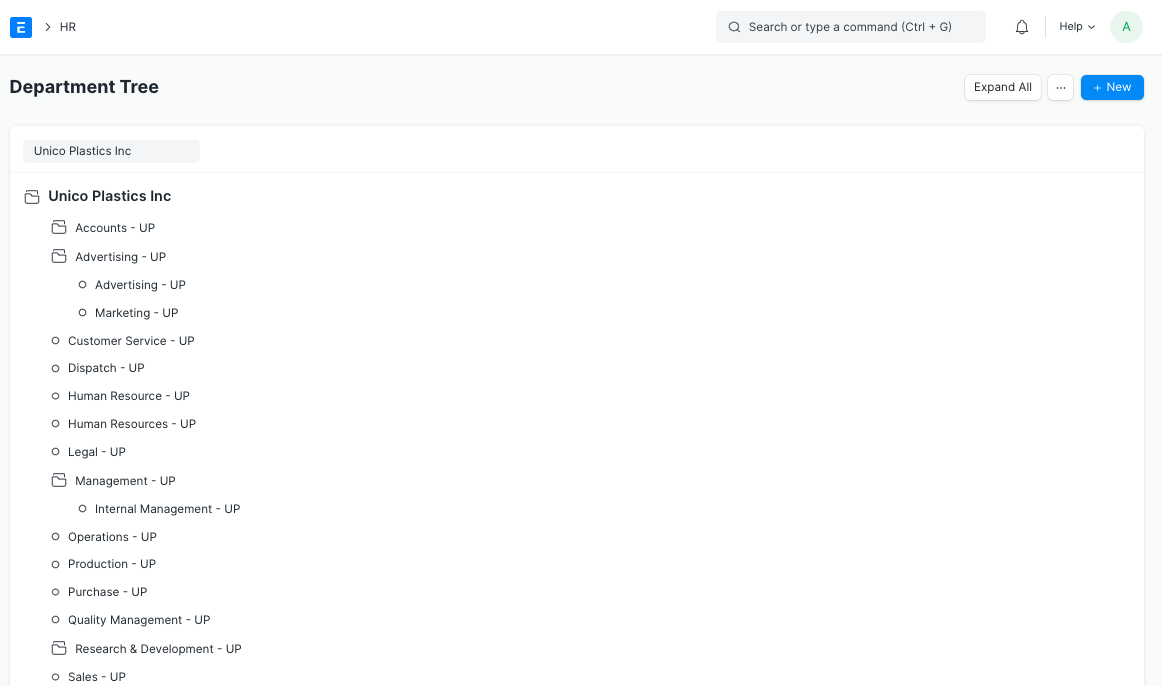
Note: The ‘Is Group’ checkbox needs to be checked if the Department is a parent department.
1. Prerequisites
Section titled “1. Prerequisites”Before creating a Department, it is advisable you create the following documents:
2. How to create a Department
Section titled “2. How to create a Department”- Go to the Department list, click on New.
- Enter Department name.
- Select Company name.
- Select Leave Block List (optional) applicable for this department.
- Save.
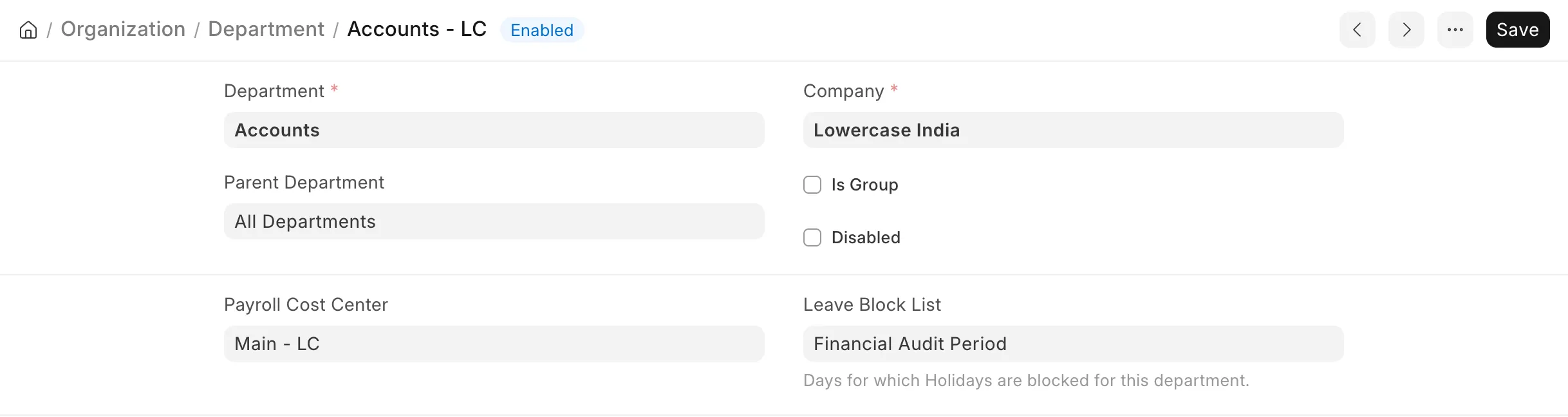
Note: The Company abbreviation is automatically added to the Department name when it is saved. For example, a Department named “Sales” created under a company with the abbreviation “WPL” is saved as “Sales - WPL”. This keeps Department names unique when the same Department exists in more than one Company, and is applied when the Department is renamed as well.
3. Features
Section titled “3. Features”3.1 Leave, Expense and Shift Request Approvers
Section titled “3.1 Leave, Expense and Shift Request Approvers”You can set approvers for a Department in the Leave Approver, Expense Approver, and Shift Request Approver tables.
These approvers are used as a fallback when an approver is not set for the Employee. When an Employee submits a Leave Application, Expense Claim, or Shift Request, the approver set in the Employee master is used first. If no approver is set for the Employee, the approver is fetched from their Department.
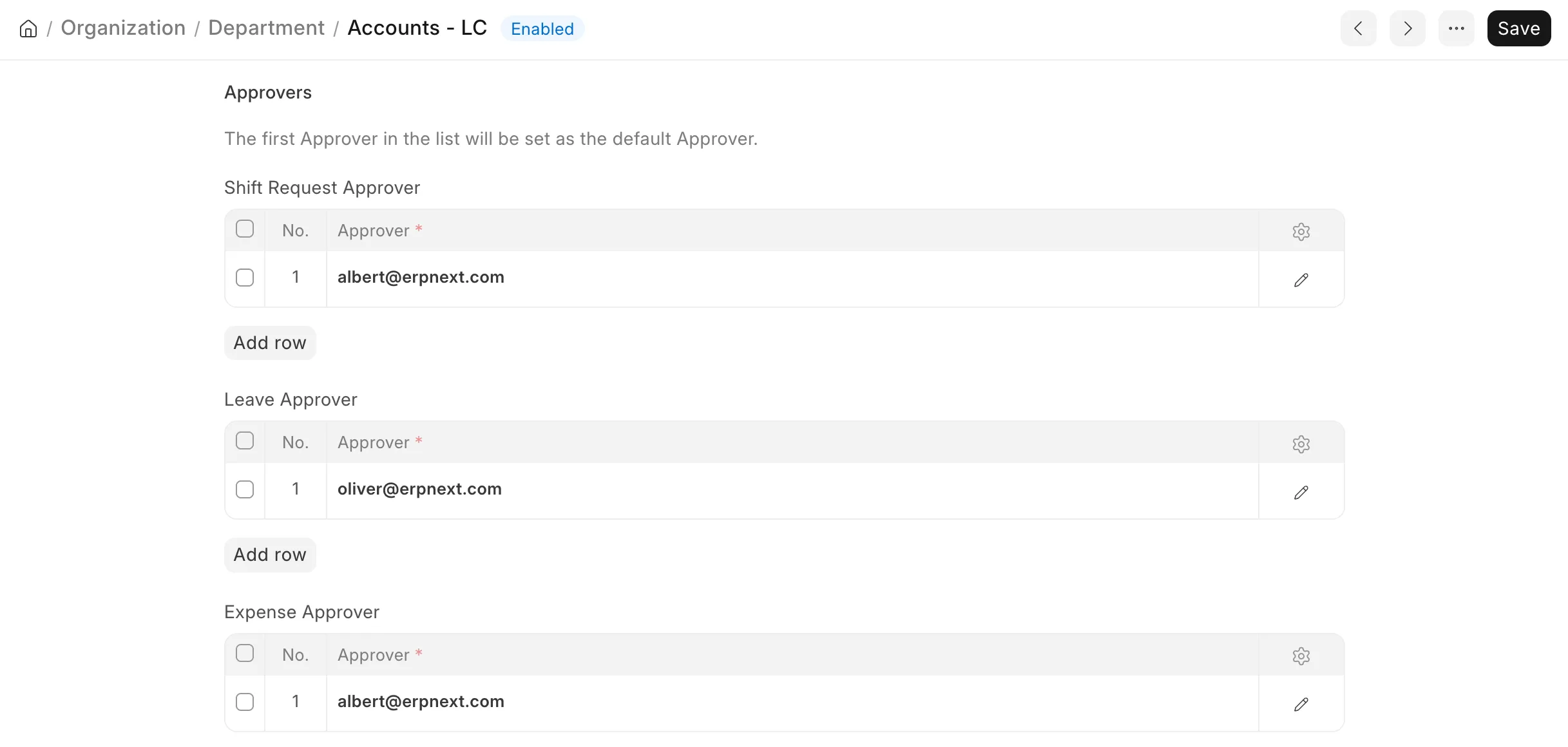
Note: Multiple Leave and Expense Approvers can be set for a particular Department. However, the first Approver in the list will be set as the default Approver.
3.2 Leave Block List
Section titled “3.2 Leave Block List”The Leave Block List selected here applies to all Employees of this Department. It is a list of dates on which Employees of the Department cannot apply for leave, such as during a peak business period. Leave Applications submitted for a blocked date are not allowed unless the User is in the Leave Block List Allowed list.
3.3 Payroll Cost Center
Section titled “3.3 Payroll Cost Center”The Payroll Cost Center is the Cost Center against which the salaries of the Department’s Employees are booked.
If the Payroll Cost Center is not set for an Employee, it is automatically fetched from the Employee’s Department. It is then used by Payroll Entry while creating the accounting entries for salary.
Setting the Payroll Cost Center at the Department level allows payroll costs to be booked department-wise without setting the Cost Center for each Employee.