
Session Defaults
هذا المحتوى غير متوفر بلغتك بعد.
Nova Industries is a fictional electronics manufacturer and distributor with a child company, Nova Electronics Trading. Priya normally works in the parent company’s books, but this afternoon she must enter and review only the subsidiary’s transactions. Changing the global Company would affect everyone. Re-selecting the subsidiary on every form and report makes it easy to miss one record.
Session Defaults lets Priya choose Nova Electronics Trading for her current login session. New supported transactions and reports can begin with that Company already selected. Other users keep their own context, and the temporary choice is cleared when Priya logs out.
Allow a value to be used as a Session Default
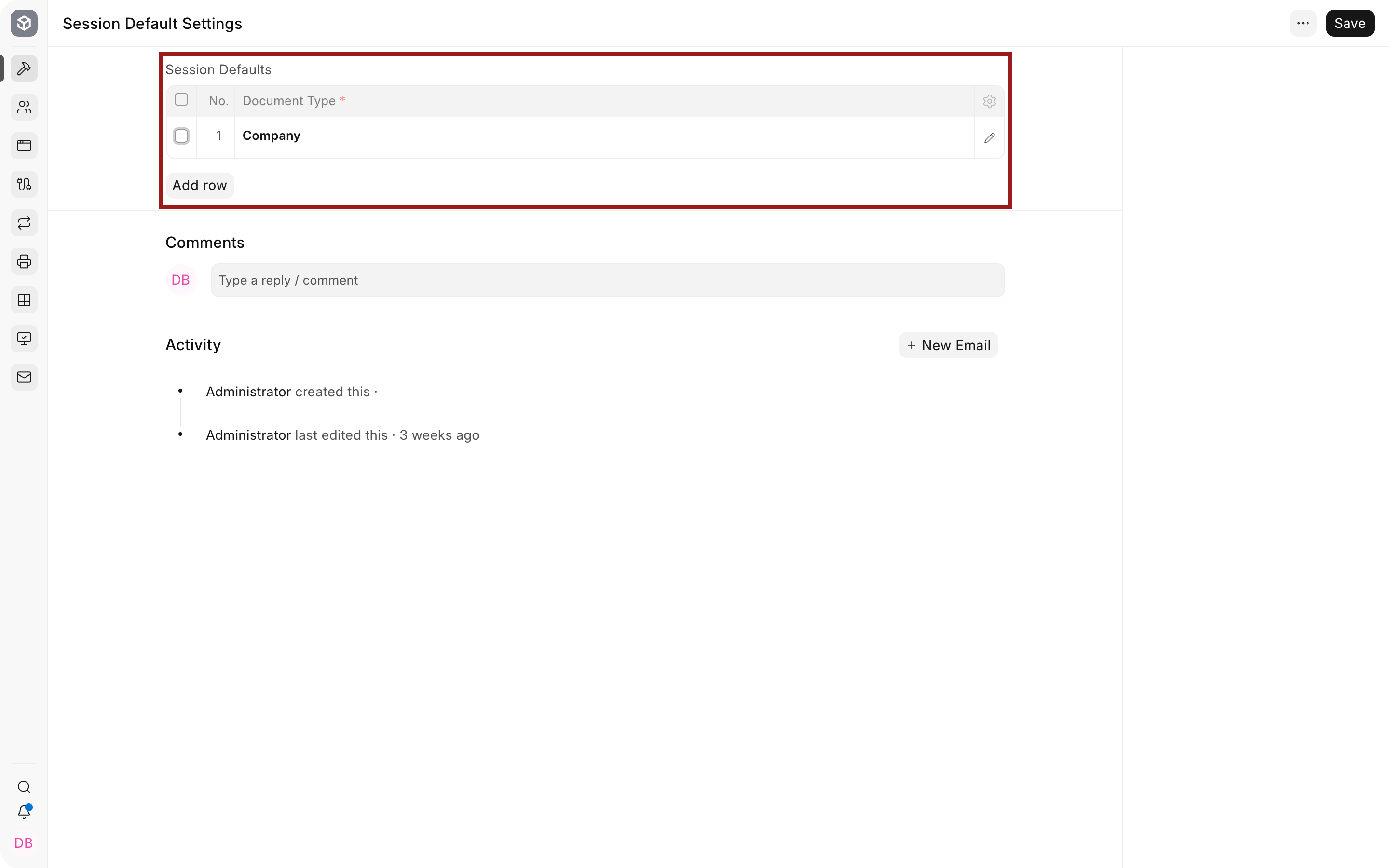
Section titled “Allow a value to be used as a Session Default”Open Session Default Settings and add the DocTypes that users may choose temporarily. Company is the most common example. Add only fields that provide a useful and unambiguous working context.
| Setting | What it means | Nova example |
|---|---|---|
| Session Defaults table | DocTypes available in the user’s session-default menu | Company allows Priya to choose Nova Electronics Trading for the afternoon. |
| Reference DocType | The master whose record will become the temporary value | Selecting Company presents Companies the user is permitted to access. |
Select the value for the current session
Section titled “Select the value for the current session”Open the user menu or sidebar Session Defaults control, then choose the permitted value. Create a new transaction or open a report and confirm the Company is prefilled. A submitted record must still be checked before relying on the default.
Understand the scope
Section titled “Understand the scope”Session Defaults affects the current user and current session. It does not change Global Defaults, does not grant access, and does not rewrite existing records. Logging out clears the temporary choice. A value may also be replaced when a mapped source document or a more specific transaction rule supplies the field.
Troubleshooting
Section titled “Troubleshooting”The Session Defaults option is missing
Section titled “The Session Defaults option is missing”A System Manager must first add an allowed Reference DocType in Session Default Settings. The user also needs permission to the referenced records.
The selected Company is not used
Section titled “The selected Company is not used”Test with a new supported document. A mapped document, user default, or document-specific rule may supply a more specific Company.
The old value appears after changing it
Section titled “The old value appears after changing it”Reload the form or create a new draft. Existing open forms can retain values loaded before the session change.
Frequently asked questions
Section titled “Frequently asked questions”Does a Session Default apply to other users?
Section titled “Does a Session Default apply to other users?”The value belongs to the current user’s session. It does not change the common site default.
Is a Session Default permanent?
Section titled “Is a Session Default permanent?”Logging out clears it. Use a user default or Global Defaults when the choice should persist according to policy.
Can it bypass User Permissions?
Section titled “Can it bypass User Permissions?”A default only suggests a value. The user must still have permission to read and use that record.
Can several DocTypes be configured?
Section titled “Can several DocTypes be configured?”The settings table can allow more than one reference type, but each should provide a clear working context rather than adding clutter.