
Shift Schedule
هذا المحتوى غير متوفر بلغتك بعد.
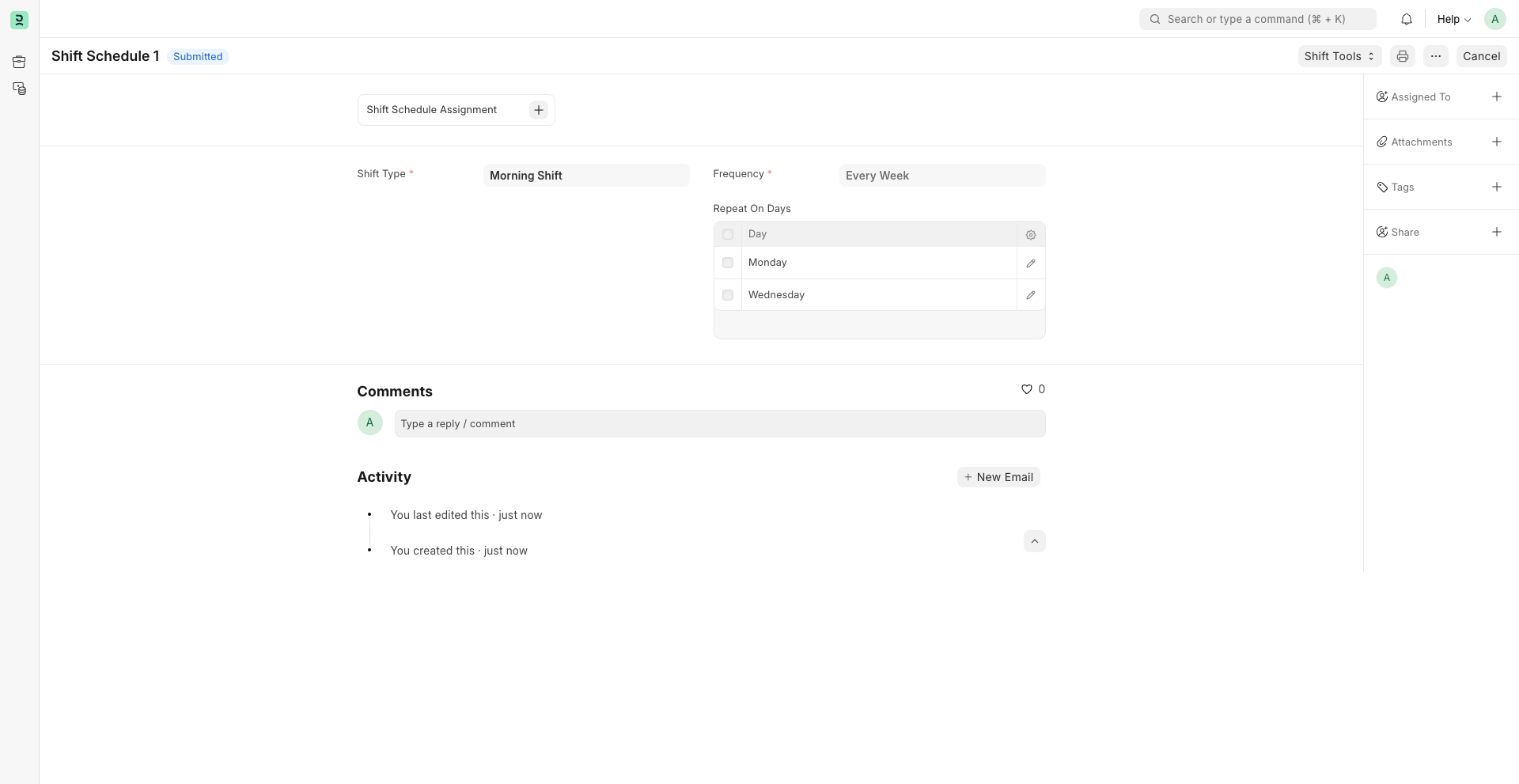
Shift Schedule can be used to create definitions for recurring shift assignments based on selected days and frequency.
1. Prerequisites
Section titled “1. Prerequisites”To create a Shift Schedule, this needs to be created first:
2. How to create a Shift Schedule
Section titled “2. How to create a Shift Schedule”To directly create a Shift Schedule, go to:
Bravo Hub HR > HR > Shift & Attendance > Shift Schedule
- Click on Add Shift Schedule.
- Enter the Name.
- Select the Shift Type.
- Select the Frequency.
- Select the Repeat On Days.
- Click on Save, and then Submit.
3. Assigning Shift Schedule
Section titled “3. Assigning Shift Schedule”To assign a shift schedule to an employee, and to create shift assignments based on it, use Shift Schedule Assignment. You can also assign shift schedules in bulk using the Shift Assignment Tool.