
Fixing Fiscal Year Error
هذا المحتوى غير متوفر بلغتك بعد.
Nova Industries creates an invoice dated 2 January 2027, but Bravo Hub ERP reports that the date is not in the selected fiscal year. The transaction date, the selected Fiscal Year, and the company’s defaults no longer agree. Create the missing year or correct the default instead of changing the document to an inaccurate date.
Resolve the error
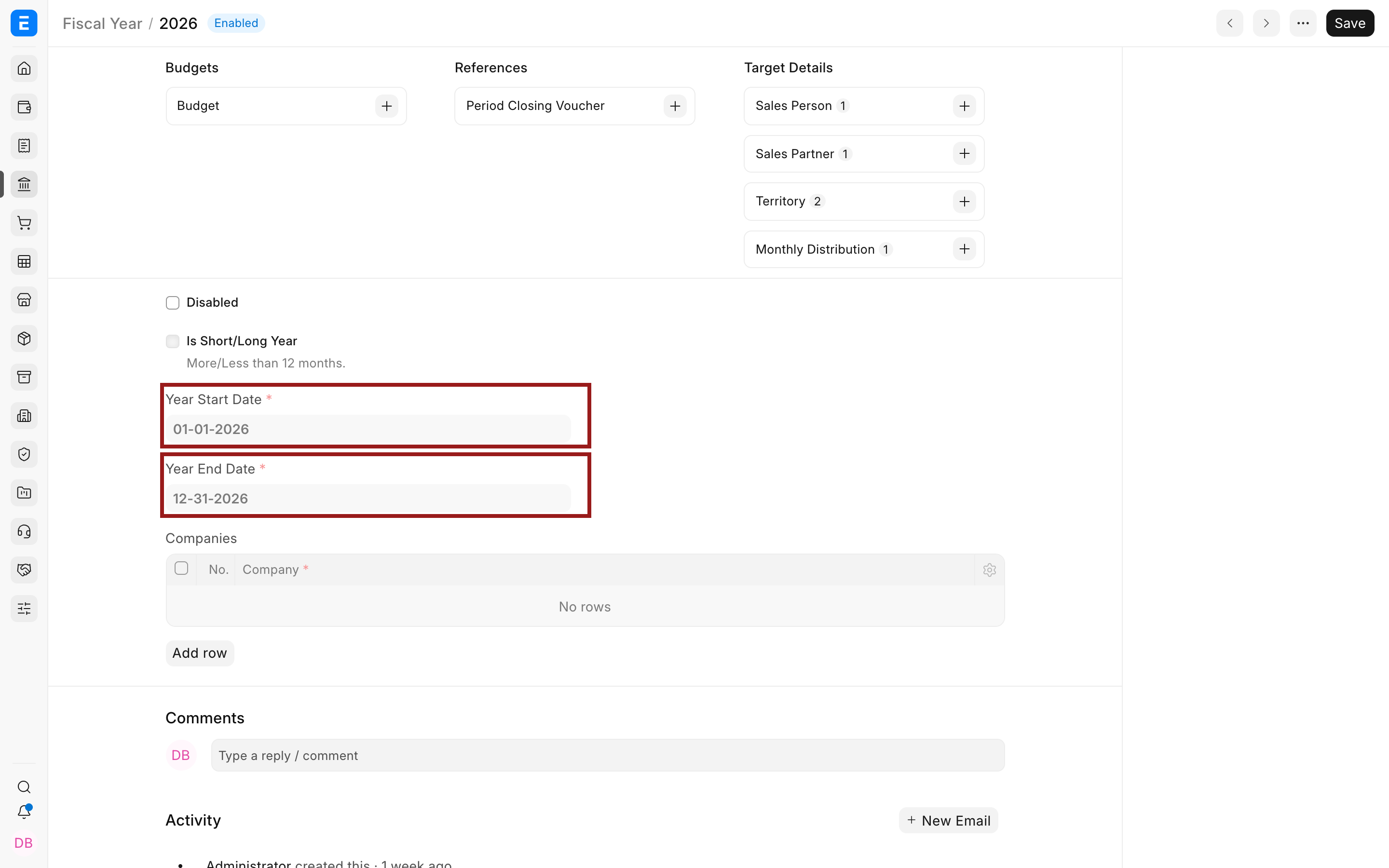
Section titled “Resolve the error”- Open Fiscal Year and confirm a record covers the transaction date.
- Check the start date, end date, and company assignment.
- Set the new Fiscal Year as default when it should be used for new transactions.
- Open Global Defaults and confirm the default Fiscal Year.
- Reload Bravo Hub ERP and reopen the transaction.
Troubleshooting
Section titled “Troubleshooting”The year exists but the error remains
Section titled “The year exists but the error remains”Check whether the Fiscal Year is assigned to the transaction’s company, whether another field explicitly contains the old year, and whether the posting date falls exactly within the configured range.
The date is intentionally in an older year
Section titled “The date is intentionally in an older year”Select the appropriate fiscal year and confirm that the period is not frozen or closed. Obtain approval before entering a backdated accounting transaction.
Frequently asked questions
Section titled “Frequently asked questions”Should I change the date just to submit?
Section titled “Should I change the date just to submit?”The posting date should reflect the real accounting event. Fix the year setup or obtain the required period access instead of using a false date.