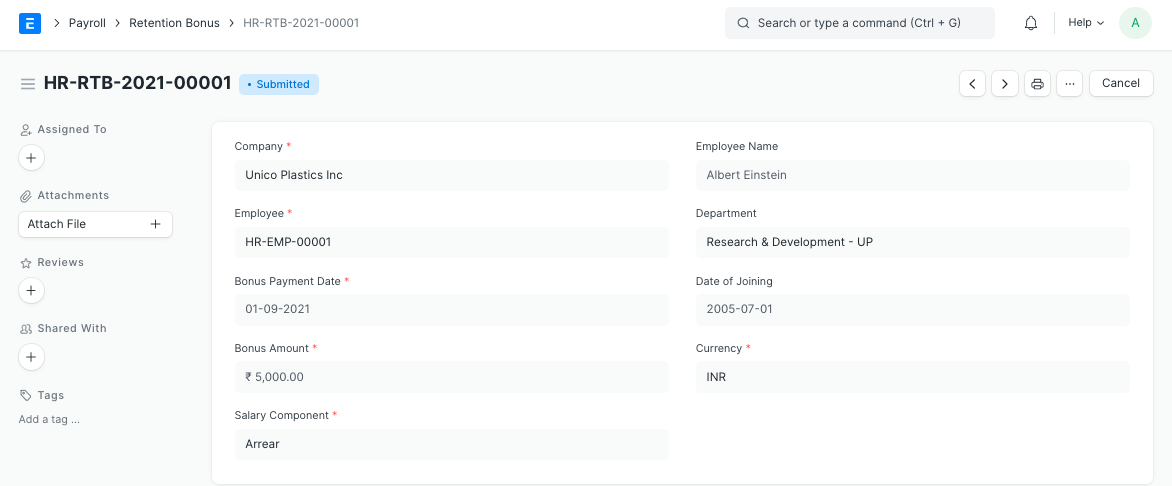
Retention Bonus
هذا المحتوى غير متوفر بلغتك بعد.
Retention bonus is a payment or reward outside of an employee’s regular salary that is offered as an incentive to keep a key employee on the job.
Bravo Hub HR allows you to configure Retention Bonus for an Employee for a particular period.
To access Retention Bonus, go to: > Home > Human Resources > Payroll > Retention Bonus
1. Prerequisites
Section titled “1. Prerequisites”Before creating a Retention Bonus, it is advisable to create the following:
2. How to create a Retention Bonus
Section titled “2. How to create a Retention Bonus”- Go to Retention Bonus list, click on New.
- Select Employee and Bonus Payment Date.
- Enter the Bonus Amount.
- Select the Salary Component under which you want to give the bonus.
- Save and Submit.
- On submit, ‘Additional Salary’ document of the specified ‘Salary Component’ is created. This will be fetched while running Payroll Entry.