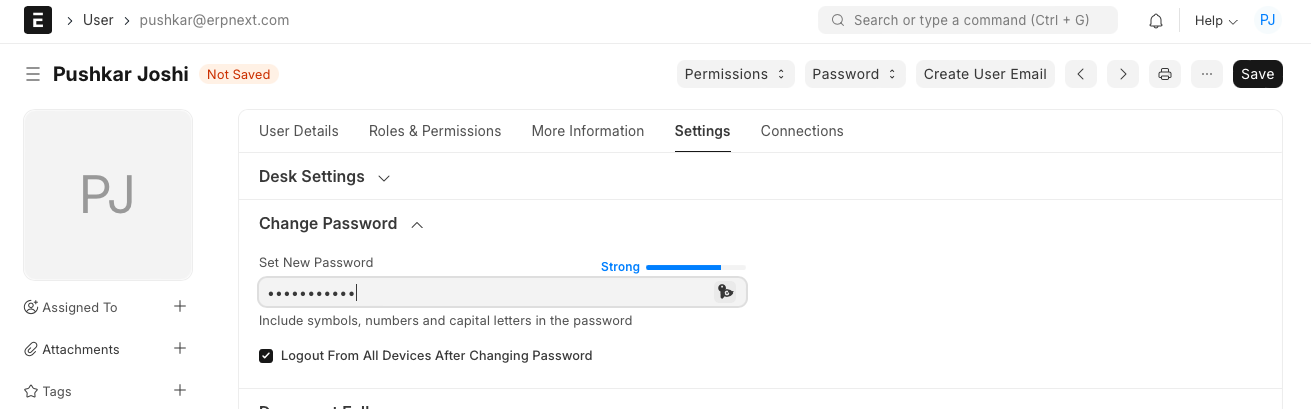
Change User Password
هذا المحتوى غير متوفر بلغتك بعد.
‘Change Password’ is used to change the password of any existing user.
Each Bravo Hub ERP user can change password for his/her Bravo Hub ERP account. Also user with System Manager role will be able to reset password for himself as well as for other users.
How to change password?
Section titled “How to change password?”- Go to User List
- Open the user for whom the password needs to be changed
- Go to ‘Settings’, and expand the section named ‘Change Password’
- Enter the new password and save the form
Note:- Based on the complexity of the password, the system indicates whether the entered password is Weak or Strong