
Support Settings
هذا المحتوى غير متوفر بلغتك بعد.
All the global settings for support related documents can be found in Support Settings.
To access Support Settings, go to:
Home > Support > Settings > Support Settings
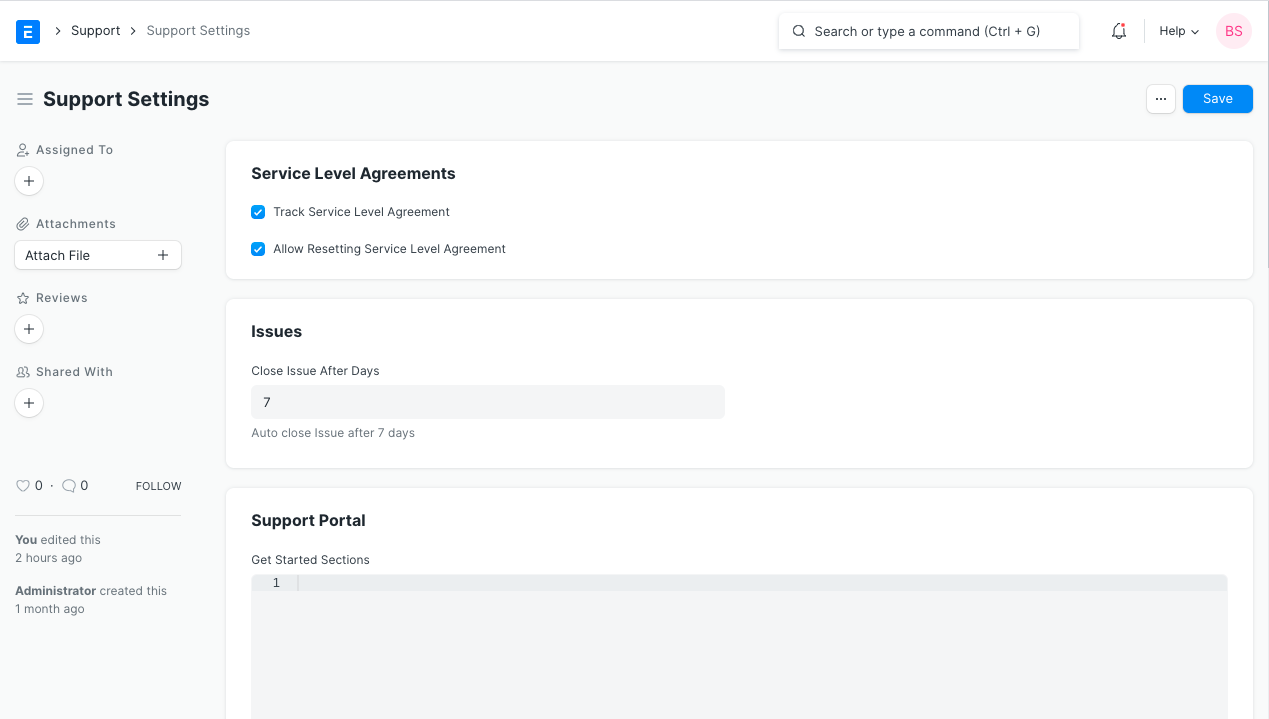
- Service Level Agreements
1.1 Track Service Level Agreement
Section titled “1.1 Track Service Level Agreement”Enable this feature to start using and tracking Service Level Agreement in Issues.
1.2 Allow Resetting Service Level Agreement
Section titled “1.2 Allow Resetting Service Level Agreement”It enables the support team to reset the SLA timers under specific conditions. This can be particularly useful in scenarios where the initial SLA timers need to be adjusted due to changes in the ticket status or additional information being provided by the customer.
- Issues
2.1 Close Issue After Days
Section titled “2.1 Close Issue After Days”Any “Replied” or “Resolved” issue will be closed after the number of days defined in this field. However, if the Customer replies to a closed Issue, the Issue will Open again.