
Invoice rounding issue
هذا المحتوى غير متوفر بلغتك بعد.
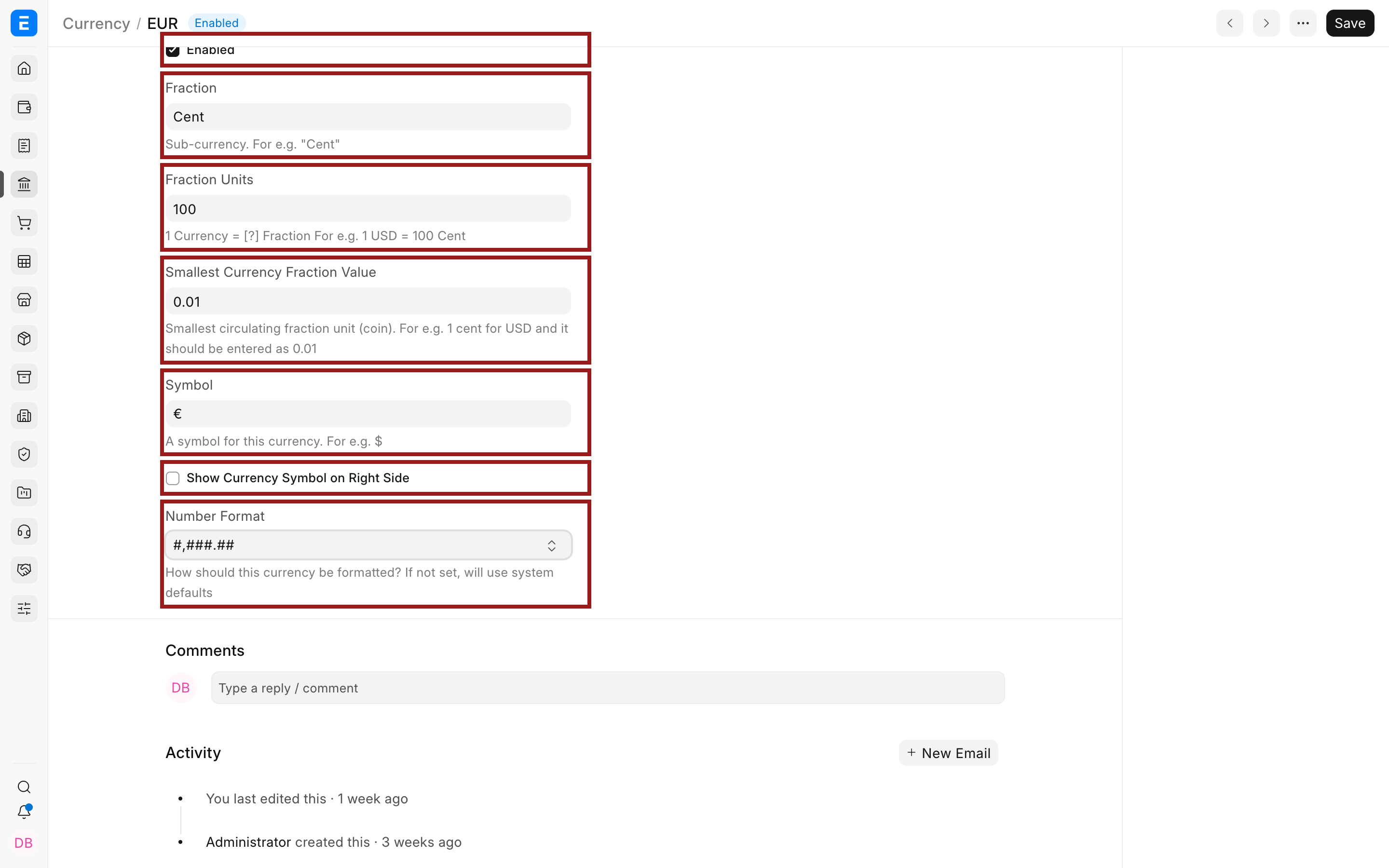
Nova Industries disables rounded totals, but an invoice print still rounds the amount in words. Two settings can influence the result: the global rounded-total preference and the smallest currency fraction. The currency master must describe the real precision of the transaction currency.
Check both settings
Section titled “Check both settings”- Open Global Defaults and confirm Disable Rounded Total matches the company’s policy.
- Open the Currency used on the invoice.
- Set Smallest Currency Fraction Value correctly, such as 0.01 for a currency whose smallest unit is one cent.
- Save, reload the invoice, and regenerate the print.
Troubleshooting
Section titled “Troubleshooting”The printed words still differ
Section titled “The printed words still differ”Check the Print Format, currency, precision, Rounded Total field, and cached print preview. Compare the numeric Grand Total, Rounded Total, and amount in words before changing any ledger posting.
Frequently asked questions
Section titled “Frequently asked questions”Does changing currency precision rewrite old invoices?
Section titled “Does changing currency precision rewrite old invoices?”It changes how later calculations and displays use that currency. Review the effect carefully and do not expect submitted historical ledger entries to be recalculated automatically.