
Accounts Receivable and Payable
هذا المحتوى غير متوفر بلغتك بعد.
Nova Electronics Trading has sold goods on credit to Northstar Retail and bought devices on credit from Apex Devices. The finance team needs to know how much customers still owe, what Nova must pay suppliers, which balances are overdue, and which invoices need attention first.
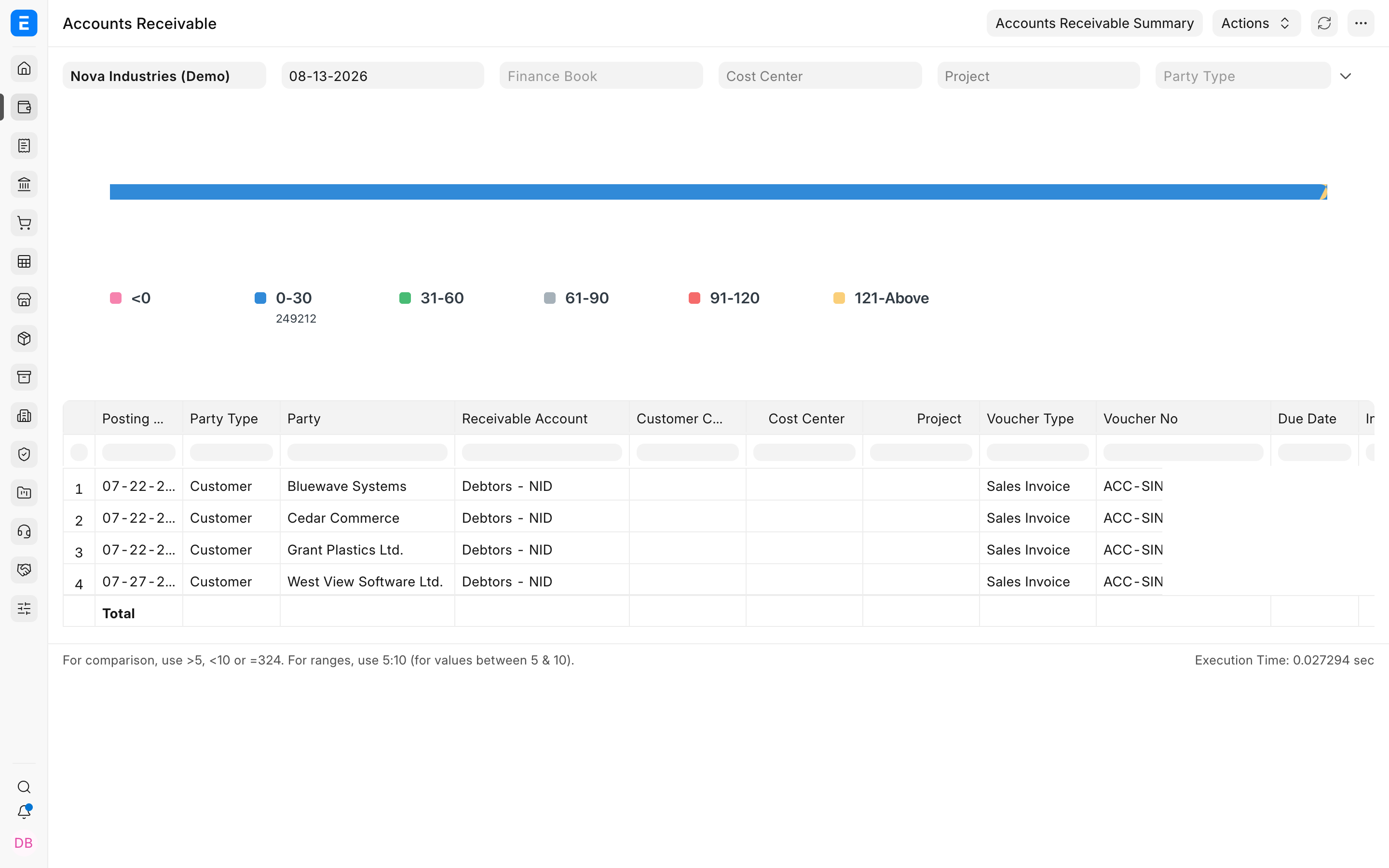
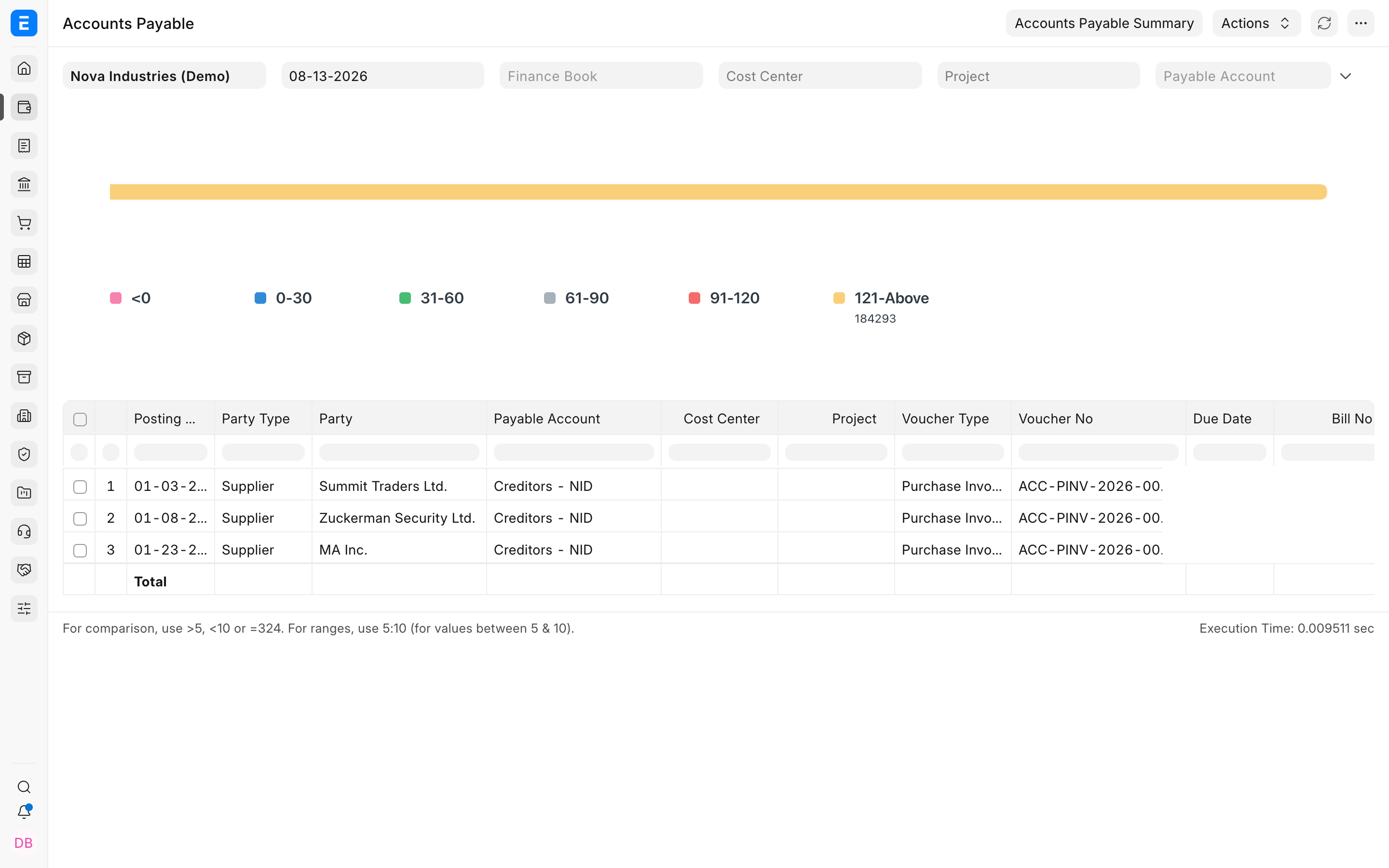
Accounts Receivable reports track outstanding customer invoices and credits. Accounts Payable reports track outstanding supplier invoices and debits. Both use the Payment Ledger to present invoice-level balances and ageing without requiring the reader to reconstruct every allocation from General Ledger rows.
Accounts Receivable
Section titled “Accounts Receivable”Use Accounts Receivable to review customer exposure, follow up overdue invoices, investigate unapplied credits, and estimate incoming cash.
Accounts Payable
Section titled “Accounts Payable”Use Accounts Payable to plan supplier payments, protect cash flow, capture early-payment opportunities, and avoid overdue bills.
Run either report
Section titled “Run either report”- Open Accounts Receivable or Accounts Payable.
- Select the Company and reporting date.
- Choose ageing based on Due Date or Posting Date according to the review.
- Optionally filter by Party, Account, Territory, Supplier Group, Cost Center, Project, Finance Book, currency, or another available dimension.
- Refresh the report and open significant invoice references.
Understand ageing
Section titled “Understand ageing”| View | Meaning |
|---|---|
| Current or not due | The invoice has an outstanding amount, but its due date has not passed. |
| Ageing buckets | Outstanding amounts grouped by the configured number of days. |
| Total outstanding | Invoice amount remaining after allocated payments, credit notes, debit notes, and adjustments. |
| Payment-term view | Outstanding split across the invoice’s payment schedule rather than treated as one due amount. |
From report to action
Section titled “From report to action”| Finding | Next action |
|---|---|
| Customer invoice is overdue | Review communications, send a statement, create a Dunning record where appropriate, or record the payment. |
| Payment exists but invoice remains open | Review the Payment Entry reference or use Payment Reconciliation. |
| Supplier invoice is due | Create or review a Payment Entry, Payment Request, or Payment Order according to the approval process. |
| Balance is disputed | Open the invoice, credit or debit notes, and General Ledger before changing any transaction. |
Troubleshooting
Section titled “Troubleshooting”An invoice is missing
Section titled “An invoice is missing”Confirm that it is submitted, has a non-zero outstanding amount, uses the selected receivable or payable account, and falls within the report filters.
Ageing does not match expectations
Section titled “Ageing does not match expectations”Check whether ageing is based on Posting Date, Due Date, or Payment Terms. Also confirm the ageing ranges and report date.
A payment has not reduced outstanding
Section titled “A payment has not reduced outstanding”The payment may be unallocated, allocated to another invoice, or posted to a different party account. Review the References table and Payment Ledger.
Frequently asked questions
Section titled “Frequently asked questions”Why not create one receivable account for every customer?
Section titled “Why not create one receivable account for every customer?”Bravo Hub ERP normally keeps one common receivable account and distinguishes balances by Customer. This keeps the Chart of Accounts manageable while preserving party-level detail.
Do these reports include draft invoices?
Section titled “Do these reports include draft invoices?”Draft documents have not posted receivable or payable ledger entries and are not part of outstanding balances.
Can I see balances in party currency?
Section titled “Can I see balances in party currency?”Currency options depend on the account and report filters. Compare the account currency, party currency, and company base currency when reviewing foreign balances.