
Custom Script
هذا المحتوى غير متوفر بلغتك بعد.
In Bravo Hub CRM, you can automate lead creation using the Server Script feature. The Server Script DocType allows you to write server-side Python code without creating a custom app or deploying anything.
There are four types of Server Scripts, but for this guide, we’ll focus on:
- DocType Event
- API
- Scheduler Event
1. Create Lead When an Email is Received (DocType Event)
Section titled “1. Create Lead When an Email is Received (DocType Event)”Let’s say you want to create a Lead whenever an incoming email is received.
Step 1: Go to Server Script
Section titled “Step 1: Go to Server Script”Navigate to: Desk → Search Server Script → Add Server Script

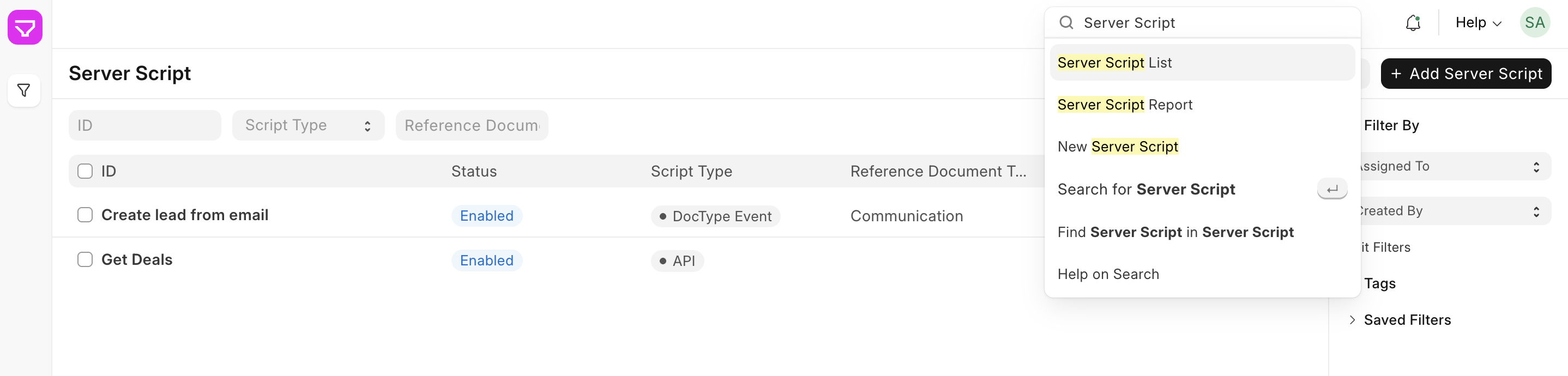
Step 2: Fill in the following:
Section titled “Step 2: Fill in the following:”| Field | Value |
|---|---|
| Script Type | DocType Event |
| Doctype | Communication |
| Event | After Insert |
| Script | (see below) |
Sample Script:
Section titled “Sample Script:”if doc.communication_type == 'Communication' and doc.sent_or_received == 'Received': existing_lead = frappe.db.exists("CRM Lead", {"email": doc.sender}) if not existing_lead: frappe.get_doc({ "doctype": "CRM Lead", "first_name": doc.sender_full_name, "email": doc.sender, "source": "Email", "status": "New", }).insert(ignore_permissions=True)This will automatically create a new Lead for each new incoming email, avoiding duplicates.
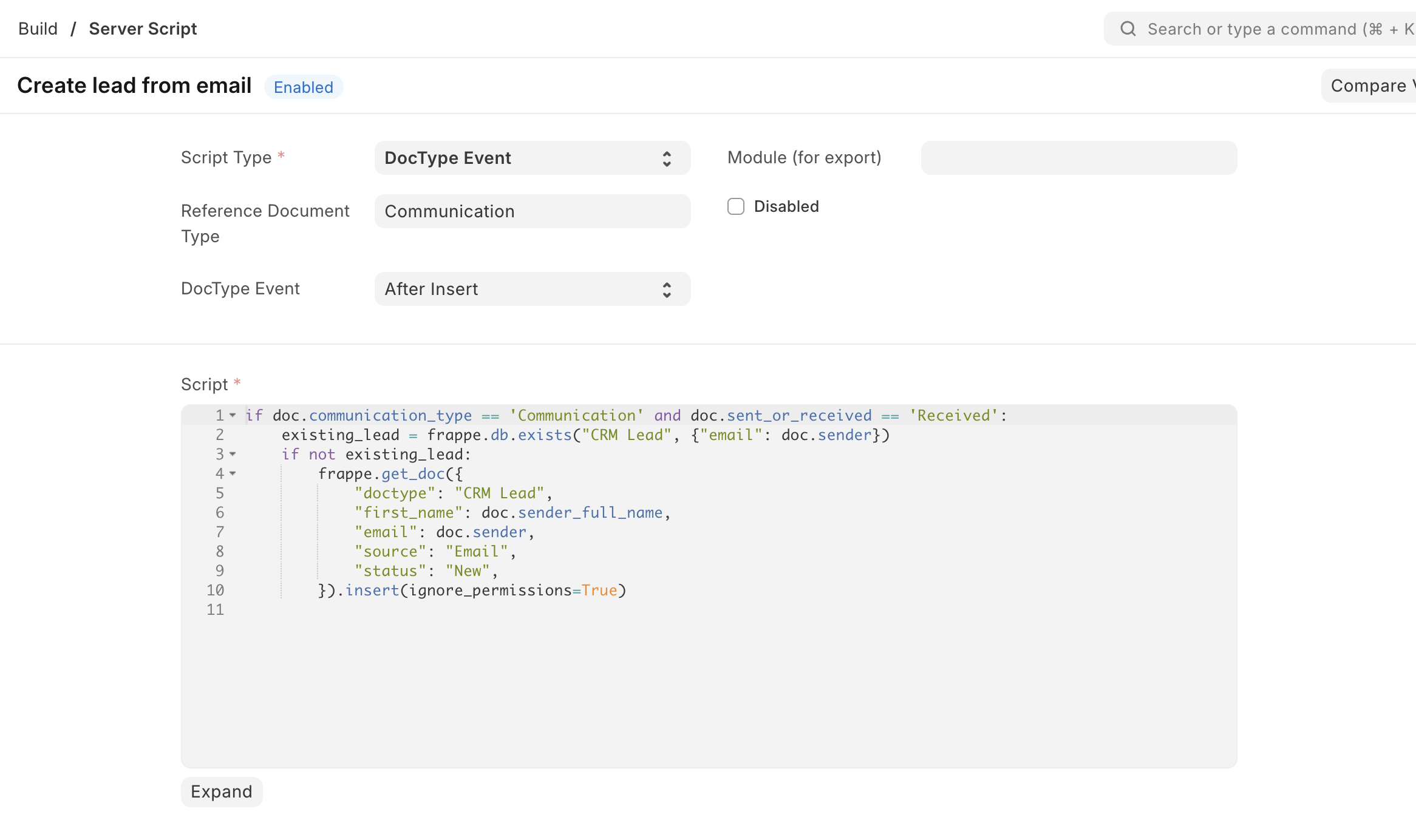
2. Create Lead via Custom API (API Script)
Section titled “2. Create Lead via Custom API (API Script)”Sometimes you want to allow external systems to create leads by calling an API endpoint.
Step 1: Go to Server Script
Section titled “Step 1: Go to Server Script”Navigate to: Desk → Search Server Script → Add Server Script
Step 2: Fill in the following:
Section titled “Step 2: Fill in the following:”| Field | Value |
|---|---|
| Script Type | API |
| API Method | create_lead_api |
| Script | (see below) |
Sample Script:
Section titled “Sample Script:”data = frappe.local.form_dict
if not data.get("email") or not data.get("name"): frappe.throw("Missing required fields: 'email' and 'name'")
existing_lead = frappe.db.exists("CRM Lead", {"email": data["email"]})if existing_lead: frappe.response["message"] = f"Lead already exists: {existing_lead}"else: lead = frappe.get_doc({ "doctype": "CRM Lead", "first_name": data["name"], "email": data["email"], "status": "New", "source": "API" }) lead.insert(ignore_permissions=True) frappe.response["message"] = f"Lead created: {lead.name}"How to Use:
Section titled “How to Use:”Send a POST request to:
11With body:
{ "email": "[email protected]", "name": "Someone"}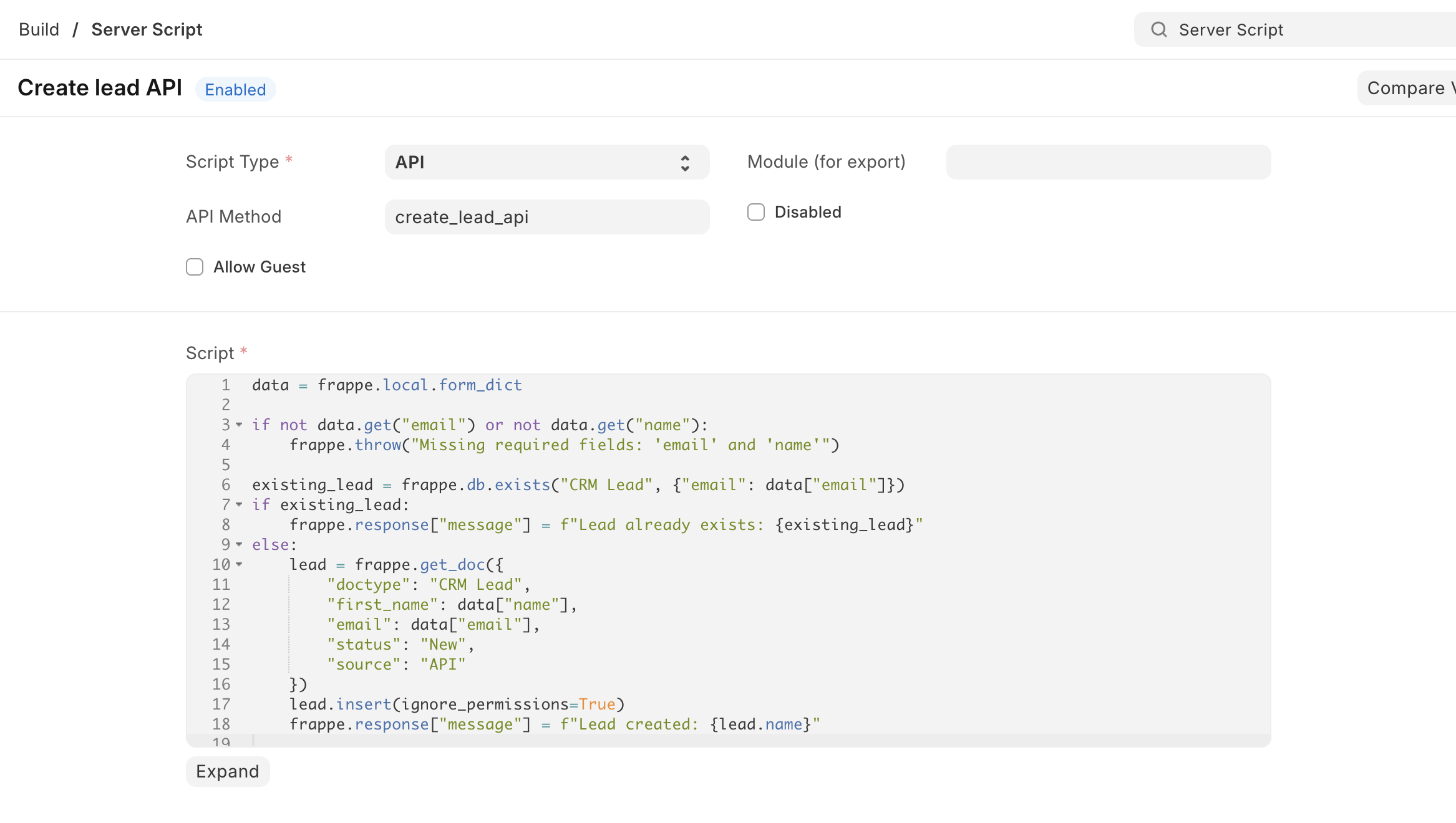
3. Create Lead via Scheduled Job (Scheduler Event)
Section titled “3. Create Lead via Scheduled Job (Scheduler Event)”You may want to create leads periodically based on some logic — for example, leads from another table, or inactive users.
Step 1: Go to Server Script
Section titled “Step 1: Go to Server Script”Navigate to: Desk → Search Server Script → Add Server Script
Step 2: Fill in the following:
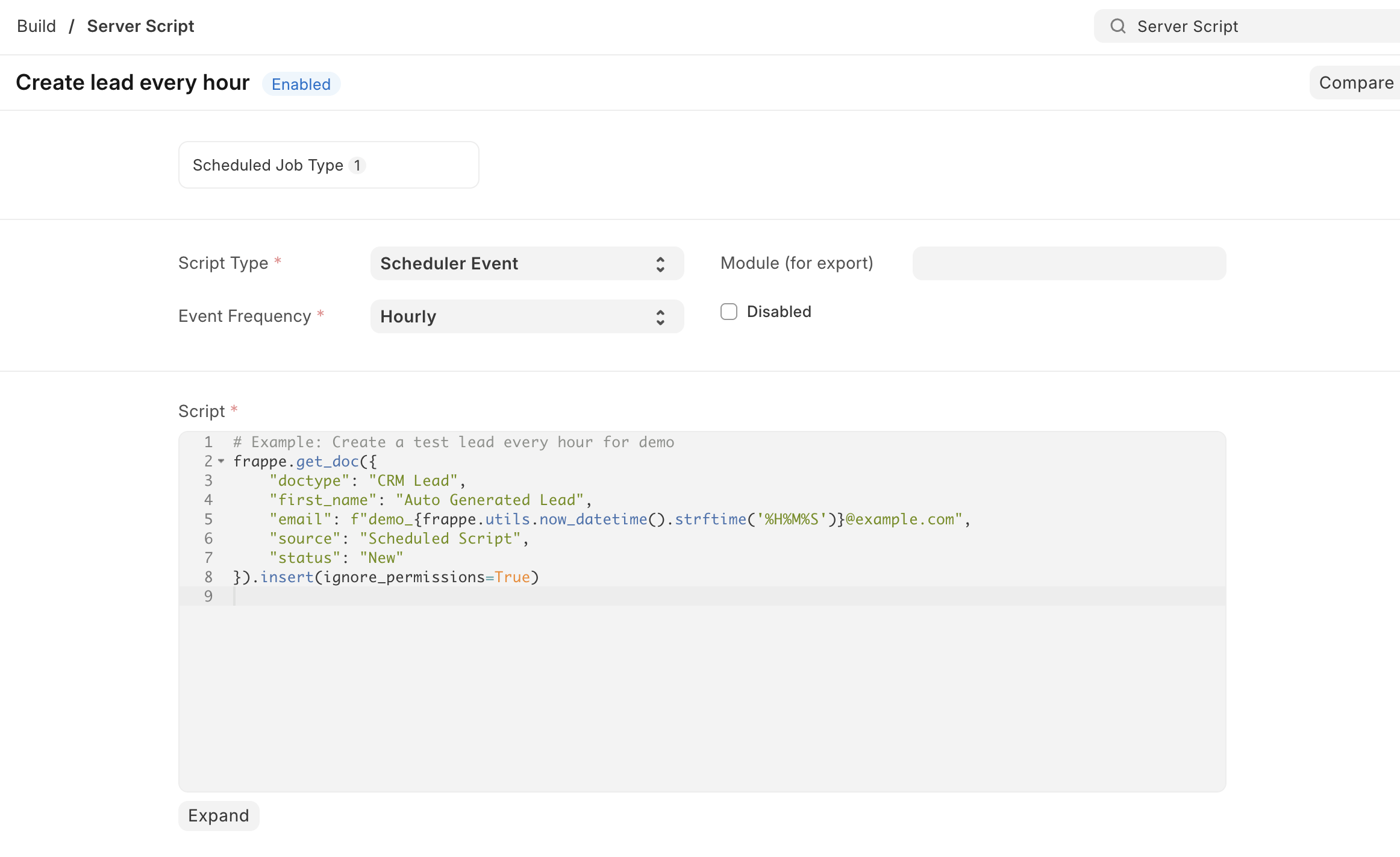
Section titled “Step 2: Fill in the following:”| Field | Value |
|---|---|
| Script Type | Scheduler Event |
| Cron Expression | 0 * * * * (Every hour) |
| Script | (see below) |
Sample Script:
Section titled “Sample Script:”# Example: Create a test lead every hour for demofrappe.get_doc({ "doctype": "CRM Lead", "first_name": "Auto Generated Lead", "email": f"demo_{frappe.utils.now_datetime().strftime('%H%M%S')}@example.com", "source": "Scheduled Script", "status": "New"}).insert(ignore_permissions=True)You can replace this logic with any query, filter, or custom rule to generate leads.
Permission Query (Skipped)
Section titled “Permission Query (Skipped)”The Permission Query type is used to control record visibility dynamically. It’s not used for lead creation, so we’re skipping it in this guide.
- Always test your script in a Test Site before using it in production.
- Use
ignore_permissions=Truecautiously. - Use
frappe.throw()for input validation in API scripts.