
Using Finance Book for Asset Depreciation
هذا المحتوى غير متوفر بلغتك بعد.
Imagine Nova Industries must report a machine one way in its statutory accounts, but management wants a second view for internal planning. The law may allow a ten-year useful life, while managers may prefer five years because they expect to replace the machine sooner.
Finance Books allow both views to exist without changing the original asset cost. Bravo Hub ERP can keep a separate depreciation schedule for each book, so the finance team can compare statutory reporting with its internal view.
Configure Finance Books
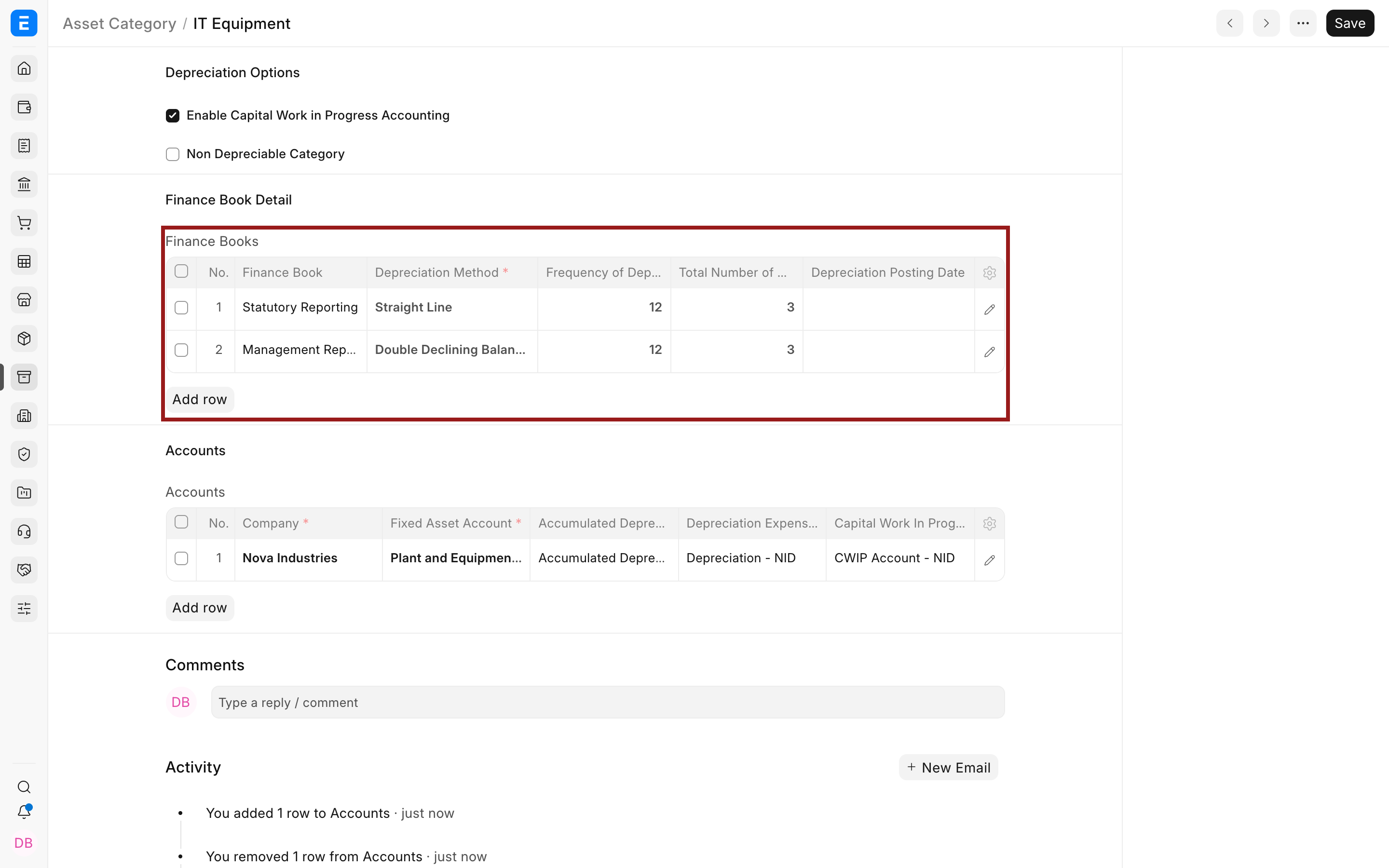
Section titled “Configure Finance Books”Create each Finance Book and add its depreciation policy to the Asset Category.
Apply them to an Asset
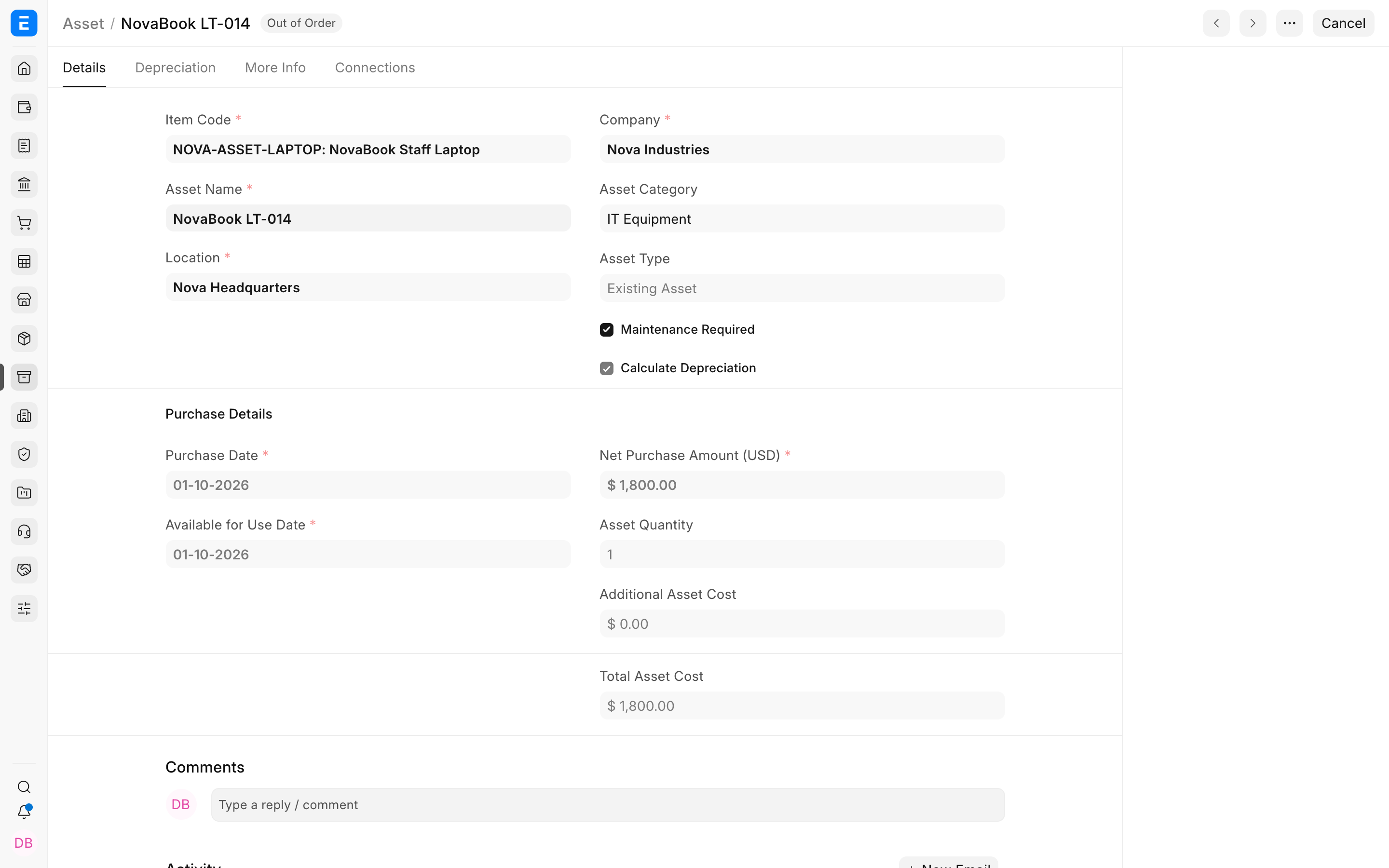
Section titled “Apply them to an Asset”Review the rows copied to the Asset. Each row can use its own method, frequency, useful life, residual value, and start date.
Report by Finance Book
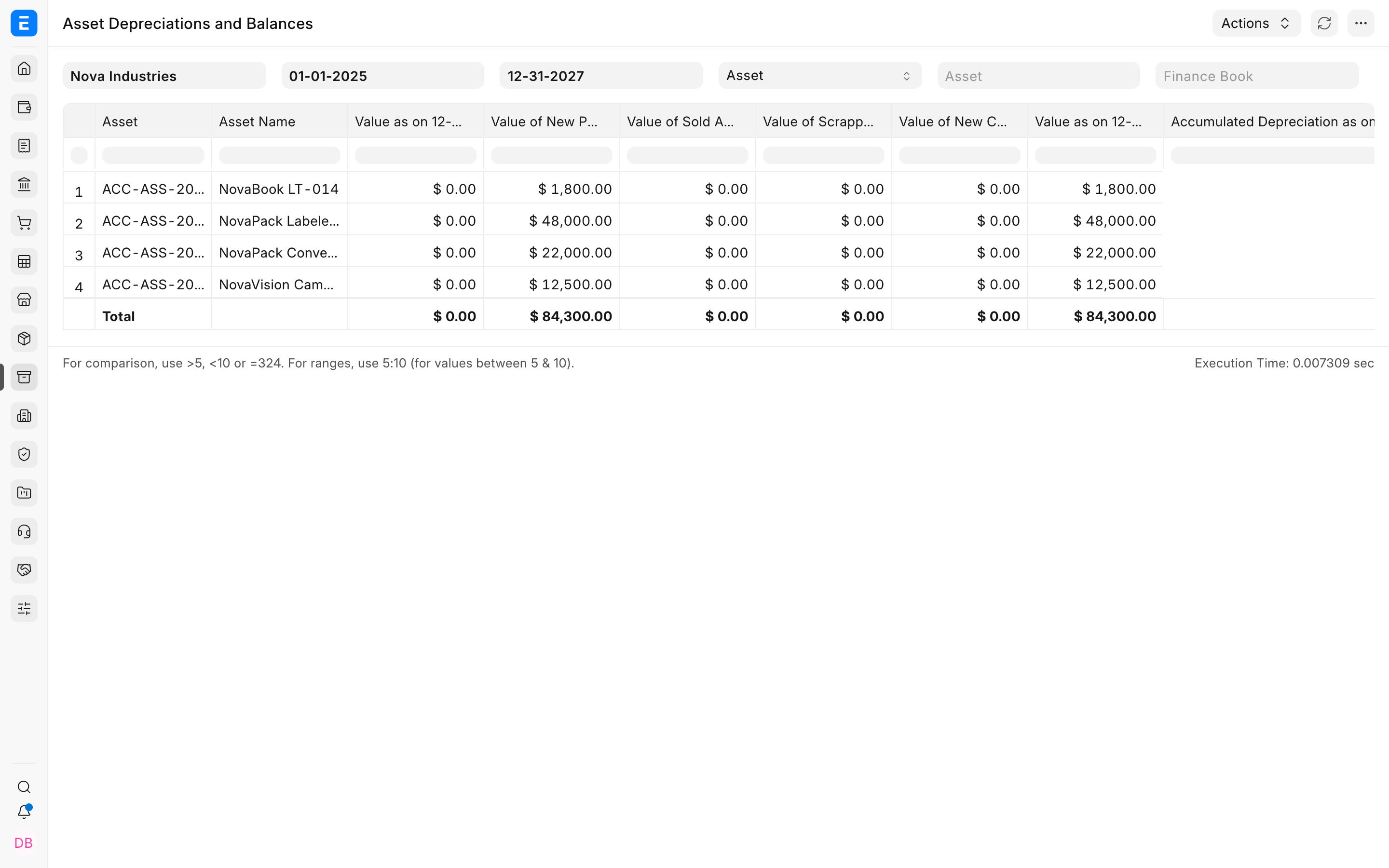
Section titled “Report by Finance Book”Select the intended Finance Book in asset and accounting reports. Leaving the filter blank can include default-book behavior and may not answer a policy-specific question.
Troubleshooting
Section titled “Troubleshooting”A report shows the wrong depreciation values
Section titled “A report shows the wrong depreciation values”Check the report’s Finance Book filter and whether Include Default Finance Book Assets is enabled.
Only one schedule exists
Section titled “Only one schedule exists”Confirm the Asset contains a complete row for every required Finance Book before submission.
Frequently asked questions
Section titled “Frequently asked questions”Does a Finance Book create a separate asset?
Section titled “Does a Finance Book create a separate asset?”In Bravo Hub ERP, no. It creates a separate accounting schedule for the same Asset.
Can Finance Books use different methods?
Section titled “Can Finance Books use different methods?”In Bravo Hub ERP, yes. That is one of their main purposes.
Which Finance Book posts by default?
Section titled “Which Finance Book posts by default?”The company or transaction defaults determine the default view. Always set an explicit filter when validating a specific reporting basis.