
Merging Accounts
هذا المحتوى غير متوفر بلغتك بعد.
Merge Accounts when two Account records in the same Chart of Accounts represent the same ledger or the same group and you want to keep only one. Bravo Hub ERP replaces references to the source Account with the target Account, then removes the duplicate source record.
For example, Nova Industries has both SaaS Subscription Expenses and Software Subscription Expenses for the same recurring software costs. The accounting team decides to retain Software Subscription Expenses and merge the duplicate into it.
Merging changes historical links. Treat it as a controlled data-cleanup operation, not a convenient way to rename an Account.
Before you begin
Section titled “Before you begin”Confirm the source Account is truly a duplicate. Compare its purpose, parent, currency, account type, tax use, default-account use, and historical transactions with the intended target.
Bravo Hub ERP allows the merge only when both Accounts have the same:
| Property | Why it must match |
|---|---|
| Is Group | A group cannot be merged into a ledger, and a ledger cannot be merged into a group. |
| Root Type | Asset, Liability, Equity, Income, and Expense Accounts cannot be combined across root types. |
| Company | Each Company has a separate Chart of Accounts. |
| Account Currency | Existing ledger values must retain a consistent currency. |
Run the General Ledger for both Accounts and compare balances in the Trial Balance. If either Account has a special purpose or should remain separately reportable, do not merge it.
Take a current data backup before merging important production Accounts. There is no normal user-interface action that separates the records again.
Select the source Account
Section titled “Select the source Account”Open Chart of Accounts, select the company, and find the Account that should disappear after the merge. You can also open the Account list and filter by name.
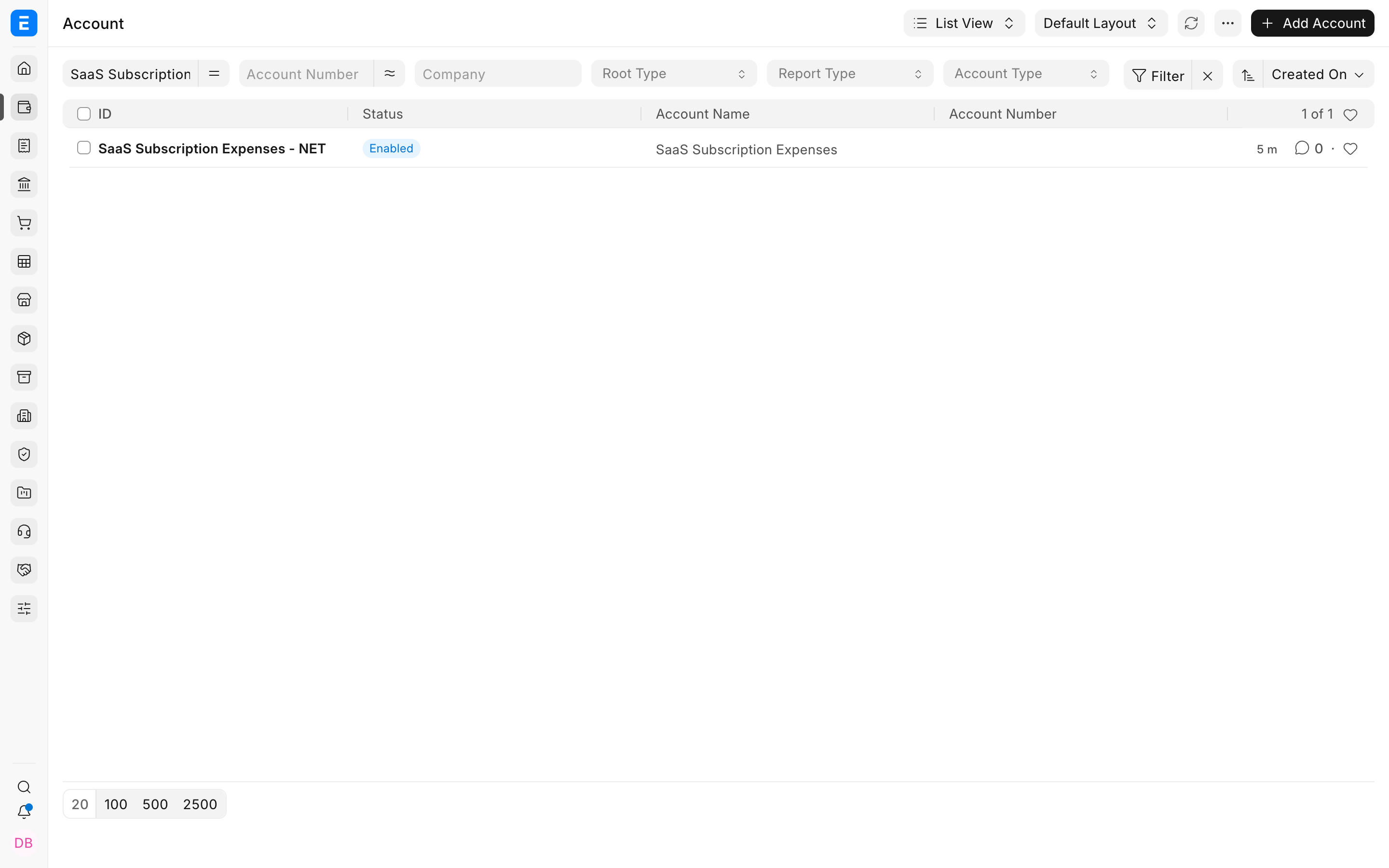
Open the source Account and verify its Company, Root Type, Report Type, Currency, Account Type, and whether it is a group. In this example, SaaS Subscription Expenses - NET is the duplicate source.
Open Merge Account
Section titled “Open Merge Account”On the source Account, select Actions > Merge Account.
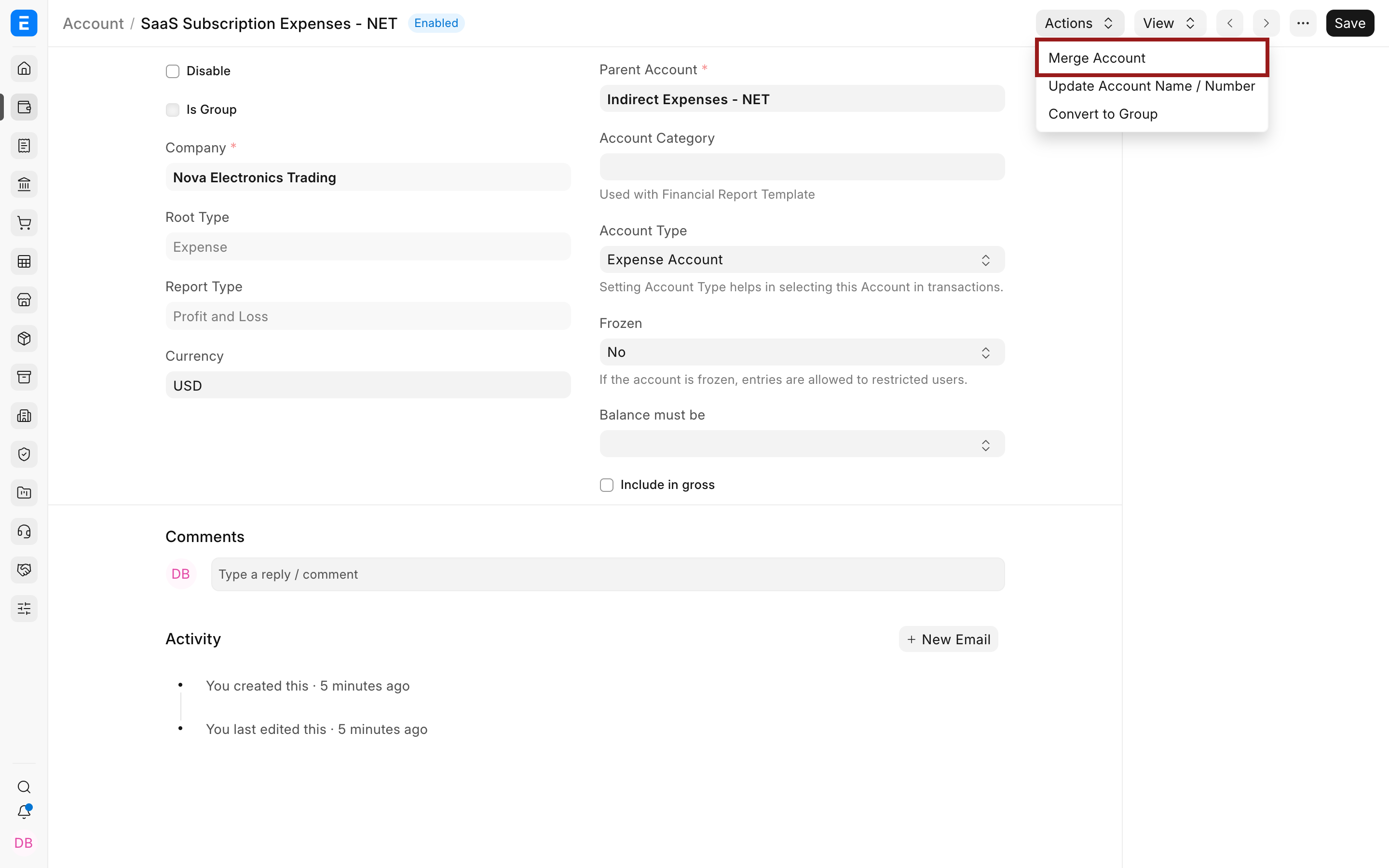
Do not use Update Account Name / Number for this task. That action renames one Account; it does not combine two existing Account records.
Choose the target Account
Section titled “Choose the target Account”In Merge with Existing Account, enter the full name of the Account that must remain. For the example, the target is Software Subscription Expenses - NET.
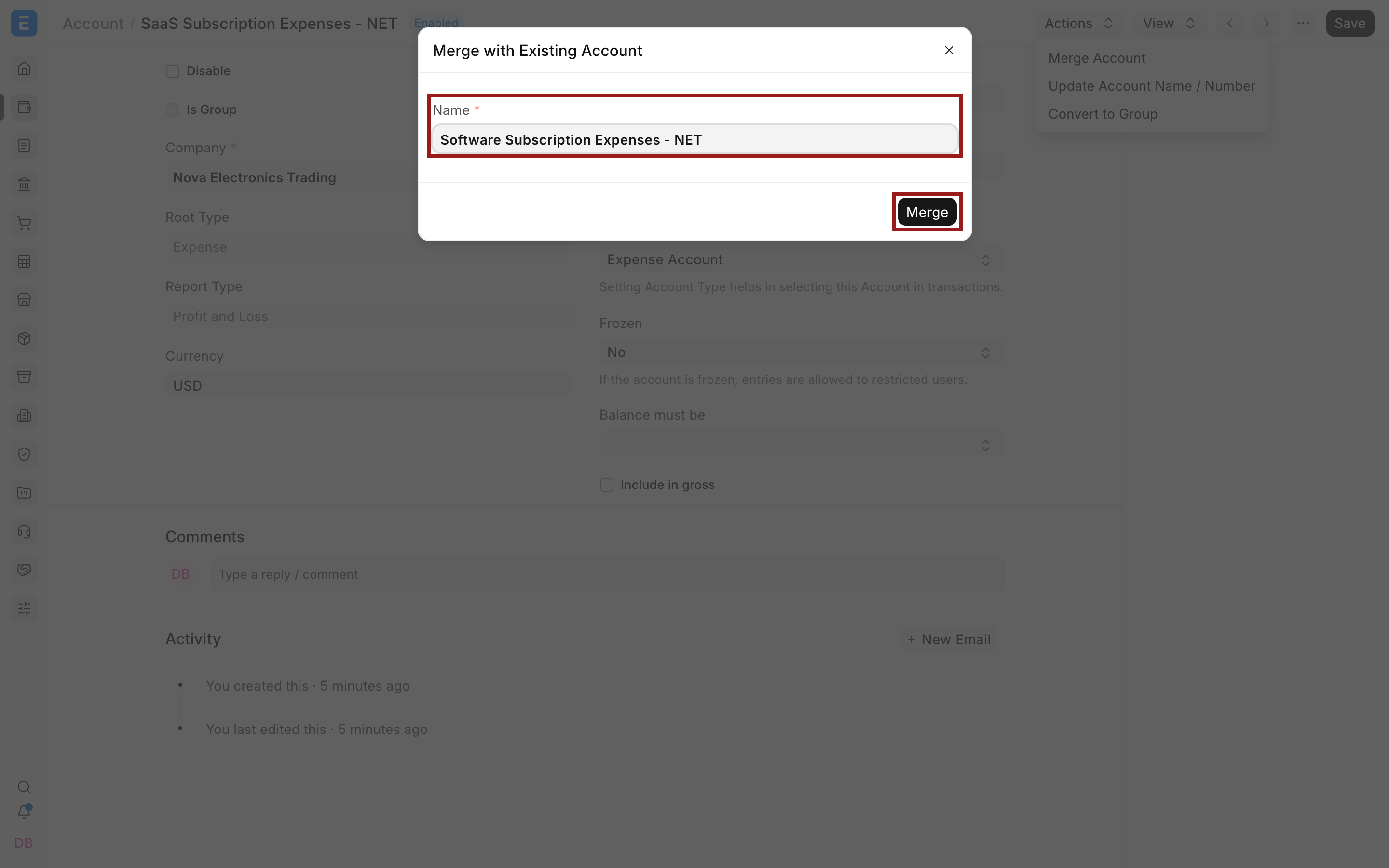
Review the direction before selecting Merge:
| Role | Example | Result |
|---|---|---|
| Source Account | SaaS Subscription Expenses - NET | Removed after references are moved. |
| Target Account | Software Subscription Expenses - NET | Remains and receives the source references. |
Select Merge only after another reviewer confirms the direction and target.
What changes after the merge
Section titled “What changes after the merge”Bravo Hub ERP updates links that previously pointed to the source Account so they point to the target Account. Existing transactions therefore show the target Account name when opened after the merge.
The accounting entries, debit and credit amounts, voucher dates, and parties do not change merely because the Account master was merged. What changes is the Account under which those entries are grouped and reported.
After the merge:
- Search for the source Account and confirm it no longer exists as a separate master.
- Open the target Account and use View > General Ledger.
- Confirm historical entries from both Accounts appear under the target.
- Re-run the Trial Balance, Balance Sheet, or Profit and Loss Statement, as applicable.
- Compare totals with the pre-merge reports. Consolidation should change the presentation, not the company’s total debit, credit, profit, or net assets.
The immutable ledger still preserves submitted accounting effects. Merging the Account master reassigns links; it does not cancel and repost every voucher.
Important fields and controls
Section titled “Important fields and controls”| Field or control | Meaning | Check before merging |
|---|---|---|
| Source Account | Account opened when you start the action | This record will no longer remain separate. |
| Name | Full target Account ID entered in the dialog | Confirm the company suffix and exact target. |
| Is Group | Whether the Account contains child Accounts | Must match between source and target. |
| Root Type | Asset, Liability, Equity, Income, or Expense | Must match between source and target. |
| Company | Legal entity that owns the Account | Must match between source and target. |
| Currency | Currency of the Account ledger | Must match between source and target. |
| Merge | Runs the consolidation | Select only after review and backup. |
Troubleshooting
Section titled “Troubleshooting”Bravo Hub ERP says the Accounts have different properties
Section titled “Bravo Hub ERP says the Accounts have different properties”Compare Is Group, Root Type, Company, and Currency on both records. Current Bravo Hub ERP requires all four to match. Do not change a property merely to bypass the validation unless the underlying accounting setup is genuinely wrong.
Bravo Hub ERP says the system is in use
Section titled “Bravo Hub ERP says the system is in use”Account merging locks and updates many linked records. Current Bravo Hub ERP blocks the operation when General Ledger entries were updated recently. Stop accounting activity, wait at least five minutes after the last GL update, then retry during a quiet period.
The target Account is not found
Section titled “The target Account is not found”Enter the full Account ID, including its company suffix. Confirm that the target exists in the same company and that your role has write permission for both Accounts.
Financial totals changed unexpectedly
Section titled “Financial totals changed unexpectedly”Stop further cleanup. Compare pre-merge reports, the target General Ledger, and the affected Journal Entries. Account merging should consolidate classification without changing the total double-entry amounts. Restore the backup or escalate to an administrator if the result is not understood.
The Chart of Accounts tree looks incorrect
Section titled “The Chart of Accounts tree looks incorrect”Reload the tree first. If a structural problem remains, investigate it before using any repair tool. Account merging is not a substitute for correcting parent relationships or rebuilding a damaged tree.
Can I merge a group Account into a ledger Account?
Section titled “Can I merge a group Account into a ledger Account?”No, Both Accounts must either be groups or both be ledgers.
Can I merge Accounts from different companies?
Section titled “Can I merge Accounts from different companies?”No, The source and target must belong to the same company.
Does merging delete historical transactions?
Section titled “Does merging delete historical transactions?”No, Bravo Hub ERP updates their Account references to the target. Verify the target ledger after the merge.
Can I undo an Account merge?
Section titled “Can I undo an Account merge?”There is no standard split or unmerge action. A tested backup is the reliable recovery path for an incorrect merge.
Should I merge an Account when I only want a better name or number?
Section titled “Should I merge an Account when I only want a better name or number?”No, Use Actions > Update Account Name / Number when only one Account exists and its identity needs correction.