
Asset Category
Imagine Nova Industries buys 100 employee laptops over the next two years. If the accountant has to choose the useful life, depreciation method, and ledger accounts separately for every laptop, the records may become inconsistent and mistakes will be hard to find.
An Asset Category solves this by storing one reusable accounting policy for similar assets. Nova Industries can create an IT Equipment category once, then use the same depreciation and account defaults for every laptop added later.
Before you begin
Section titled “Before you begin”Confirm the company Chart of Accounts contains a fixed-asset account, accumulated depreciation account, depreciation expense account, and capital work in progress account when CWIP is used. Create any required Finance Books first.
Create an Asset Category
Section titled “Create an Asset Category”- Open Asset Category and select Add Asset Category.
- Enter a clear name such as IT Equipment or Production Equipment.
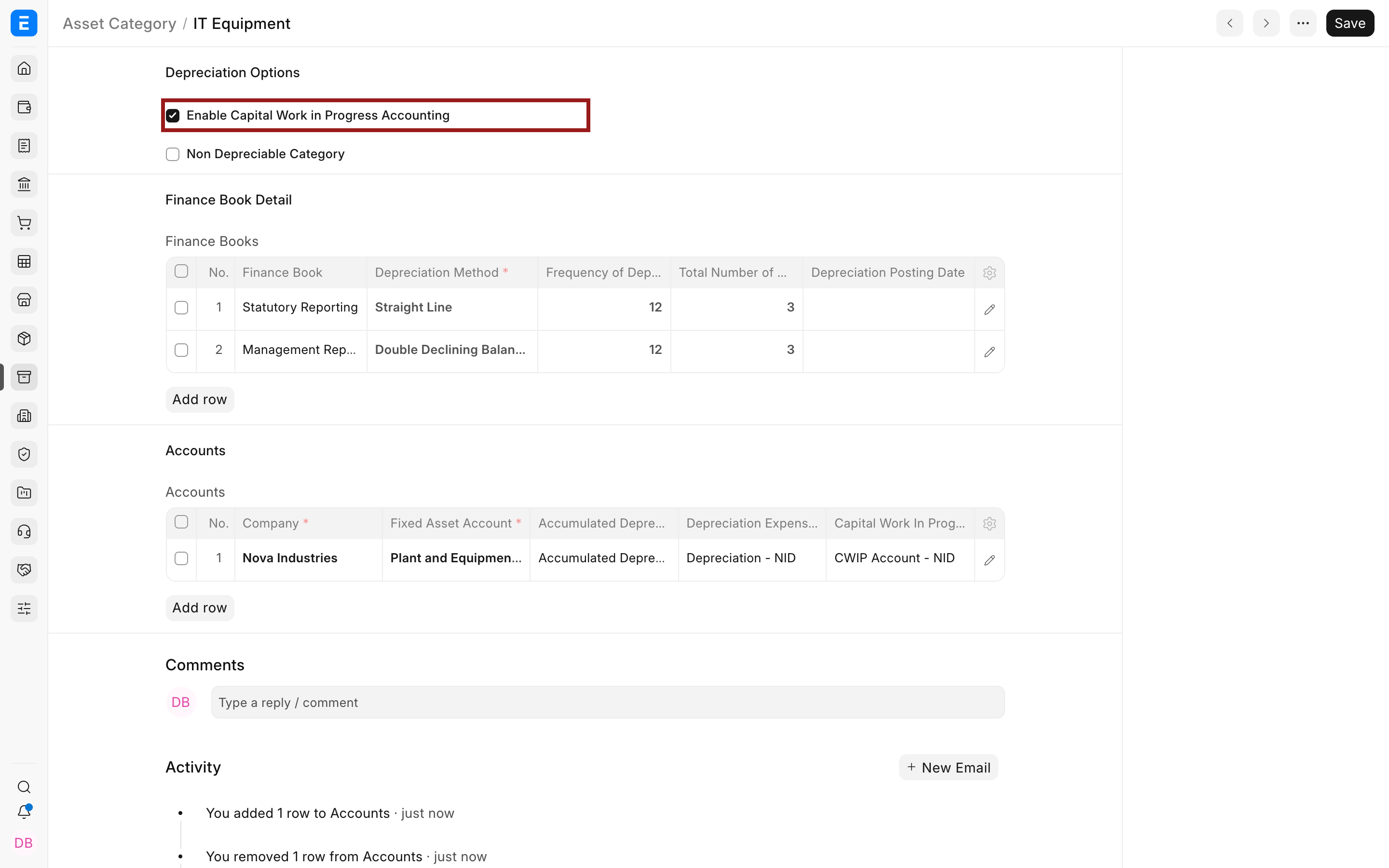
- Enable Capital Work in Progress Accounting when purchases should remain in CWIP until the asset becomes available for use.
- Enable Non Depreciable Category only for categories such as land where depreciation does not apply.
Set depreciation defaults by Finance Book
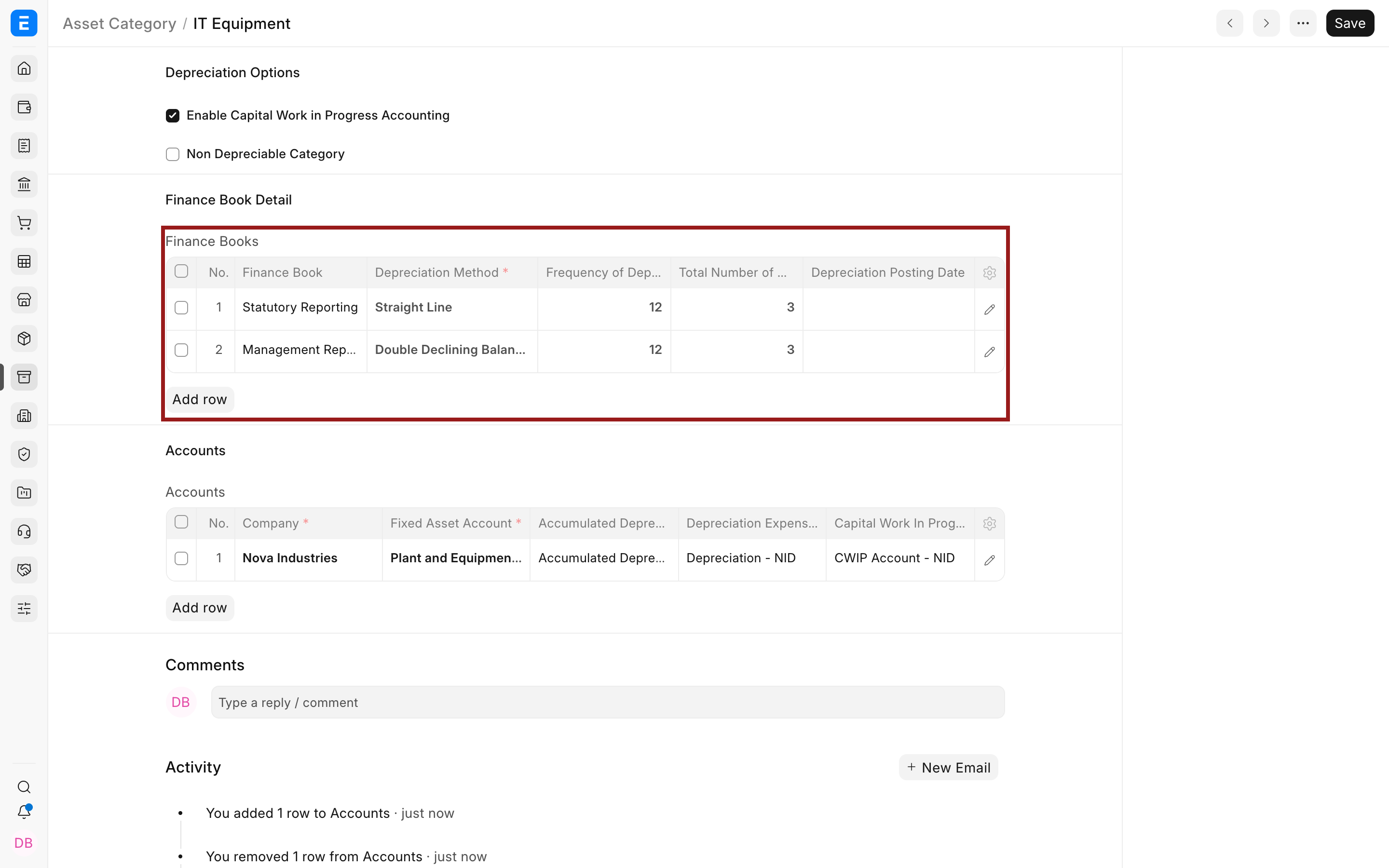
Section titled “Set depreciation defaults by Finance Book”Add one row for every reporting basis you need. Nova Industries uses Straight Line for Statutory Reporting and Double Declining Balance for Management Reporting. Open the row editor with the pencil icon when you need fields that are not visible in the grid.
| Field | What it means |
|---|---|
| Finance Book | The reporting basis that owns this depreciation policy. |
| Depreciation Method | How Bravo Hub ERP spreads the depreciable value. |
| Frequency | Months between scheduled depreciation entries. |
| Total Number of Depreciations | Number of scheduled postings across the useful life. |
| Salvage Value Percentage | Expected residual value at the end of useful life. |
| Daily Pro Rata | Calculates depreciation by actual days rather than equal periodic amounts. |
| Shift Based | Allows the depreciation amount to follow machine utilization by shift. |
Set company accounts
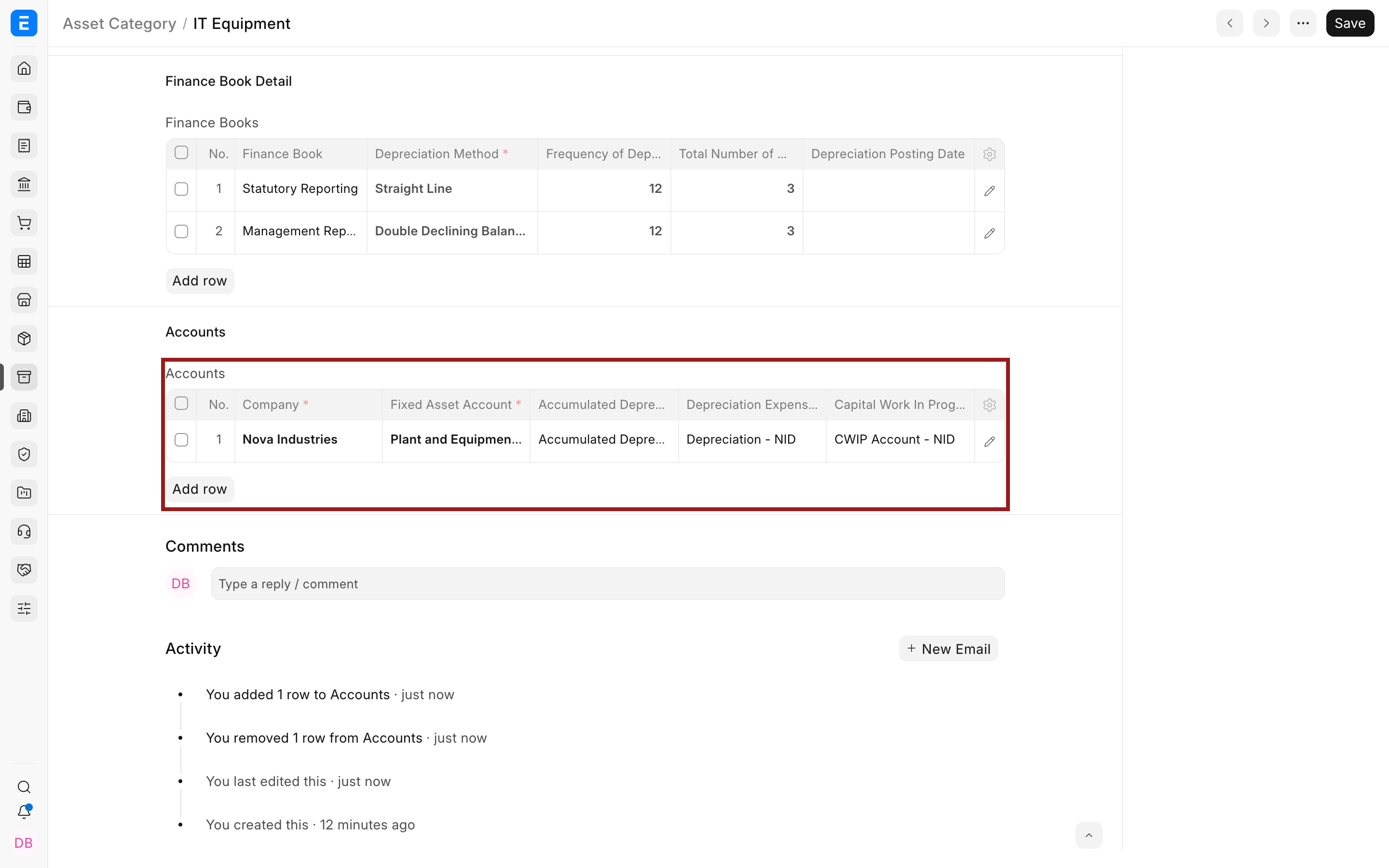
Section titled “Set company accounts”Each company row determines where acquisition, depreciation, and CWIP entries post. Do not use an inventory account as the Fixed Asset Account.
| Field | What it means |
|---|---|
| Fixed Asset Account | Balance Sheet account that holds the capitalized asset value. |
| Accumulated Depreciation Account | Contra-asset account that accumulates depreciation. |
| Depreciation Expense Account | Profit and Loss account charged when depreciation is booked. |
| Capital Work in Progress Account | Temporary asset account used before capitalization. |
Troubleshooting
Section titled “Troubleshooting”The Asset has the wrong depreciation defaults
Section titled “The Asset has the wrong depreciation defaults”Correct the category for future assets. For an existing draft Asset, reload or update the Finance Book rows before submission.
Bravo Hub ERP asks for an account during purchase or capitalization
Section titled “Bravo Hub ERP asks for an account during purchase or capitalization”Check that the category contains an Accounts row for the transaction company and that every linked account belongs to that company.
Frequently asked questions
Section titled “Frequently asked questions”Can two categories use the same accounts?
Section titled “Can two categories use the same accounts?”In Bravo Hub ERP, yes. Categories may share accounts while keeping different useful lives or depreciation methods.
Can the same category have two Finance Books?
Section titled “Can the same category have two Finance Books?”In Bravo Hub ERP, yes. Add one row per Finance Book when statutory and management depreciation differ.
Does changing a category rewrite submitted Asset schedules?
Section titled “Does changing a category rewrite submitted Asset schedules?”Do not assume it will. Review affected Asset and Asset Depreciation Schedule records explicitly before relying on new defaults.