
Asset Movement
Imagine a laptop moves from Nova Industries’ head office to the service workshop, then is issued to a new employee. The problem with editing the location directly is that it would show only where the laptop is now. It would not explain who moved it or where it was before.
Asset Movement records every transfer, issue, and receipt as a separate event. The latest submitted movement updates the asset’s location or custodian while keeping the earlier movements available as history.
Choose the purpose
Section titled “Choose the purpose”| Field | What it means |
|---|---|
| Transfer | Moves an asset from one location to another. |
| Issue | Assigns custody to an employee. |
| Receipt | Returns an issued asset from an employee. |
| Transfer and Issue | Moves the asset and assigns it to an employee in one transaction. |
Create an Asset Movement
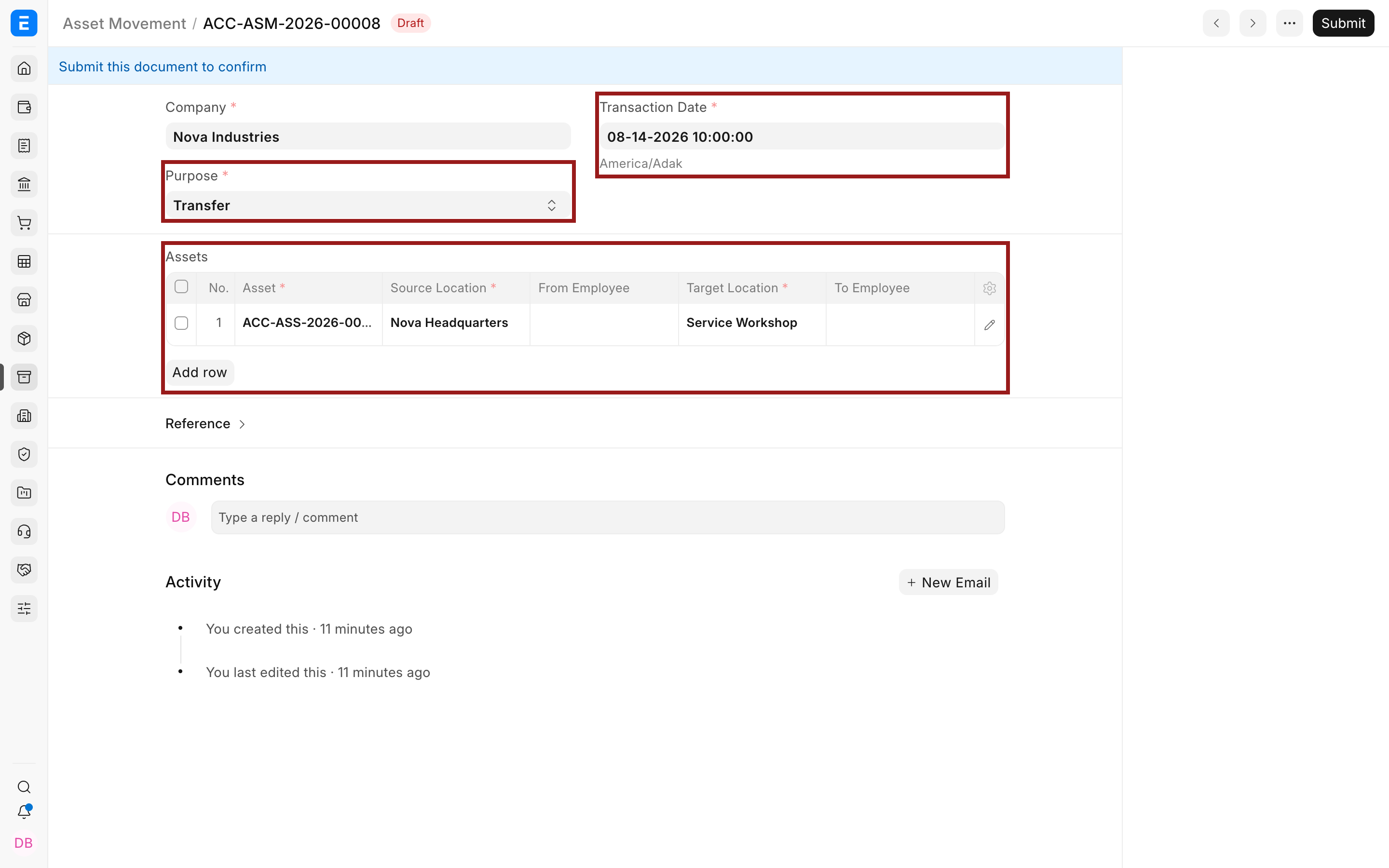
Section titled “Create an Asset Movement”- Select the company and purpose.
- Set the transaction date and time.
- Add the Asset and its source details.
- Enter the target location or employee required by the purpose.
- Submit the movement.
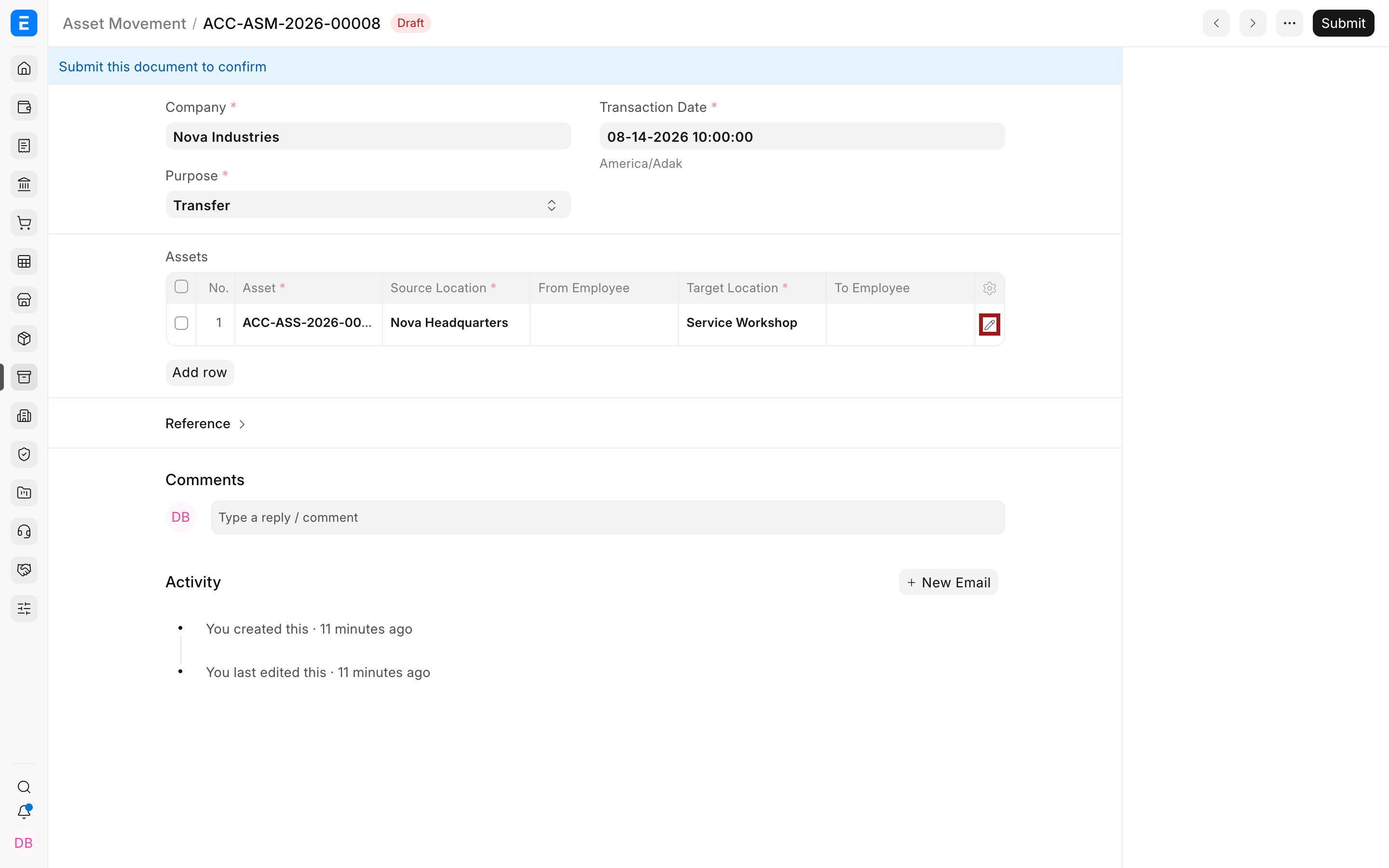
Use the pencil icon to review all source, target, employee, and department fields in the child row.
Verify the result
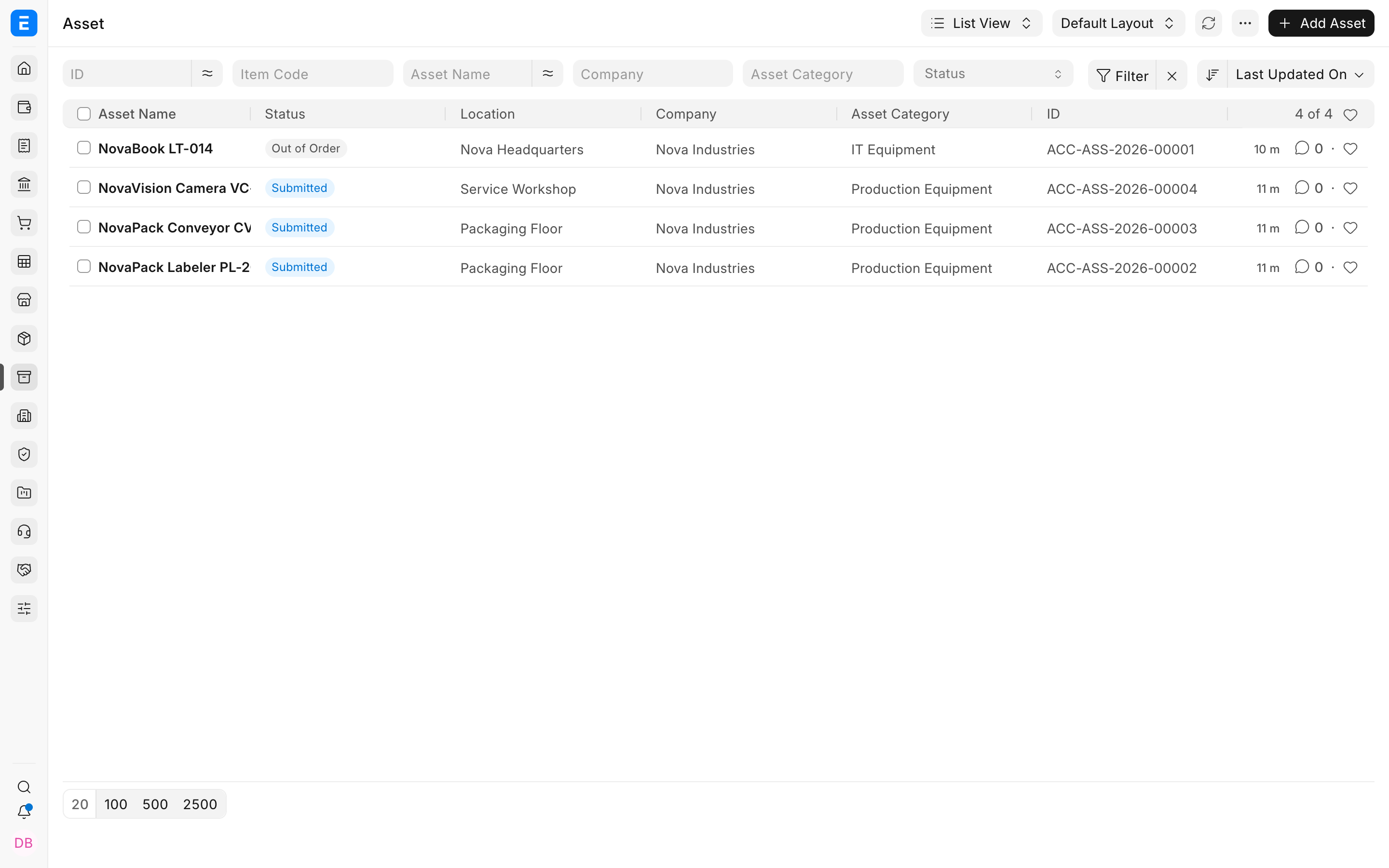
Section titled “Verify the result”Open the Asset or Asset list and confirm the current location and status reflect the submitted movement.
Troubleshooting
Section titled “Troubleshooting”The target location did not change
Section titled “The target location did not change”Confirm the Asset Movement was submitted and the correct Asset row was used.
The movement asks for an employee
Section titled “The movement asks for an employee”The selected purpose includes custody. Use Transfer when only the physical location changes.
Frequently asked questions
Section titled “Frequently asked questions”Can one movement contain several assets?
Section titled “Can one movement contain several assets?”In Bravo Hub ERP, yes. Add multiple rows when the assets share the same movement context.
Does an Asset Movement affect the ledger?
Section titled “Does an Asset Movement affect the ledger?”In Bravo Hub ERP, no. It changes custody and location, not asset value.
Can I move an out-of-order asset?
Section titled “Can I move an out-of-order asset?”Check the operational policy and linked repair state. The system record should match the real handoff.