
Company
A Company in Bravo Hub ERP represents a legal entity whose transactions, accounts, taxes, stock valuation, and financial statements must be kept together. Create separate Companies when entities maintain separate books or statutory registrations. Use branches, cost centers, accounting dimensions, or warehouses when the operation belongs to the same legal entity.
Nova Group uses a group record to show its structure. Nova Industries and Nova Electronics Trading remain separate Companies because each entity needs its own accounting and operational defaults.
Before you begin
Section titled “Before you begin”Confirm the legal name, abbreviation, country, default currency, chart of accounts, fiscal year, and whether the record will be a parent group or a transaction company. The abbreviation becomes part of generated accounts, cost centers, and warehouses, so choose it carefully.
Create a Company
Section titled “Create a Company”- Open the Company tree view. Select New to create an independent Company, or select a group and use Add Child to create a subsidiary under it.
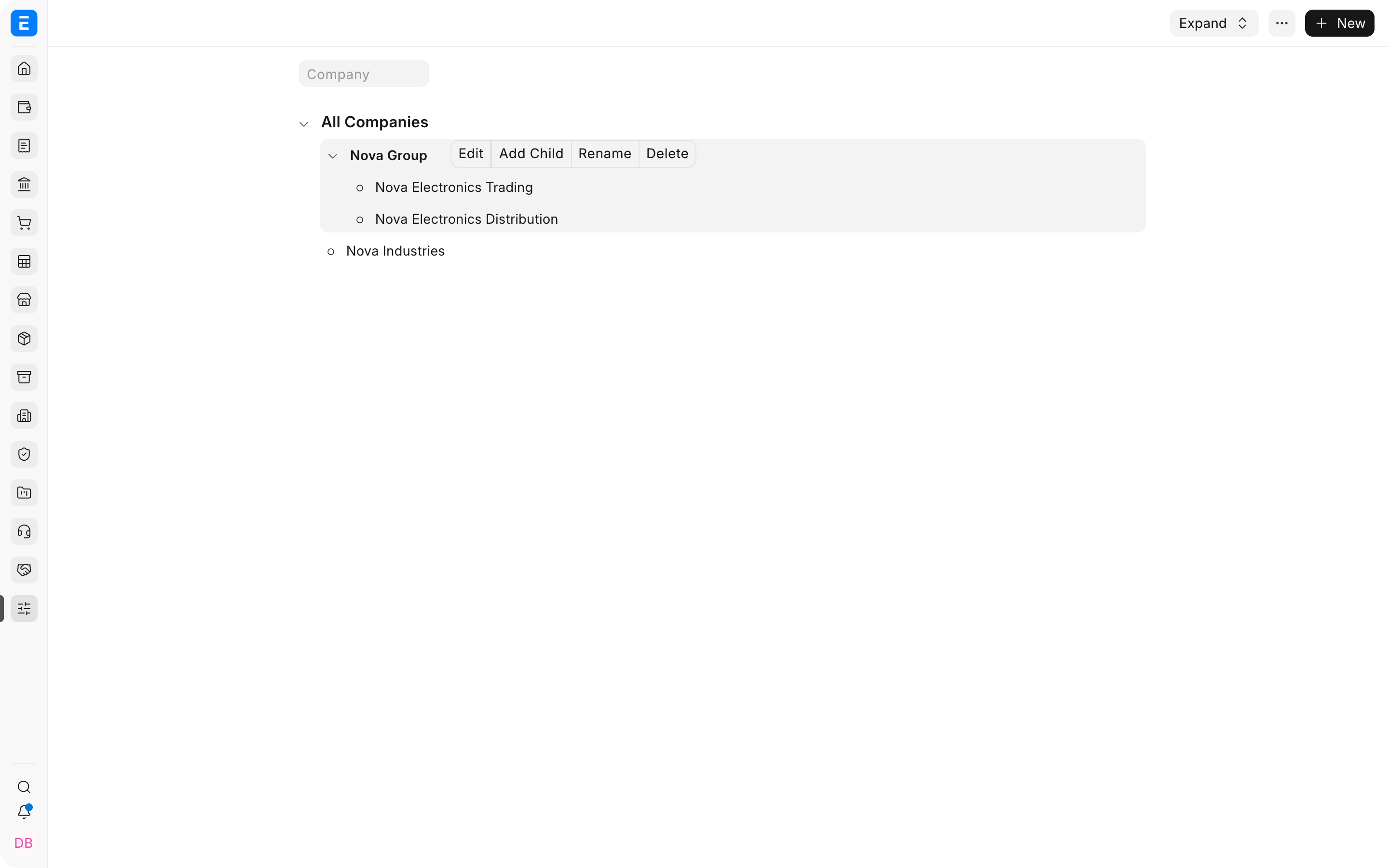
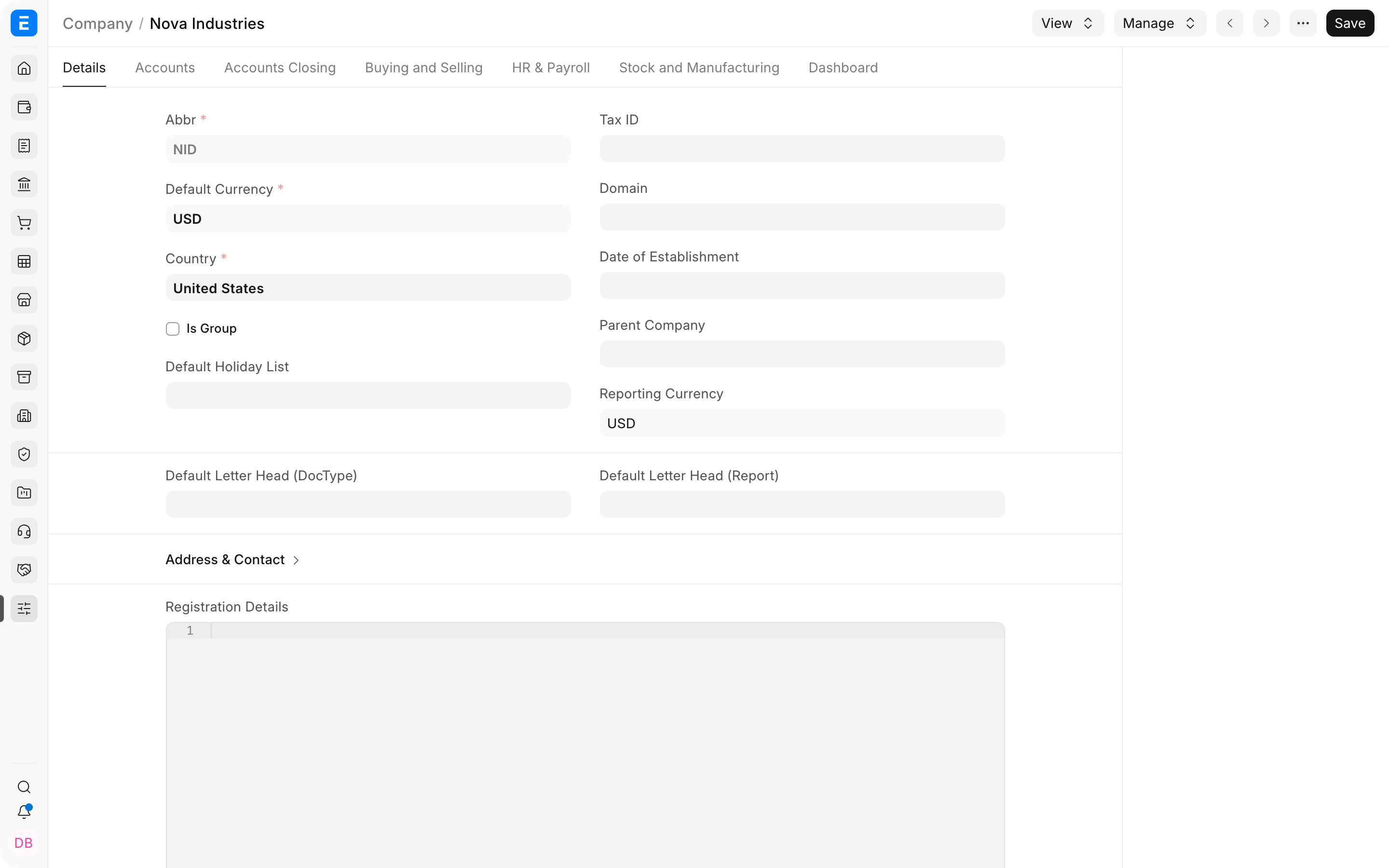
- Enter the Company name, abbreviation, default currency, and Country.
- Enable Is Group only for a parent used to organize child companies. A group does not post normal business transactions.
- Select a Parent Company when the entity belongs to a group structure.
- Save the Company and review the accounts, buying, selling, stock, manufacturing, and payroll defaults created for it.
Important fields and what they mean
Section titled “Important fields and what they mean”| Field | Meaning |
|---|---|
| Abbreviation | Short suffix used to distinguish company-specific accounts, cost centers, and warehouses. |
| Default Currency | Base currency used for the Company ledger and financial statements. |
| Country | Provides regional defaults and helps determine applicable localization. |
| Is Group | Makes the record an organizational parent instead of a normal transaction company. |
| Parent Company | Places the entity under a group for consolidated navigation and reporting. |
| Reporting Currency | Currency used when the organization needs reporting in addition to its base currency. |
Set up multiple companies
Section titled “Set up multiple companies”Use sibling Companies for entities at the same level. Use a parent and child structure for subsidiaries. Inter-company sales and purchases must still be recorded in the relevant legal entities. Review Inter Company Invoices and Inter Company Journal Entry for controlled cross-company transactions.
What Bravo Hub ERP creates
Section titled “What Bravo Hub ERP creates”Depending on the selected setup options, Bravo Hub ERP creates a chart of accounts, root cost center, and default warehouses. Review them before importing transactions. Configure Company accounting defaults, taxes, bank accounts, stock settings, and module-specific defaults before go-live.
Troubleshooting
Section titled “Troubleshooting”The abbreviation cannot be changed
Section titled “The abbreviation cannot be changed”The abbreviation is embedded in linked masters. Avoid changing it after transactions or many company-specific records exist. Test the impact in a safe site first.
A Company does not appear in a transaction
Section titled “A Company does not appear in a transaction”Confirm the user has permission for that Company and that user defaults or user permissions are not restricting the selection.
Frequently asked questions
Section titled “Frequently asked questions”Should each branch be a Company?
Section titled “Should each branch be a Company?”Only when the branch is a separate legal or accounting entity. Otherwise use branches, cost centers, warehouses, or accounting dimensions.
Can Companies use different currencies?
Section titled “Can Companies use different currencies?”Y
es. Each Company has its own base currency. Cross-company and foreign-currency transactions require appropriate accounts and exchange rates.