
Interview
Interviews are formal meetings between Job Applicants and Interviewers to assess whether the former is suitable for the Job Opening they’re applying for.
Bravo Hub HR allows you to maintain a record of all Interviews conducted with Job Applicants.
To access Interview, go to:
Home > Human Resources > Recruitment > Interview
1. Prerequisites
Section titled “1. Prerequisites”Before creating an Interview, it is advisable you create the following:
2. How to Create an Interview
Section titled “2. How to Create an Interview”- Go to Interview list, click on Add Interview.
- First select the Interview Round and then Job Applicant. Order is important.
- Enter the date (Scheduled On) and time (From Time & To Time).
- Enter the Resume Link (optional).
- Click on Save.
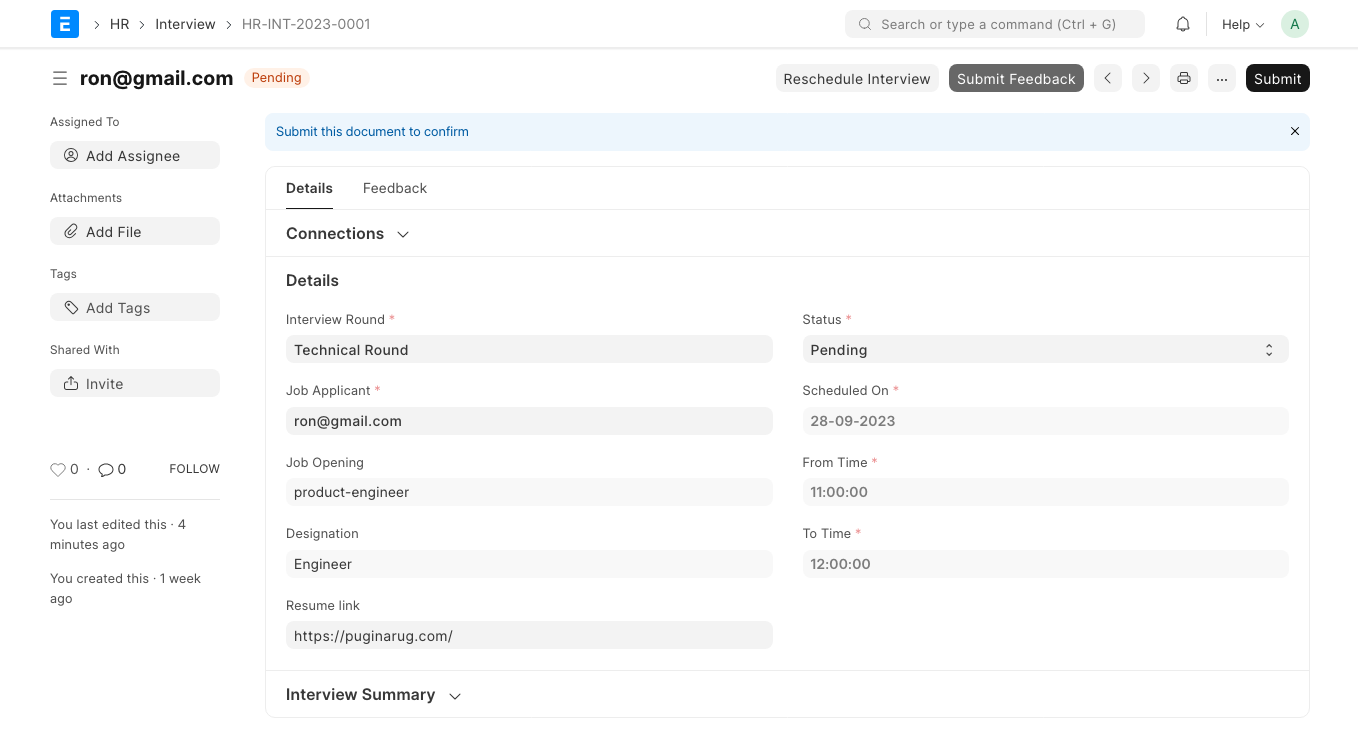
After saving the Interview, you can reschedule the interview using the Reschedule Interview button. You can also directly Submit Feedback from the dashboard.
Note: Only Interviewers associated with the selected Interview Round can submit Feedback.
3. Features
Section titled “3. Features”3.1 Calendar View
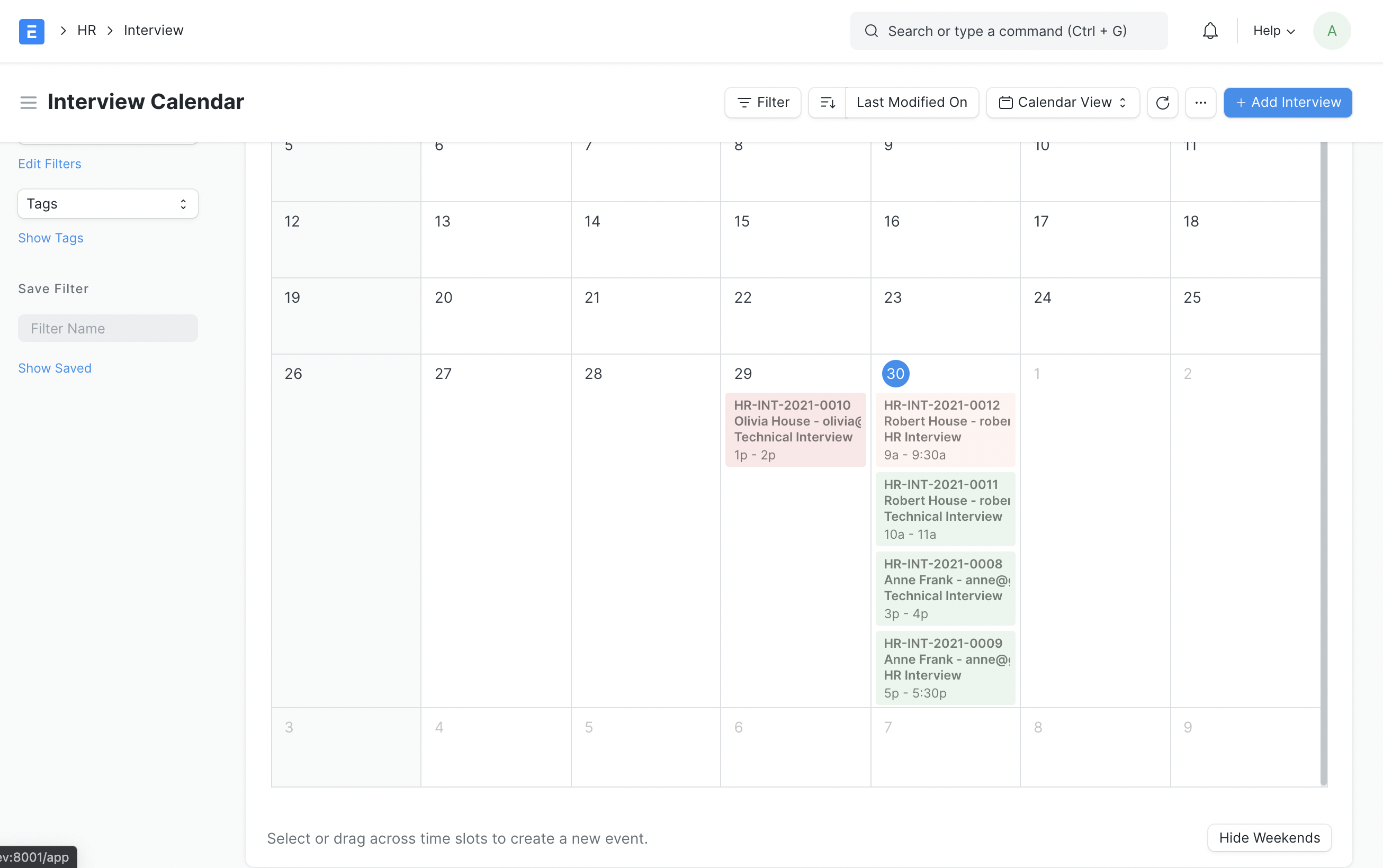
Section titled “3.1 Calendar View”Scheduled interviews can be viewed in a color-coded calendar format by going to the Interview list, clicking on List View, and selecting Calendar.
3.2 Interview Feedback
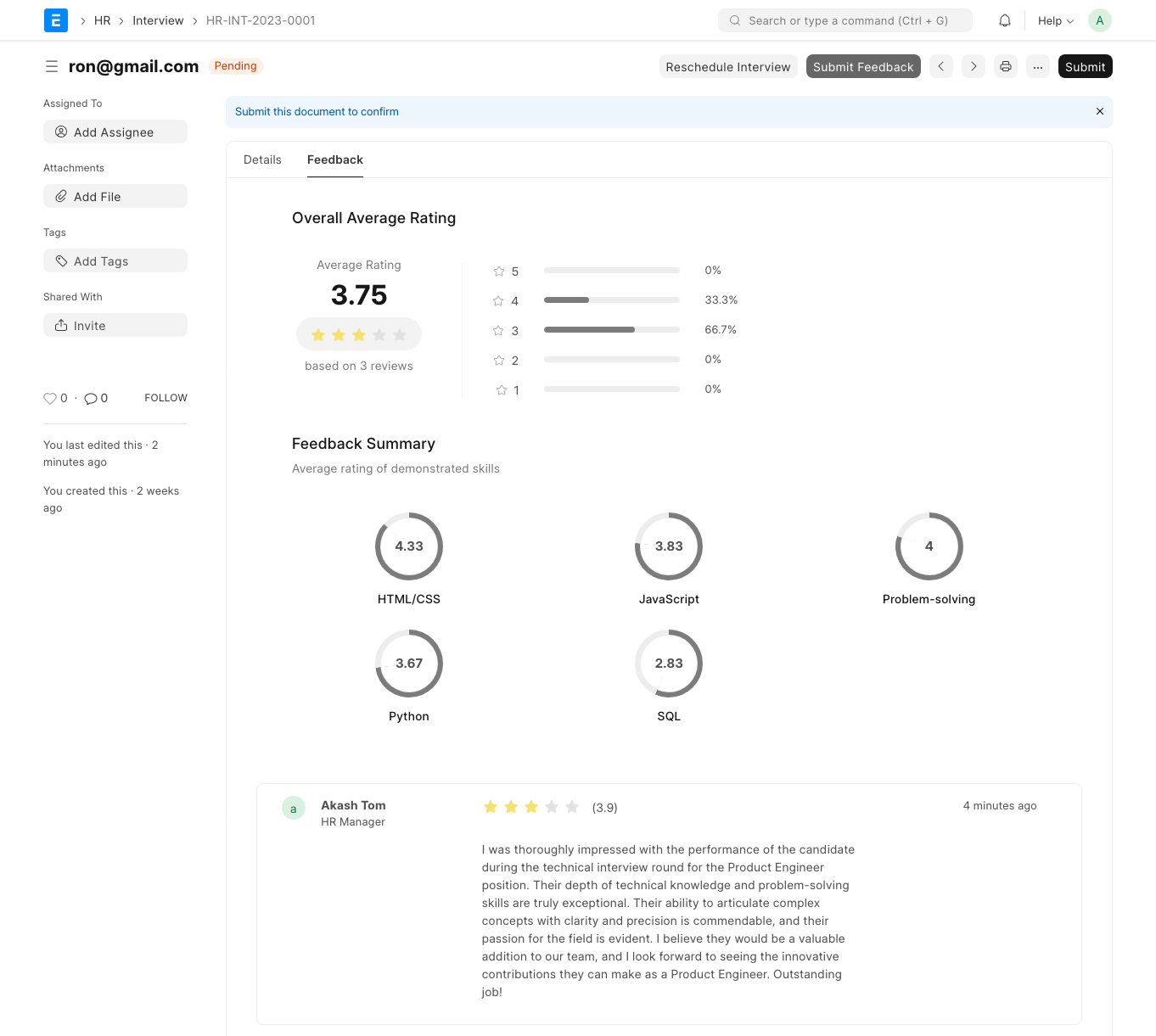
Section titled “3.2 Interview Feedback”After an interview has received Feedback, you can click on the Feedback tab to access a summary of the feedback. This summary includes the overall average rating, the distribution of ratings for each Feedback, the average rating for each Skill, and the individual Feedback comments.
3.3 Tracking Interviews
Section titled “3.3 Tracking Interviews”Interviews related to a Job Applicant can be easily tracked from its dashboard.
3.4 Interview Reminder
Section titled “3.4 Interview Reminder”You can configure Bravo Hub HR to send reminder emails to Interviewers for upcoming Interviews.