
Deferred Expense
CloudWorks, a software supplier to Nova Industries, invoices $1,200 for a one-year service plan. Nova Industries owes the supplier now, but the benefit belongs to twelve months rather than only the month in which the Purchase Invoice is posted.
Deferred Expense prevents the full amount from distorting the current month. Bravo Hub ERP first holds the cost in an asset account, then recognizes a share as expense during each service period.
Use deferred expense for supplier costs paid or invoiced in advance, such as annual software, insurance, rent, maintenance, or support contracts.
Understand the accounting effect
Section titled “Understand the accounting effect”Assume no tax for simplicity.
| Event | Debit | Credit |
|---|---|---|
| Submit the $1,200 Purchase Invoice | Deferred Expense asset $1,200 | Creditors $1,200 |
| Recognize one eligible period | Software Subscription Expense | Deferred Expense asset |
| Pay the Supplier | Creditors $1,200 | Bank $1,200 |
Payment clears the payable. It does not decide when the expense is consumed. The service period controls recognition.
The older documentation stated that the deferred expense account was credited on Purchase Invoice creation. That would reverse the normal prepaid-cost treatment. Current Bravo Hub ERP and standard accounting use a debit to the deferred asset at invoice submission, followed by credits to that asset as expense is recognized.
Before you begin
Section titled “Before you begin”Prepare:
- A deferred expense asset account, normally under Current Assets, in the Chart of Accounts.
- The final Expense Head that should receive the recognized cost.
- A non-stock service Item.
- The contract or coverage start and end dates.
- A Supplier and valid Purchase Invoice setup.
- The day- or month-based recognition policy in Accounts Settings.
Do not use this workflow for inventory that should be received and valued through Stock. Deferred expense is for a cost consumed over time, not for a stock quantity waiting to be issued.
Configure deferred settings
Section titled “Configure deferred settings”In Accounts Settings, choose whether recognition is calculated by Days or Months, whether processing runs automatically, and whether Bravo Hub ERP posts directly or creates Journal Entries.
The original $12,000 example is retained: with Months, a complete 12-month period normally recognizes $1,000 per month. With Days, a 30-day month may recognize about $986.30 and a 31-day month about $1,019.17, depending on the exact service dates. Different monthly amounts are expected when the number of service days differs.
See Deferred Accounting for the complete setting behavior.
Enable deferred expense on the Item
Section titled “Enable deferred expense on the Item”Open the Item used for the prepaid service. In Accounting, enable Deferred Expense. Enter a standard number of expense months when it helps prefill the expected duration.
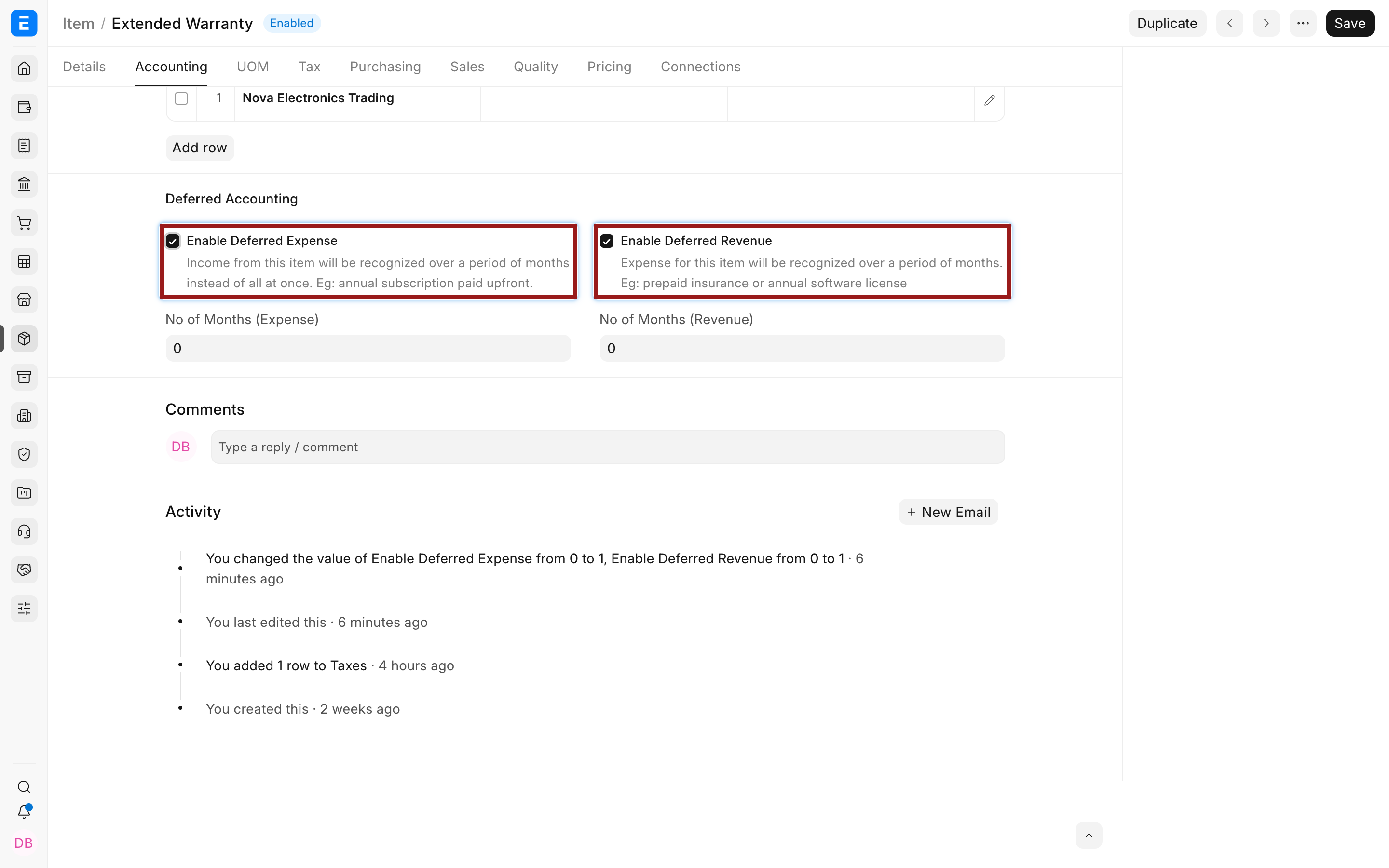
The current Item form identifies the Item as eligible. The actual deferred asset account and service dates are confirmed on each Purchase Invoice Item row.
Create the Purchase Invoice
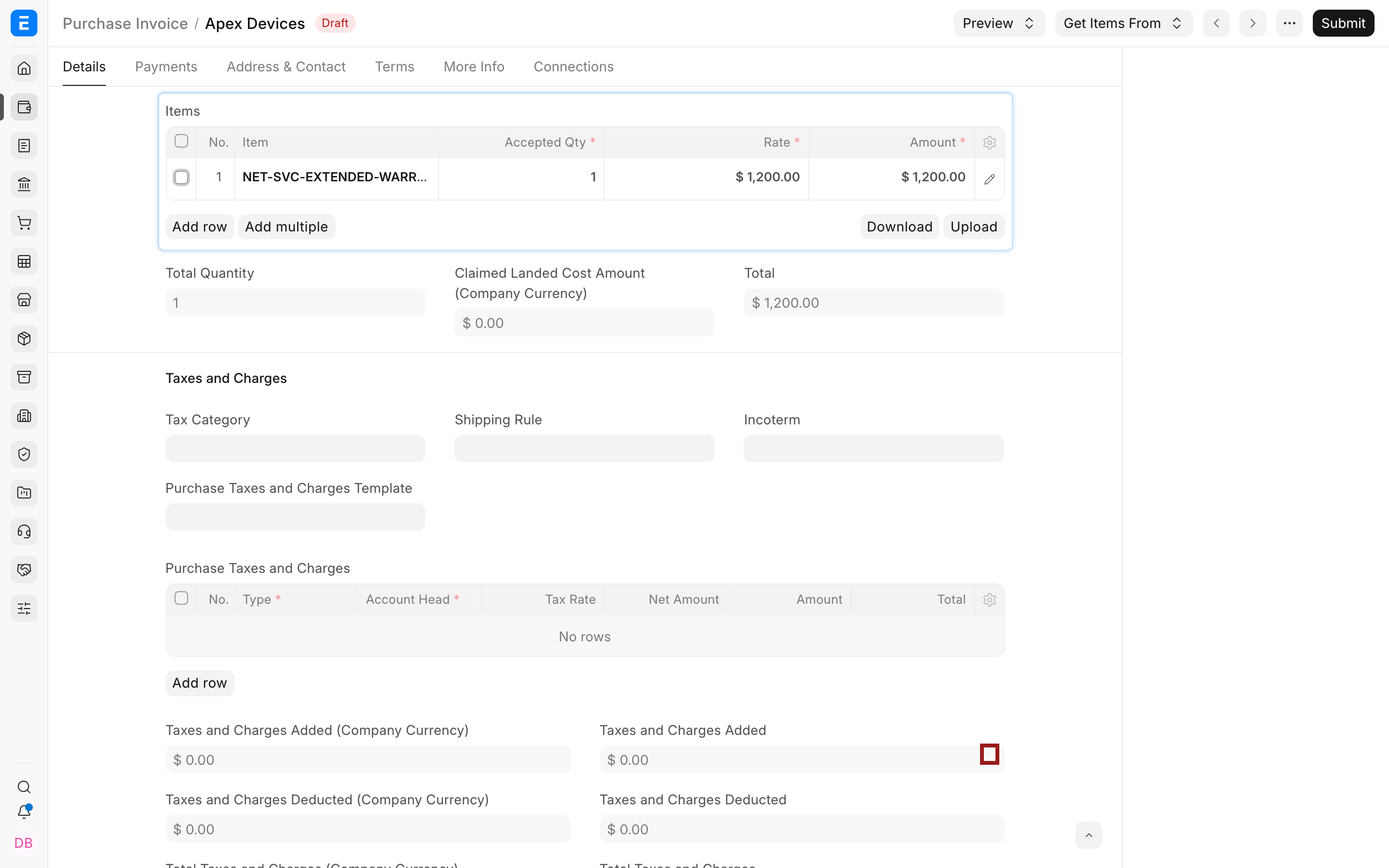
Section titled “Create the Purchase Invoice”Create a Purchase Invoice for the Supplier and add the deferred-expense Item. Confirm the Company, Supplier bill number and date, posting date, currency, rate, taxes, and Cost Center.
In Items, select the pencil icon to open the full row editor.
Expand Deferred Expense and complete:
| Field | What it means |
|---|---|
| Enable Deferred Expense | Applies deferred treatment to this invoice row |
| Deferred Expense Account | Asset account holding the unconsumed cost |
| Service Start Date | First date on which the purchased service is consumed |
| Service End Date | Final date of the service period |
| Service Stop Date | Optional earlier stop date when the service ends early |
| Expense Head | Final account that receives recognized expense |
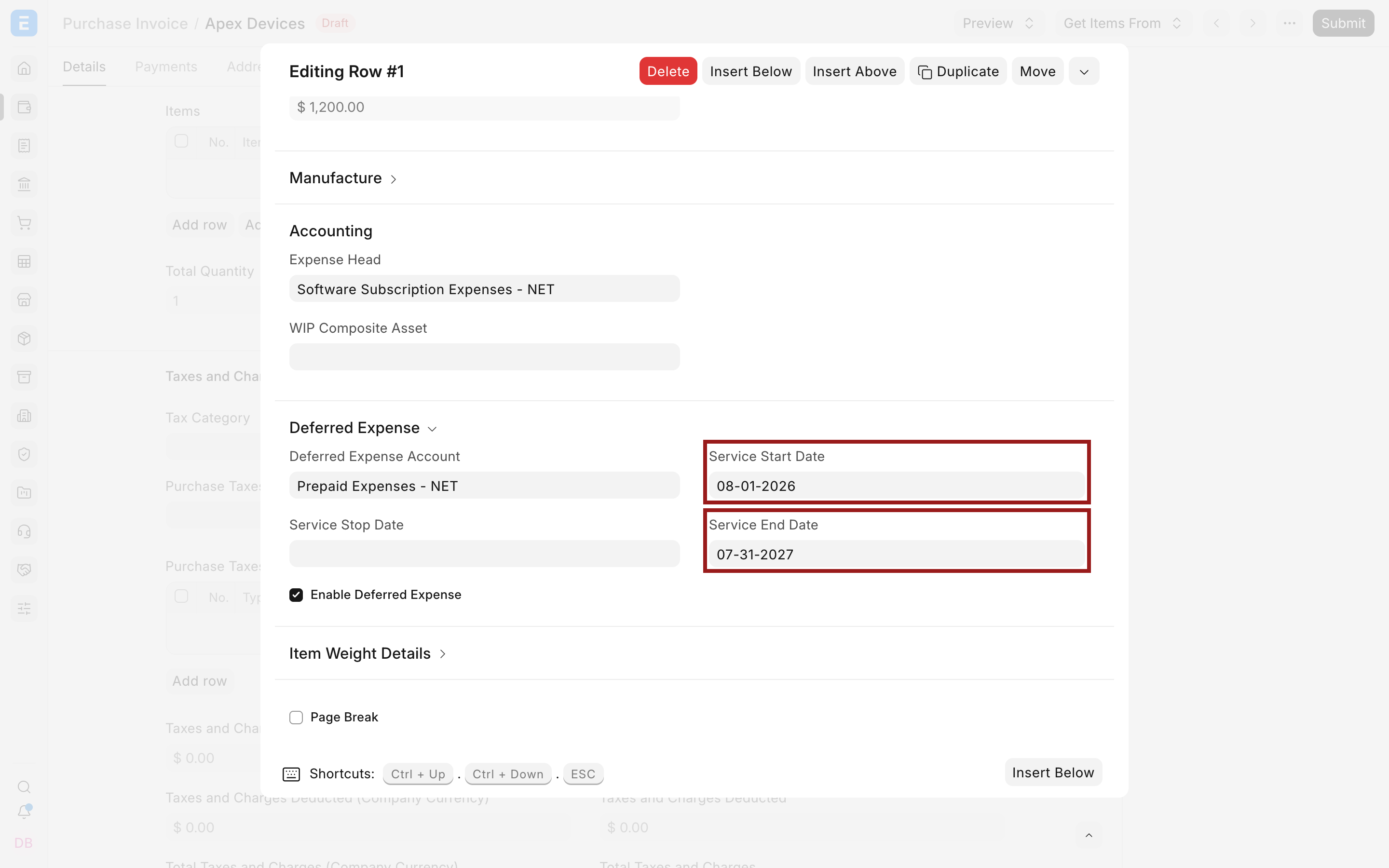
The example uses Prepaid Expenses - NET and Software Subscription Expenses - NET. The service dates cover one year. Submit only after confirming every eligible row.
What happens on submission
Section titled “What happens on submission”Bravo Hub ERP creates the Supplier payable, but the eligible row is debited to the deferred expense asset instead of immediately debiting the final Expense Head. This prevents a full annual cost from distorting one month’s Profit and Loss Statement.
Taxes and charges follow their own configured accounts and rules. Deferred expense controls the eligible Item amount; it does not automatically defer every tax, freight, or charge on the invoice.
Recognize the expense
Section titled “Recognize the expense”When automatic processing is enabled, Bravo Hub ERP processes eligible schedules in the background. Otherwise, create a Process Deferred Accounting record with Type = Expense.
For each eligible period, recognition debits the Purchase Invoice row’s Expense Head and credits the deferred expense asset. If Accounts Settings uses Journal Entry posting, Bravo Hub ERP creates Journal Entry documents. They may remain Draft for review or be submitted automatically.
The original page described automatic monthly Journal Entries. That remains the visible document flow when Journal Entry posting is selected. With direct posting, the same debit and credit appear in the General Ledger without a separate Journal Entry document.
Verify recognized and pending expense
Section titled “Verify recognized and pending expense”Open the Deferred Revenue/Expense Report and check the Purchase Invoice, service period, invoiced amount, recognized amount, and pending balance.
Then review the General Ledger:
- The deferred asset should begin with the eligible invoice amount.
- Each recognition period should credit that asset.
- The same amount should debit the final Expense Head.
- At the end of the full service period, the eligible deferred balance should be fully recognized, subject to approved changes and rounding.
Review the Supplier payable separately. The invoice may be unpaid, partially paid, or fully paid while expense recognition continues independently.
Other examples and boundaries
Section titled “Other examples and boundaries”The earlier documentation listed insurance paid in advance, internet subscriptions, debt-issuance costs, and intangible-asset amortization. Those remain conceptually relevant, but not every long-term cost should be handled through this invoice feature.
Fixed assets should normally use Bravo Hub ERP Asset and depreciation workflows. Capitalized interest, intangible assets, and debt-issuance costs may require specialized accounting and local reporting. Use deferred expense on Purchase Invoice rows only when it matches the applicable accounting policy.
Stop, cancel, or amend the service
Section titled “Stop, cancel, or amend the service”If service ends early, use Service Stop Date where supported, then verify the next processing run. If the invoice amount, dates, or account is wrong, use the supported cancellation and amendment flow.
Do not post an unexplained Journal Entry to remove a residual prepaid balance. First check the processing dates, document status, stop date, generated Draft Journal Entries, and whether the final period was included.
Troubleshooting
Section titled “Troubleshooting”| Problem | What to check |
|---|---|
| Full cost appears in expense immediately | Confirm the row’s enable option, deferred asset account, and service dates |
| No recognition entry appears | Check automatic processing, the selected date range, background jobs, and Draft Journal Entries |
| Monthly amounts differ | Confirm whether recognition is based on Days |
| Prepaid balance remains after the term | Check the final processing date, service stop date, invoice status, and unsubmitted entries |
| Expense posts to the wrong account | Review the Expense Head on the Purchase Invoice Item row |
Is a deferred expense the same as an unpaid Supplier invoice?
Section titled “Is a deferred expense the same as an unpaid Supplier invoice?”No, unpaid describes the payable and cash status. Deferred describes when the cost is recognized. A fully paid invoice may still have a deferred expense balance.
Can only one Purchase Invoice line be deferred?
Section titled “Can only one Purchase Invoice line be deferred?”Yes, deferred options, accounts, and service dates are set on each Item row.
Should prepaid insurance use deferred expense?
Section titled “Should prepaid insurance use deferred expense?”It is a common use case when the policy covers future periods. Confirm the required treatment and recognition basis with your accountant.
Why are generated Journal Entries not in the ledger?
Section titled “Why are generated Journal Entries not in the ledger?”They remain Draft when automatic submission is disabled. Review and submit them before expecting a General Ledger effect.
Should fixed-asset depreciation use this feature?
Section titled “Should fixed-asset depreciation use this feature?”Normally no. Use Bravo Hub ERP’s Asset and depreciation workflow for fixed assets. Deferred expense is better suited to prepaid services and similar costs consumed over a defined period.