
Asset Capitalization
Imagine Nova Industries builds a testing machine using purchased components, technician time, and installation services. During construction, those costs are collected separately. Once the machine is ready, the company needs to combine the qualifying costs into one fixed asset.
Asset Capitalization gathers those costs and transfers them to the completed Asset. It shows how the final value was built and prevents the company from treating a long-term asset as an immediate operating expense.
Before you begin
Section titled “Before you begin”Confirm the target fixed-asset Item and category, source assets, available stock, service expense accounts, Finance Book, posting date, and capitalization policy.
Define the target
Section titled “Define the target”- Create an Asset Capitalization.
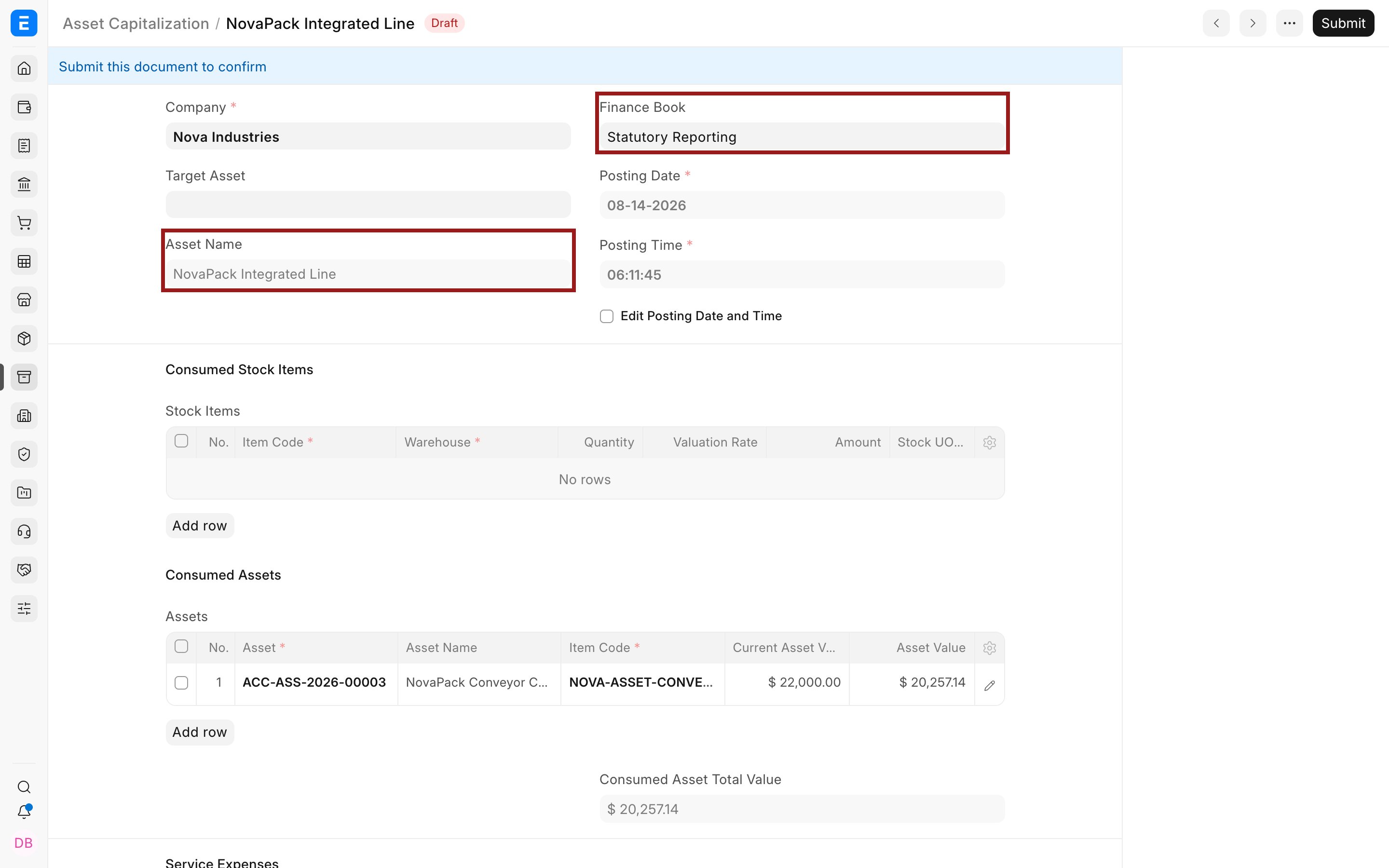
- Select the company and posting date.
- Choose a target Item and enter a recognizable target Asset Name, or select an eligible composite target Asset.
- Select the Finance Book when required.
Add source costs
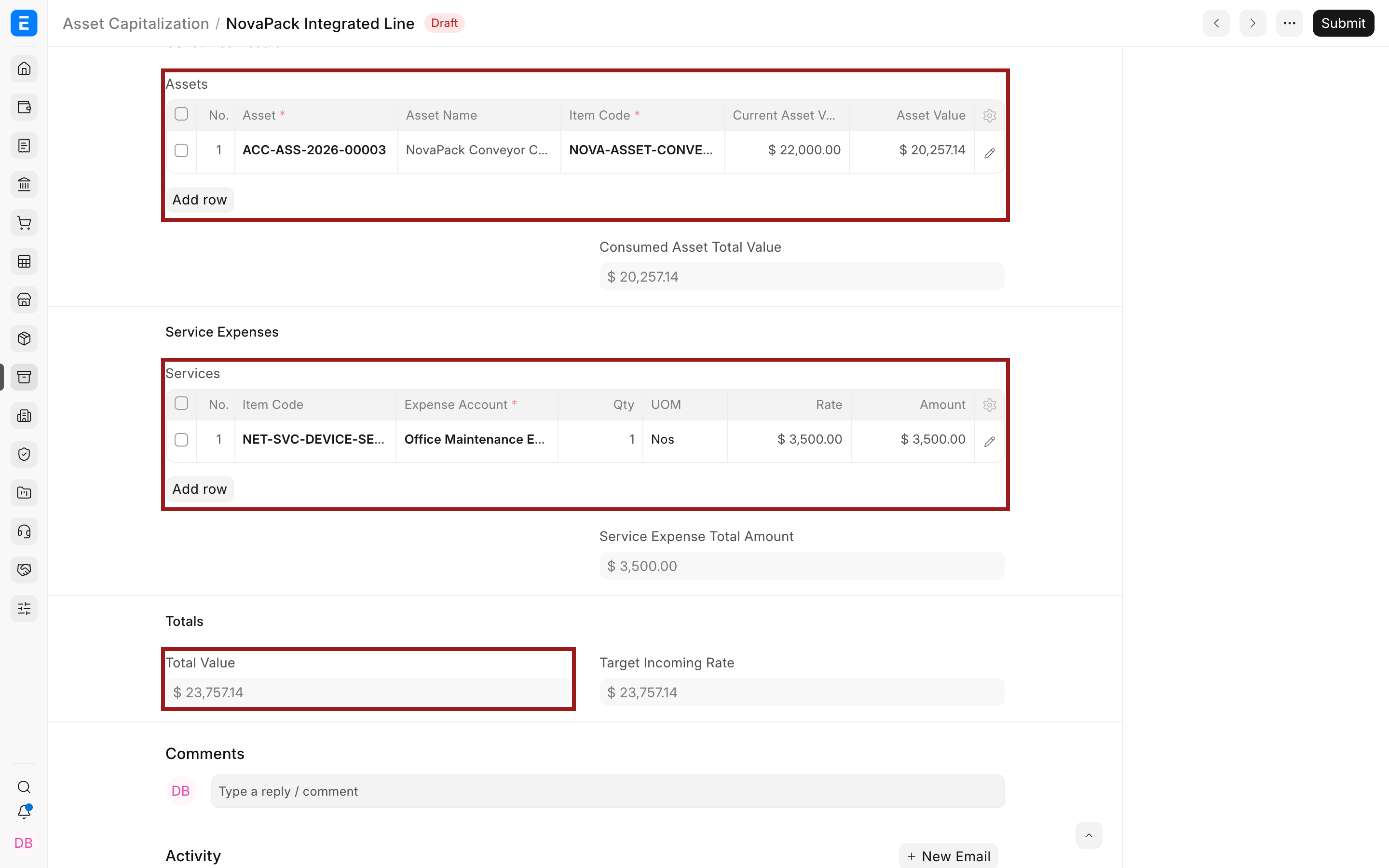
Section titled “Add source costs”Add stock items, consumed assets, and service expenses. The example combines an existing conveyor with setup services. Use the pencil icon whenever a child row needs account, warehouse, quantity, rate, or cost-center detail.
Submit and verify
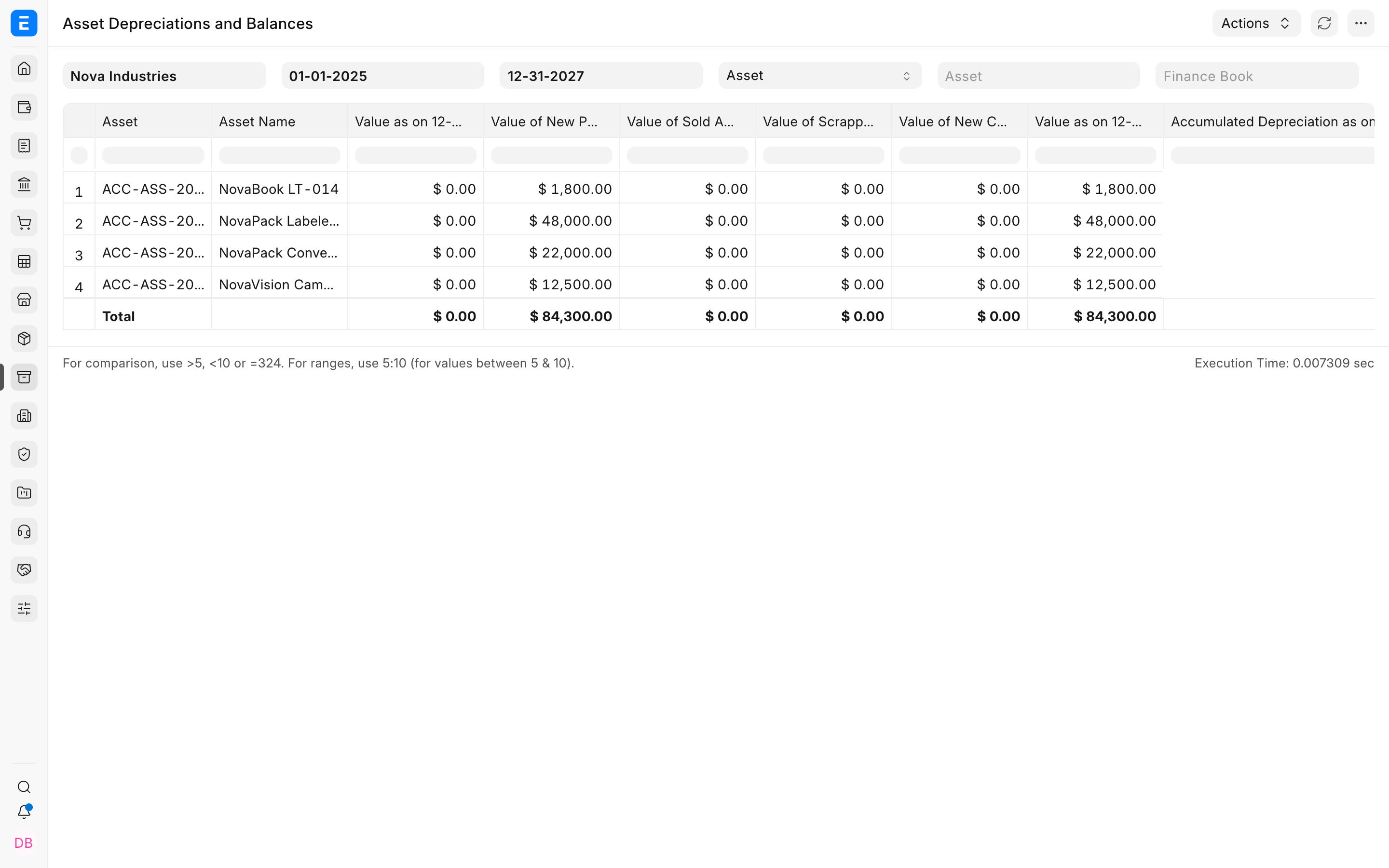
Section titled “Submit and verify”Bravo Hub ERP reduces or updates the source values according to the transaction and capitalizes the total into the target. Verify the target Asset, source Asset statuses, stock impact, Journal Entry or Stock Ledger effect, and future depreciation schedule.
Troubleshooting
Section titled “Troubleshooting”The target Asset is not eligible
Section titled “The target Asset is not eligible”A selected existing target may need to be a Composite Asset. Otherwise create a new target from the fixed-asset Item.
A service row cannot be saved
Section titled “A service row cannot be saved”Provide the Item, expense account, quantity, rate, UOM, and cost center required by the row.
Total value is zero
Section titled “Total value is zero”Add valid source rows and allow Bravo Hub ERP to calculate their amounts before submission.
Frequently asked questions
Section titled “Frequently asked questions”Can I capitalize only services?
Section titled “Can I capitalize only services?”A valid capitalization can include qualifying services, but the target and accounting treatment must still satisfy the organization’s policy.
Can an existing Asset be consumed?
Section titled “Can an existing Asset be consumed?”In Bravo Hub ERP, yes, through the consumed-assets table when the workflow and target asset type permit it.
Does capitalization immediately start depreciation?
Section titled “Does capitalization immediately start depreciation?”Depreciation follows the target Asset’s available-for-use date and Finance Book schedule.