
Notification
Stay informed about important activities within your CRM system using the Notifications feature. This page serves as a central hub for all your CRM-related alerts and updates.
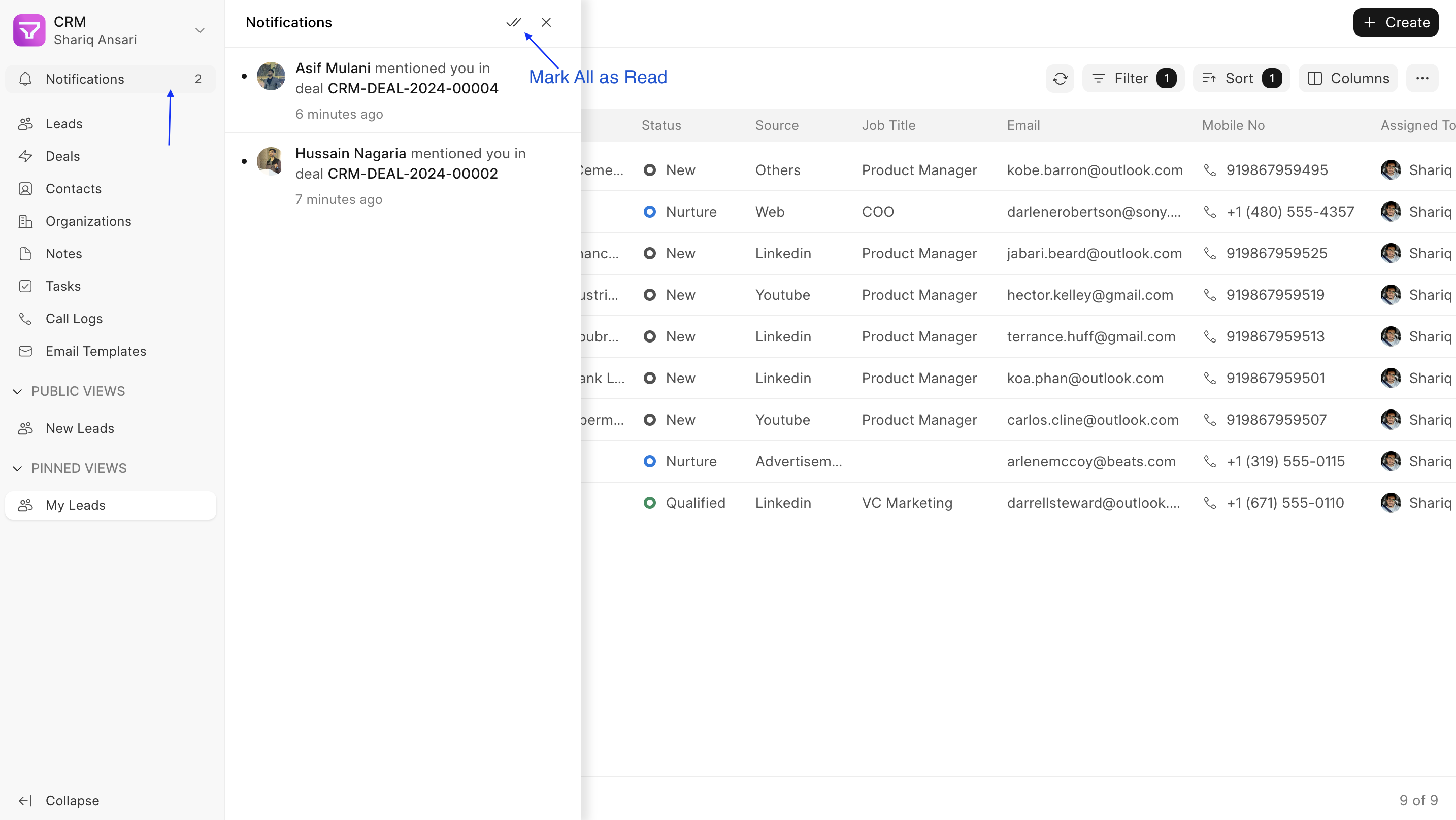
Accessing Notifications
Section titled “Accessing Notifications”- Locate the Notifications option in the sidebar.
- Click to open the Notifications Panel.
Understanding Notifications
Section titled “Understanding Notifications”The Notifications Panel displays a list of alerts related to your CRM activities. These alerts currently includes:
- Mentions in comment
- Task assignments/unassignment (changing assigned user)
- Lead/Deal assignments/unassignment
Managing Notifications
Section titled “Managing Notifications”Within the Notifications Panel, you can perform the following actions:
- Open a Notification: Click on an individual notification to view the specific comment or activity it refers to. This action will also mark the notification as read.
- Mark All as Read: Click the dedicated button at the top of the panel to mark all your current notifications as read.