
Freeze Accounting Entries
Nova Industries went live on Bravo Hub ERP on 1 January. If someone accidentally posts a transaction dated in December, the opening balances and signed-off legacy reports no longer agree. Accounts Frozen Upto gives finance a simple cut-off date: ordinary users cannot create or change accounting entries on or before that date.
Use this control for migration cutover dates, completed month-end closes, and audited periods. Unlike an Accounting Period, it is a broad accounting freeze rather than a list of selected document types.
Set the frozen date
Section titled “Set the frozen date”- Open the Company record.
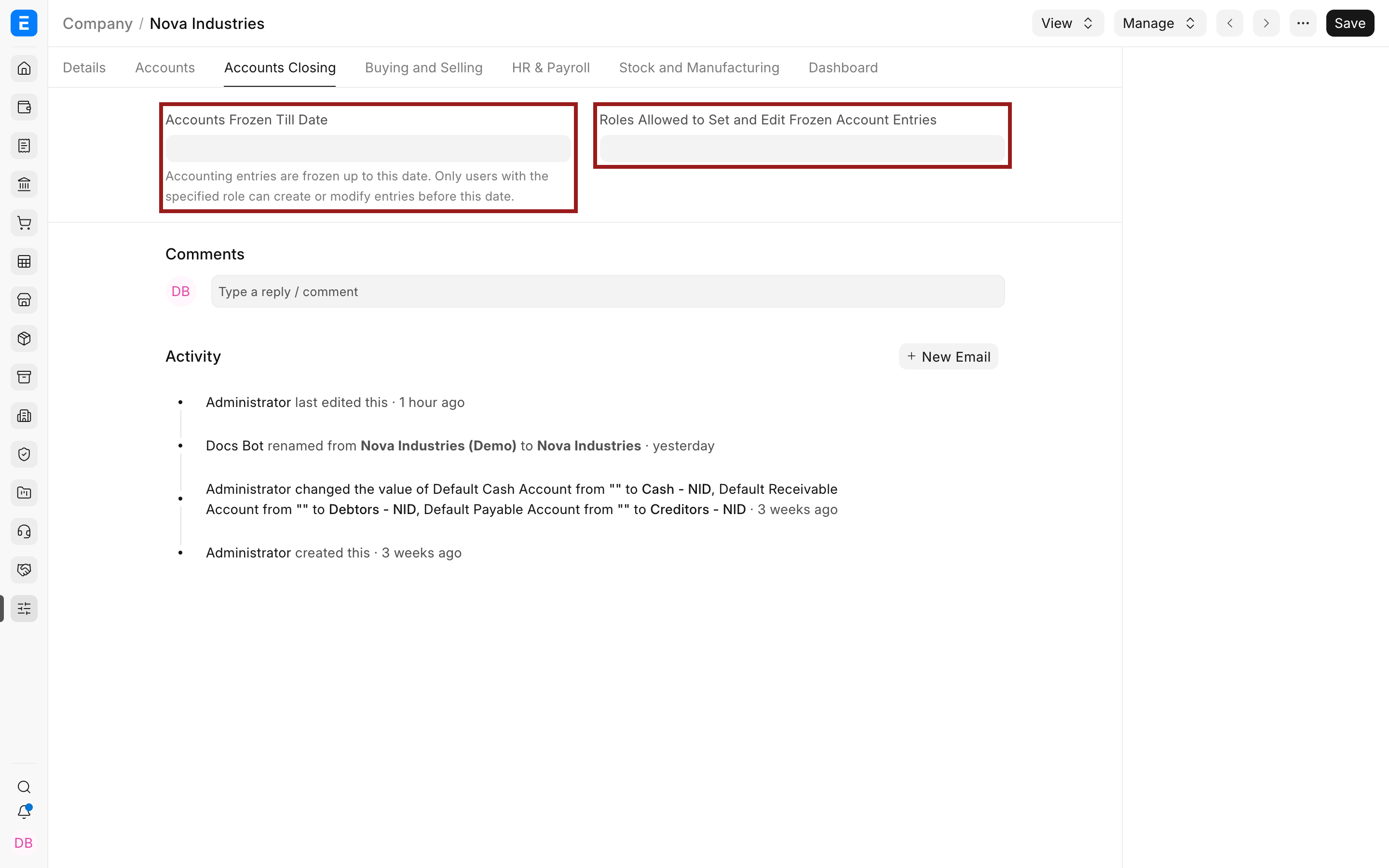
- Open the Accounts Closing tab.
- Set Accounts Frozen Till Date to the last protected date.
- Select Roles Allowed to Set and Edit Frozen Account Entries.
- Save the Company and test with a non-privileged account before relying on the control.
Use the exception role carefully
Section titled “Use the exception role carefully”The role is for approved corrections, not a way to continue routine backdated posting. Keep membership small, require supporting evidence, and review the General Ledger and Version history after an exception.
Troubleshooting
Section titled “Troubleshooting”A user can still post inside the frozen period
Section titled “A user can still post inside the frozen period”Check whether the user has the authorized frozen-entries role. Confirm the document actually posts accounting entries and that its posting date is on or before the configured date.
The authorized user is still blocked
Section titled “The authorized user is still blocked”Check for a submitted Accounting Period, fiscal-year restriction, immutable-ledger rule, or stock reposting restriction. These are separate controls and the frozen-entries role does not override every validation.
Frequently asked questions
Section titled “Frequently asked questions”Does freezing delete or reverse anything?
Section titled “Does freezing delete or reverse anything?”It prevents new changes through the cut-off date. Existing ledger entries remain unchanged.
Can I move the date forward every month?
Section titled “Can I move the date forward every month?”That is a common month-end practice after reconciliations and approval. Record the close checklist and the person who approved each change.