
Asset Maintenance Team
Imagine Nova Industries has electricians, IT technicians, and machine specialists. When a laptop or production machine needs work, assigning the wrong person wastes time and may leave the real problem unresolved.
An Asset Maintenance Team groups the people who can perform a type of maintenance. The team can then be selected on a maintenance plan so everyone knows who is responsible for each scheduled task.
Create a team
Section titled “Create a team”- Open Asset Maintenance Team and select Add.
- Enter a team name and company.
- Select a Maintenance Manager.
- Add members and their maintenance roles.
- Save, then use the team in Asset Maintenance plans.
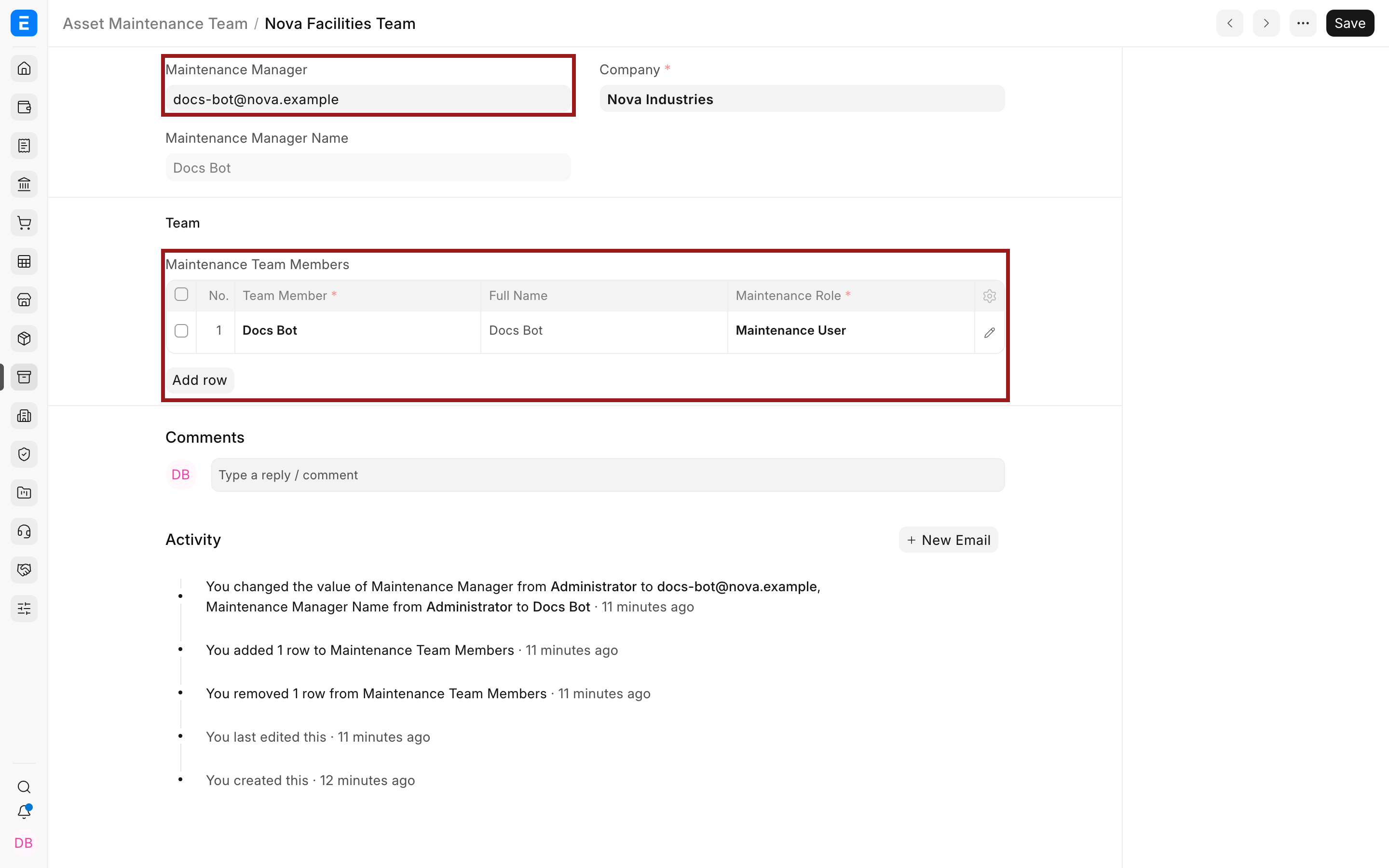
| Field | What it means |
|---|---|
| Maintenance Manager | User who supervises the plan. |
| Team Member | User who can be assigned maintenance work. |
| Maintenance Role | Role used to describe or authorize the member’s responsibility. |
| Company | Company whose assets the team maintains. |
Troubleshooting
Section titled “Troubleshooting”A user cannot be selected as a member
Section titled “A user cannot be selected as a member”Confirm the User is enabled and has access to the relevant company and Assets records.
Tasks are assigned to the wrong person
Section titled “Tasks are assigned to the wrong person”Correct the task’s Assign To field. The team defines available ownership but each task controls its assignee.
Frequently asked questions
Section titled “Frequently asked questions”Can the same user be in more than one team?
Section titled “Can the same user be in more than one team?”In Bravo Hub ERP, yes, when that reflects operational responsibility.
Does the team itself create tasks?
Section titled “Does the team itself create tasks?”In Bravo Hub ERP, no. The Asset Maintenance plan creates scheduled tasks and logs using the selected team.
Can teams be company specific?
Section titled “Can teams be company specific?”In Bravo Hub ERP, yes. Keep the selected company aligned with the Assets the team will maintain.