
Subscription Plan
A Subscription Plan defines what Bravo Hub ERP bills on a recurring basis, how much it charges, and how often it charges it. You add one or more plans to a Subscription, and Bravo Hub ERP uses them when it creates recurring Sales Invoices or Purchase Invoices.
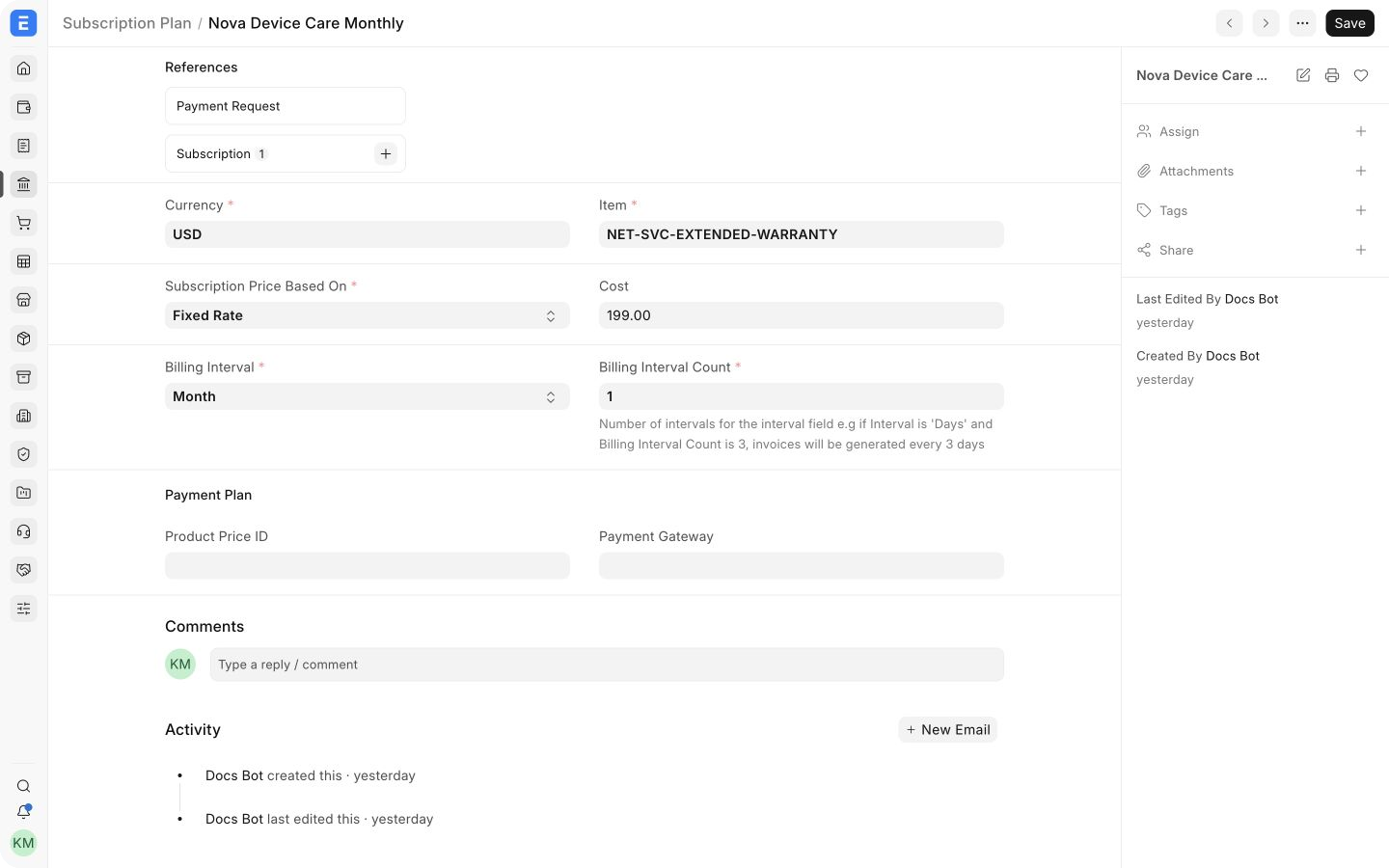
Use a separate plan for each distinct combination of item, price, currency, and billing frequency. For example, Nova Industries can use Nova Device Care Monthly for a USD 199 monthly warranty service and a separate yearly plan for customers who pay in advance.
Before you begin
Section titled “Before you begin”Create the following records first:
- An Item for the product or service being billed. Use a non-stock service Item when no stock delivery is involved.
- An Item Price and Price List if the plan will obtain its rate from a Price List.
- A Payment Gateway Account if an external payment integration will collect the recurring charge.
- A Cost Center or other accounting dimensions if subscription income or expense must be reported separately.
Accounts Users, Accounts Managers, and System Managers can create Subscription Plans when their role permissions have not been customized.
Create a Subscription Plan
Section titled “Create a Subscription Plan”- Go to Accounting > Subscriptions > Subscription Plan.
- Select Add Subscription Plan.
- Enter a unique Plan Name. Use a name that communicates the service and interval, such as
Nova Device Care Monthly. - Select the Currency and the Item being billed.
- Choose how Bravo Hub ERP determines the subscription price and enter the corresponding rate or Price List.
- Set the Billing Interval and Billing Interval Count.
- Add payment and accounting details when required.
- Save the plan.
Saving a plan does not create an invoice. Add the saved plan to a Subscription to begin the recurring billing workflow.
Choose how the price is determined
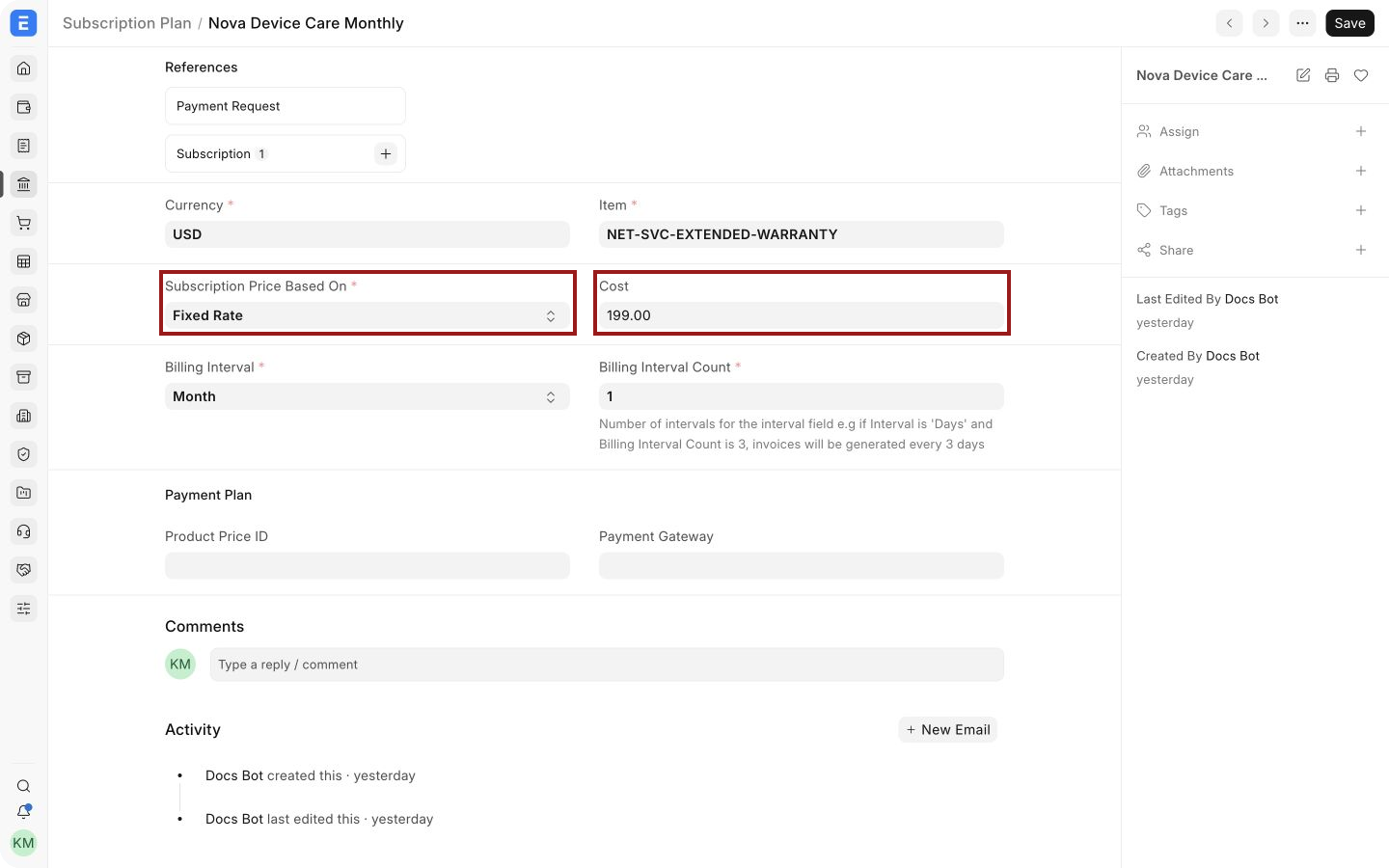
Section titled “Choose how the price is determined”The highlighted fields control the rate Bravo Hub ERP uses when it generates an invoice from the Subscription.
| Subscription Price Based On | How Bravo Hub ERP calculates the rate | Use it when |
|---|---|---|
| Fixed Rate | Uses the value entered in Cost. | The charge remains the same for every billing cycle. |
| Based On Price List | Reads the Item rate from the selected Price List. The applicable customer or supplier context can affect the returned Item Price. | You maintain recurring rates through standard Item Prices. |
| Monthly Rate | Treats Cost as the monthly rate and calculates the charge for the covered number of months. Proration can apply when enabled in Subscription Settings. | The billing period may span one or more months and you want the amount calculated from a monthly base rate. |
Changing a plan does not rewrite invoices that have already been generated. Review the next invoice after changing a rate, Price List, or billing interval.
Set the billing frequency
Section titled “Set the billing frequency”The Billing Interval supplies the unit: Day, Week, Month, or Year. The Billing Interval Count tells Bravo Hub ERP how many of those units make one billing cycle.
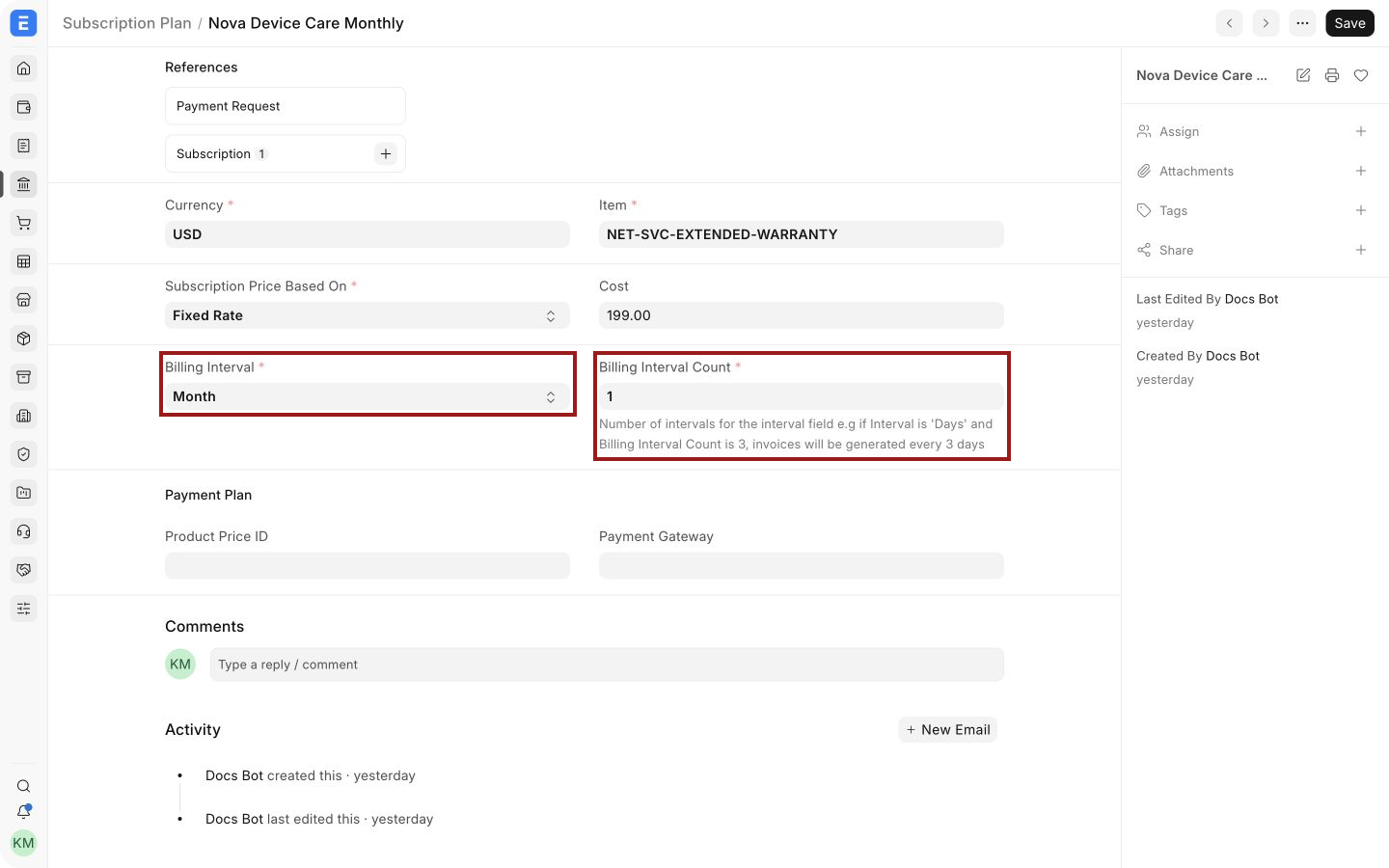
Examples:
| Billing Interval | Count | Result |
|---|---|---|
| Month | 1 | Bills every month |
| Month | 3 | Bills every three months |
| Week | 2 | Bills every two weeks |
| Year | 1 | Bills every year |
The count must be at least 1. The Subscription’s start date and invoice-generation settings determine the actual billing dates. Calendar-month alignment, invoice timing, trial periods, and renewal behavior belong on the Subscription rather than the plan.
Important fields and what they mean
Section titled “Important fields and what they mean”| Field | What it controls |
|---|---|
| Plan Name | The unique name shown when you add the plan to a Subscription. |
| Currency | The currency used for the plan’s rate and generated invoice line. Keep it consistent with the party and transaction currency. |
| Item | The product or service added to the generated invoice. Bravo Hub ERP uses the Item’s accounting defaults when it builds the invoice line. |
| Subscription Price Based On | Selects the fixed-rate, Price List, or monthly-rate calculation. |
| Cost | Stores the fixed or monthly base rate. It appears only when the selected pricing method requires it. |
| Price List | Supplies the Item Price when pricing is based on a Price List. |
| Billing Interval | Defines whether the cycle is measured in days, weeks, months, or years. |
| Billing Interval Count | Defines how many intervals make one billing cycle. |
| Product Price ID | Stores an external payment provider’s price identifier when an integration requires it. Leave it blank for ordinary Bravo Hub ERP invoicing. |
| Payment Gateway | Links the plan to a configured Payment Gateway Account for integrated collection workflows. |
| Cost Center | Assigns the generated invoice line to the selected Cost Center when the integration and Subscription flow carry the accounting dimension forward. |
Use the plan in a Subscription
Section titled “Use the plan in a Subscription”Open a new Subscription, select the Customer or Supplier, set the service dates, and add the plan in the Subscription Plans table. A customer Subscription generates Sales Invoices, while a supplier Subscription generates Purchase Invoices.
One Subscription can contain multiple plans. This is useful when the same Customer receives a base service plus separately priced support, storage, or add-ons. Keep each charge as its own plan so rates and intervals remain understandable.
Troubleshooting
Section titled “Troubleshooting”The generated invoice rate is zero
Section titled “The generated invoice rate is zero”For Based On Price List, confirm that the selected Price List contains an active Item Price for the plan’s Item, currency, quantity, party context, and invoice date. If no applicable price is found, Bravo Hub ERP can return a zero plan rate.
The plan bills at the wrong frequency
Section titled “The plan bills at the wrong frequency”Check both Billing Interval and Billing Interval Count. A Month interval with a count of 3 means one invoice every three months, not three invoices each month. Then verify the Subscription’s start date and invoice-generation settings.
The plan cannot be saved
Section titled “The plan cannot be saved”Confirm that the Plan Name is unique, all required fields are present, and Billing Interval Count is 1 or higher.
The payment gateway does not collect payment
Section titled “The payment gateway does not collect payment”Linking a gateway on the plan does not complete the integration by itself. Verify the Payment Gateway Account, provider credentials, Product Price ID when required, and the Subscription payment workflow.
Frequently asked questions
Section titled “Frequently asked questions”Can I use one plan for several customers?
Section titled “Can I use one plan for several customers?”You can reuse a Subscription Plan. Add the same plan to multiple customer Subscriptions when the item, currency, pricing method, and billing interval are identical.
Can one Subscription contain several plans?
Section titled “Can one Subscription contain several plans?”You can add several plans. Each plan becomes a separate recurring invoice line. Use this for a base service with optional add-ons.
Should I create separate monthly and yearly plans?
Section titled “Should I create separate monthly and yearly plans?”Usually, yes. Separate plans make the price and billing commitment explicit and reduce the chance of selecting the wrong interval.
Does saving a plan create an invoice?
Section titled “Does saving a plan create an invoice?”Saving the plan does not create an invoice. The plan is a reusable billing definition, and invoice generation begins only after it is added to an active Subscription.